
Participant
October 15, 2022
Question

Subject mask not selecting subject

  • October 15, 2022
  • 2 replies
  • 386 views

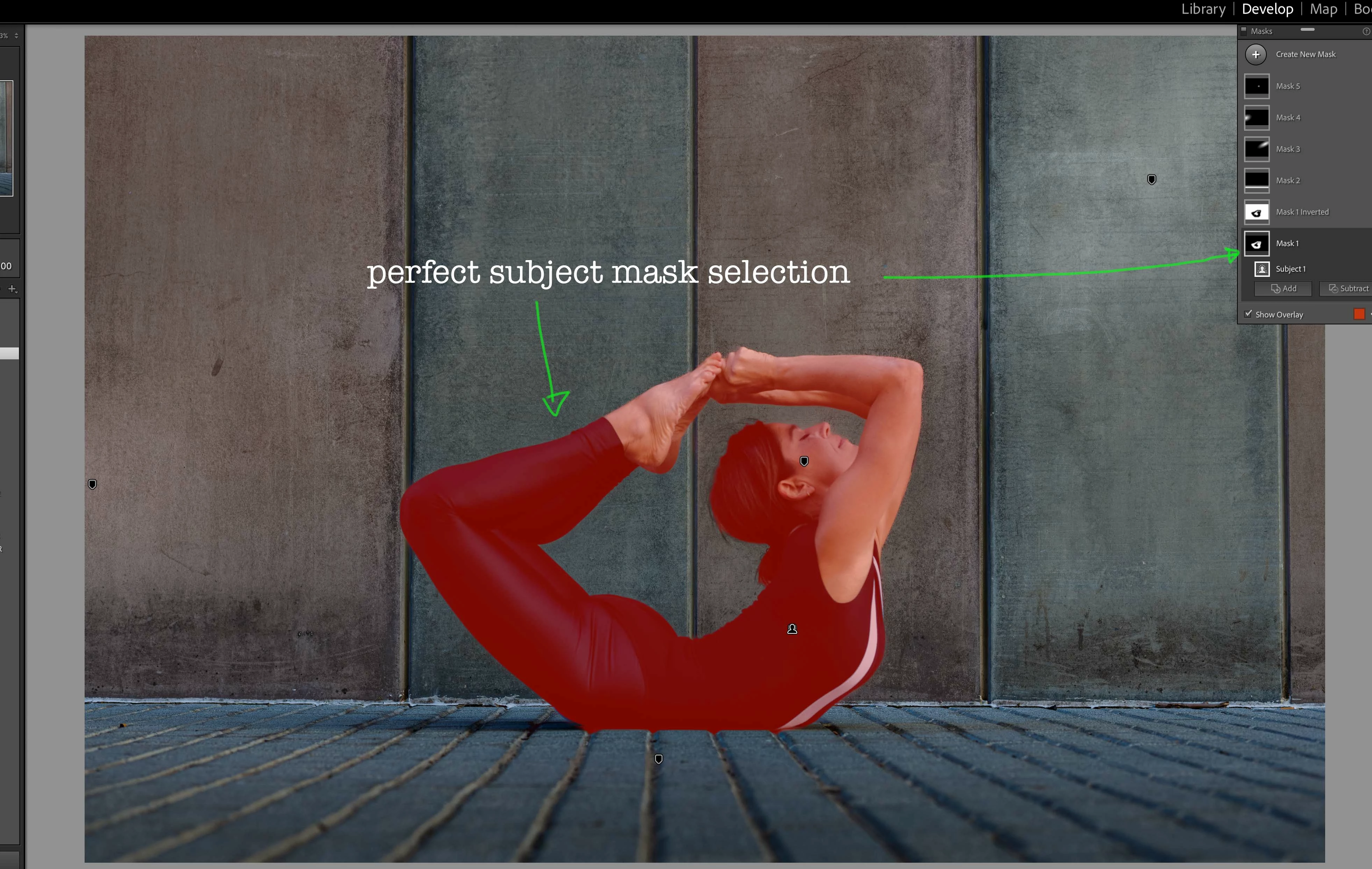
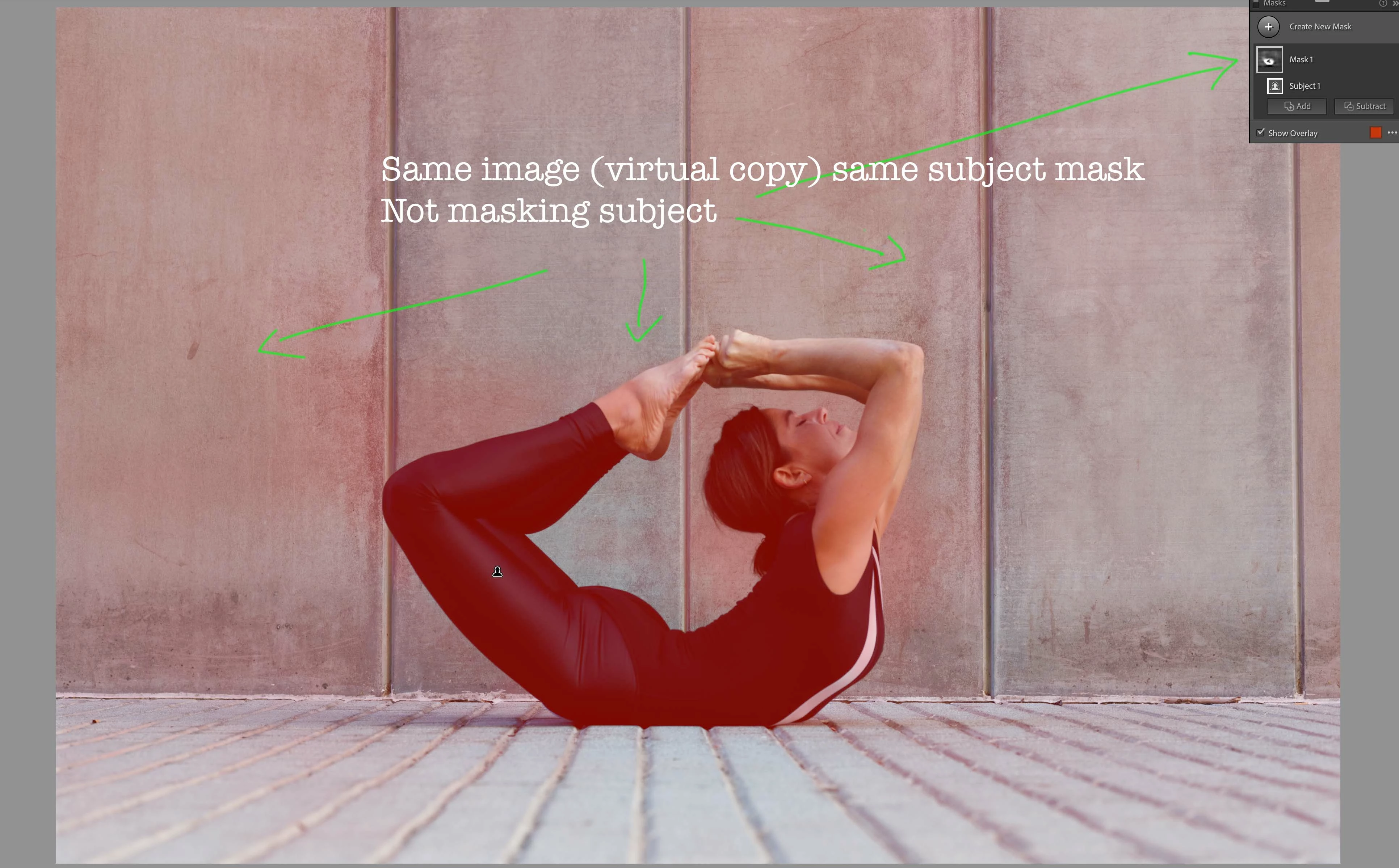
Hi, I am having probelms with subject selection in Lightroom Classic 11.5. This is a recent issue and I had succesfully used subject selection and achieved a perfect mask, a week later (no update in between) I am unable to select the subject in the same photo. Subject selection seems unable to locate the subject in any other image. I've attached two images, image 1 with the previous perfect selection and image 2 with the new, far from perfect selection as part of the background and foreground has been included in the selection. I'm running the latest update of Lightroom Classic on a Mac Studio Ultra with Monterey 12.6. Any help would be appreciated!
This topic has been closed for replies.

2 replies

Participating Frequently
October 17, 2022

Exactly describes my issue that's appeared in last 2 days (aside from I'm on Windows 11), following an update of my graphics card to latest version (Radeon RX 6600).

Never seen this issue previously, but something is definitely wrong with my subject and sky auto selection.

Participating Frequently
October 17, 2022

Might add that I've tried disabling GPU in preferences, and re-installed Ligtroom 11.5. Same issue remains (all images)

johnrellis
Legend
October 17, 2022

@Libby Caamaño and @champagne_super_photo, please do the menu command Help > System Info and copy/paste the entire contents here. That will show us your exact hardware and software configurations and potentially help Adobe troubleshoot the issue.


@champagne_super_photo, since you're on Windows, you could try rolling back to a previous version of the driver (e.g. one that's three months old).  LR pushes the limits on using the graphics processor for executing the AI models behind Select Subject/Sky and is often tripping over driver bugs. A few people have reported here that rolling back to a previous (working) driver was successful.

johnrellis
Legend
October 15, 2022

Please upload a sample problem image to Dropbox, Google Drive, or similar and post the sharing link here. We can see if the issue occurs on other configurations or just yours, narrowing down the problem and pointing towards a possible workaround.

Participant
October 17, 2022

Hello... Thank you for your reply.  This is definitley not related to a specific image. The same issue occures on all images throughout my catlaogue  and I have now tried subject selection on the images that I posted alongside others, on a pre M1 macbook and there are no issues, a perfect selection. If there are any work arounds, I'd love to learn about them... Thank you.