
Answered
Subject masking problem. Cannot affect separate mask layers individually.
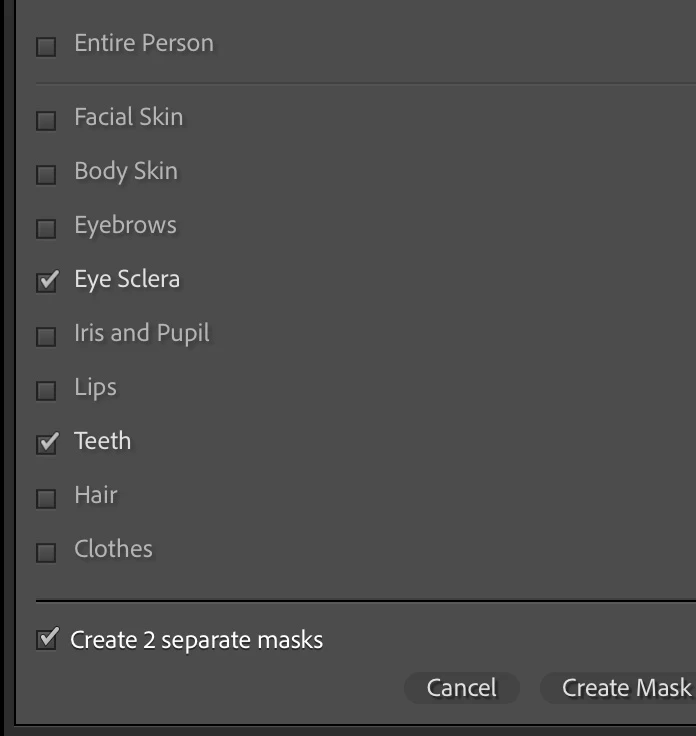
Since updating to the latest version of LR CC (12.5), when I go the masking panel and select subject, I tell it to select the eye schlera, teeth and iris/pupil. That puts each on its own masking layer, and I should be able to affect each separately (as it previously worked). However, when I select any of the layers, the changes I make to that layer affect all layers. For example, if I select the teeth layer, and select "teeth whitening" it applies that to all the layers, rather than just the teeth layer. I am ONLY selecting the teeth layer. The same goes with any of the other layers as well.
I'm on Mac OS X 13.2.1 (22D68) on a Mac Studio.
LR Classic Build [202308091523-68a7abd6]


 AdChoices