
Known Participant
November 19, 2023
Question

Suddenly encountering difficulty importing jpeg.

  • November 19, 2023
  • 1 reply
  • 570 views

Running Mac OS Sonoma 14.1, Lightroom Classic 13.0.1

Hi. Recently I'm encountering an error when importing jpeg images into Lightroom Classic from iPhotos, my download folder and from iMessage. This is what I see in Lightroom upon importing...
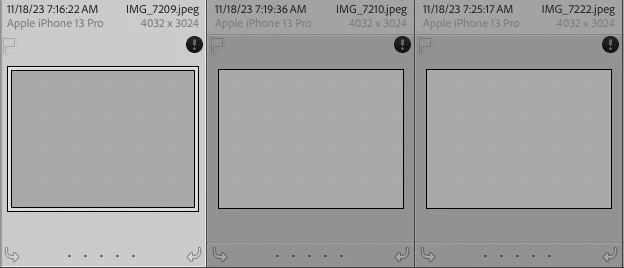
This is the error message...
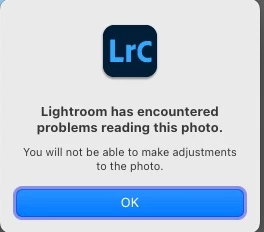
This is happening regularly all of a sudden. In the example above there was an import of 4 jpegs all from the same source. Only one came across as an image I can see.

Does anyone have an idea of why this is happening?

Thank you in advance for any help with this.

-Firislander.


This topic has been closed for replies.

1 reply

GoldingD
Legend
November 21, 2023

Exclamation point in a black circle indicates the image is corrupt. 


  • Bad SD card
  • Bade SD card reader
  • Bad USB Cable between SD card reader and computer
  • Bad USB cable between Camera and computer ( if you use that method)
  • Camera error
  • Hard drive error
Known Participant
November 22, 2023

Hi. Thank you for your reply.
I'm trying to respond further but I am running into difficulties. I have some error messages concerning this topic and I cannot get them to load. I drag and drop these error message jpgs in the box below here and they do not appear. I tried browsing for the files and could not get them to attach as well.

Do you or someone have any advice concerning this.

Thank you for any help you may have.

Firislander.


GoldingD
Legend
November 22, 2023

//Edit/Ok, I am making a point you already know, my bad.//


When posting images, such as screenshots of error message, please use the Insert Photo Button. Not the attachment option. If you have a large document, or a PDF file, perhaps a crash report, then use the attachment option. Note that none of this works in the e-mail or messenger options in this community.


And see:


Community How-To Guide - Tips & Best Practices