Participant
September 29, 2025
Question

Switched from MacBook to PC Windows with External Hardrive; ERROR

  • September 29, 2025
  • 3 replies
  • 142 views


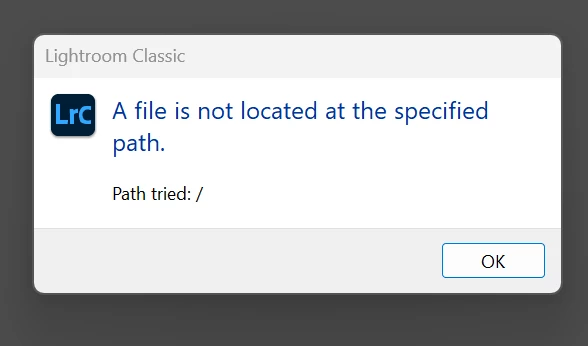
I just built my own computer and I have windows installed with it. I use a macbook as my portable laptop and since I finally have my PC i want to send over my catalog that started in my macbook to my PC. I am expereiecing the following issues. 
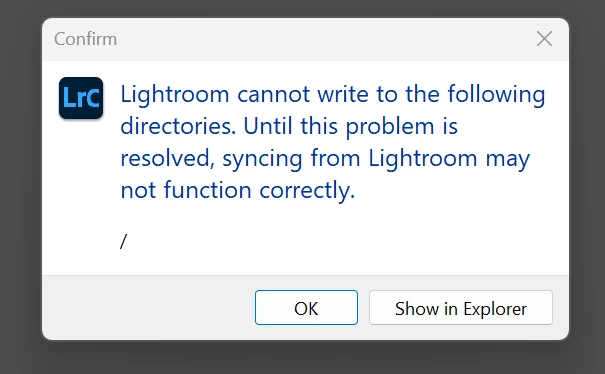

Please help! I checked out that one Lightroom Queen article and I can not seem to follow what I should be doing. 


[moved to the correct community for Lightroom Classic and from bugs to discussions according to the community rules - Mod.]

3 replies

Community Manager
October 9, 2025

Hi @Salvador36313740djk8! Welcome to the community!

Just checking if you're still experiencing this issue?

Thanks!

Alek

*(If you mention me with an @, like @Aleke, I’ll get a notification and can respond faster.)*
JohanElzenga
Community Expert
Community Expert
September 29, 2025

The first screenshot shows an error that can be solved as follows: Go to Preferences- Lightroom Sync and specify a normal folder for incoming synced images. Click the 'Choose' button. Right now the root of your hard drive is selected, but Lightroom Classic does not have access to that.


I believe the second and third screenshots show a problem that is caused by the difference between how MacOS handles disks using a disk name and Windows by using drive letters. This cannot be solved at the disk level itself, but must be solved at the folder level. Expand the two drives with no name, then 'relink' the top folder on each drive. https://www.lightroomqueen.com/lightroom-photos-missing-fix/


Do note that Windows cannot read MacOS-formatted drives, however. If you stored your images on such drives, you will first have to copy them to a drive that is formatted in ExFAT, so MacOS can write to it and Windows can read it. 

-- Johan W. Elzenga
dj_paige
Legend
September 29, 2025

There is no longer any software named Lightroom CC, and usage of this term just causes confusion. However, your screen captures make it clear that you are using Lightroom Classic. Please use the term Lightroom Classic from now on.


I am expereiecing the following issues. 
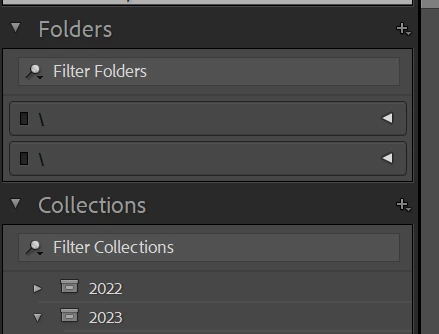
 

What steps in Lightroom Classic causes this error to appear?


What happens if you click on the Grey triangle to the right if the \ in the Folder Panel? Can you show us a screen capture (using the "Insert Photos" icon) of what you see when you click on the grey triangle?