jjmaia
Inspiring
February 4, 2020
Question

Syn settings but photos have diferent light?

  • February 4, 2020
  • 2 replies
  • 610 views

Hi all,


I am having a strange issue that is happening with only this photos...


I have taken this during a few hours to make a timelapse. Manual lens with aperture on 2.0, ISO 4000 and 15 seconds exposure. I have edited the 1st photos in LR and then synced the setting to the other photos. Problem is that some photos get a bit darker, but some get really bright. Before syncing all of them look the same except for the position of the Milky Way.


I have tried everything and the problem persists, but I got that the problem are the highlights. I tried to sync the settings but one at a time, and it is the highlights that are producing different results...
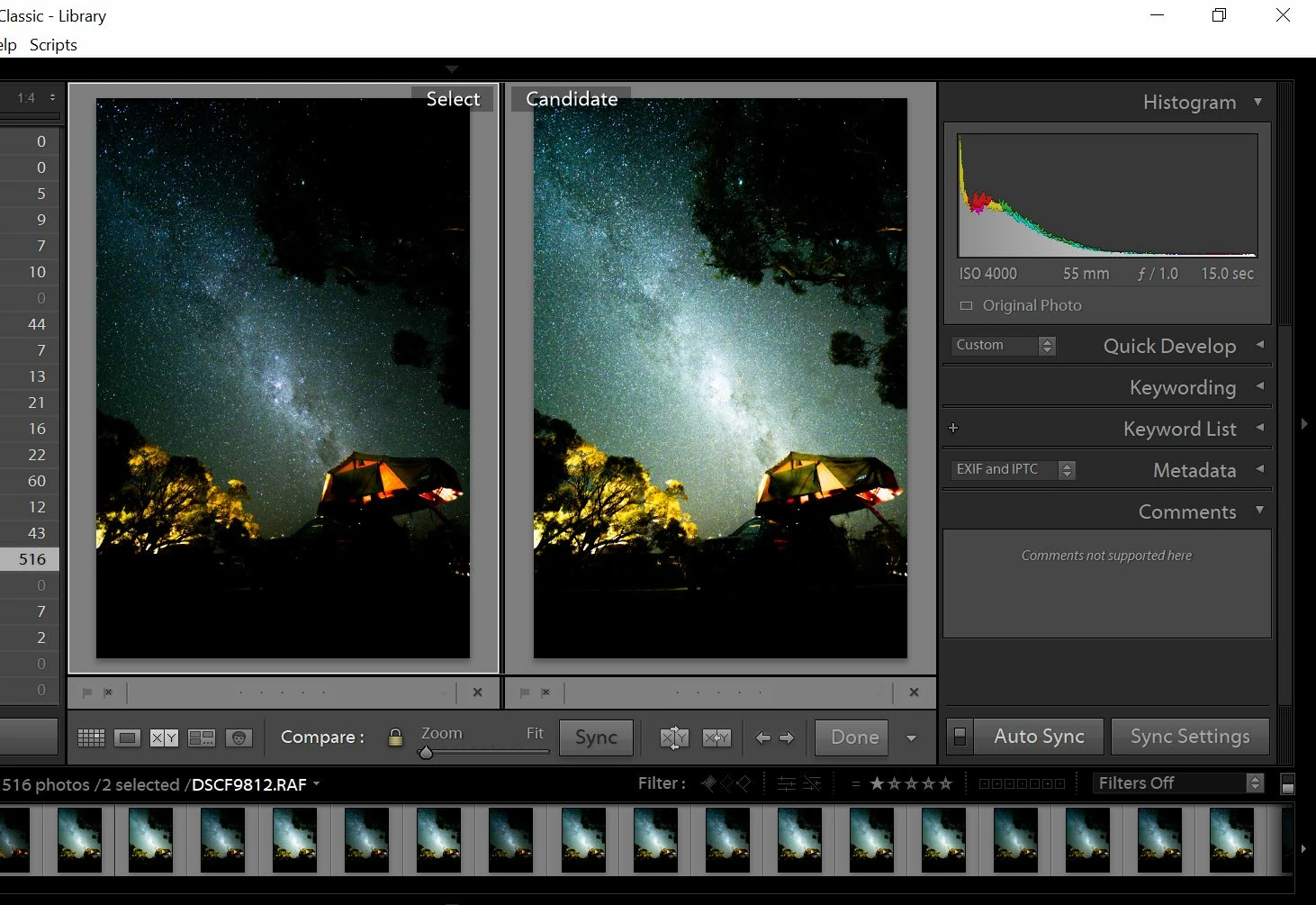
 

Thank you for your help.

This topic has been closed for replies.

2 replies

Conrad_C
Community Expert
Community Expert
February 11, 2020

One possible explanation: When applying settings to be synced across a time lapse, there are several settings where you should apply small changes and avoid large changes. These include Highlights and Shadows. The reason is that those settings adjust regions relative to nearby pixels, and since those change from frame to frame, the result may not be uniform from frame to frame. They can appear as inconsistent changes across the time lapse. Other adjustments apply to the entire frame uniformly.


There is software called LRTimelapse that can be used to ramp settings changes over time, and the maker warns its users of the same thing in this article:

https://lrtimelapse.com/news/use-dehaze-clarity-whites-blacks-with-care-on-timelapses/


If this is the cause, you might resolve it by reducing the very high Highlights value of +74 shown in your settings (to maybe under +10), and instead adjusting highlights using the Tone Curve, which does apply a uniform change from frame to frame. That is the recommendation at the end of the article linked above.

Tony_See
Inspiring
February 5, 2020

Can you post a screenshot of your Sync settings thanks?

Are you working on a calibrated system?

jjmaia
jjmaiaAuthor
Inspiring
February 9, 2020

Sure:


What do you mean by calibrated system?

Tony_See
Inspiring
February 11, 2020

Have you installed and run monitor calibration software with calibration hardware on the monitor on which you use Lightroom?

There are many flavours of this approach.

I'm using a product made by Datacolor.