
Participating Frequently
August 13, 2023
Question

Sync between Lightroom and Lightroom Classic not working

  • August 13, 2023
  • 3 replies
  • 403 views

Hi,

I started using Lightroom CC (LCC) but need to switch to Lightroom Classic (LRC).

I decided to sync my pictures via cloud where all my LCC pictures were uploaded anyway.

1. I created an album in LCC (to be shared to LRC as a Collection)

2. Created new catalog in Lightroom Classic, it started syncing.

3. It has failed on picture 1320 out of 1722, the picture was infinitelly pending. Tried to restart computer, create new catalog, load the previous catalog back, erased the *Sync.lrdata file described in other thread.

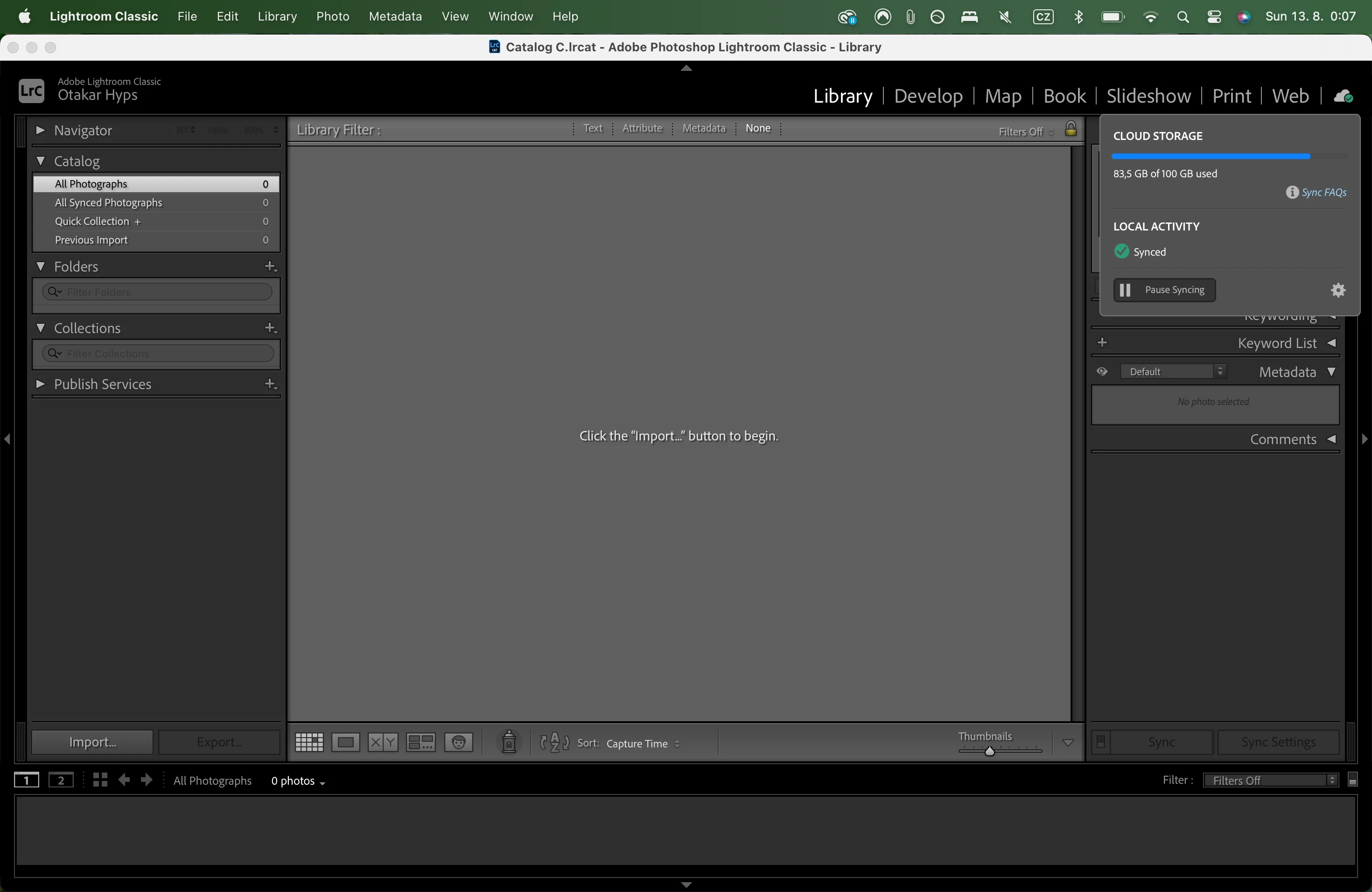
4. Then I created a new catalog in LRC again to start the sync from scratch. And this time it shows the sync status as everything is up to date but there are no pictures synced to LRC. Empty, no album as a collection displayed. Nothing.

5. What can I do to sync pictures seemlessly to LRC?
 

This topic has been closed for replies.

3 replies

Community Expert
August 13, 2023

P.S. it doesn't matter whether you put your images in albums or not. Classic always syncs down everything (if the sync works which is not a given since this is quite flaky) regardless of whether the images are in albums or not. Aso, if all you want is to get all the cloud images into Classic another way is to use Lightroom Downloader: https://lightroom.adobe.com/lightroom-downloader

Participating Frequently
August 14, 2023

I am thying this download. It is downloading RAF files and xmp, is that xmp file information about how the picture was edited?

Community Expert
August 14, 2023

Yes. The xmp sidecars contain all the editing and keywording info. Just keep them together with the raw files when importing into Classic.

Community Expert
August 13, 2023

If you browse to https://lightroom.adobe.com does it show a sync issues item in the left bar? The "low cloud storage" warning is worrisome and might have to do with your issue.

Participating Frequently
August 14, 2023

No warning in the browser version, even though there is a note about upgrading because of the low storage. 16GB is still available, I do not think this could be an issue.

Participating Frequently
August 13, 2023

This is Adobe CC screen. See the one album and all synced. 

I have tried to divide the album into many albums with less pictures. Did not help.

Participating Frequently
August 13, 2023

Here is sync detail and more albums