
Participant
December 31, 2024
Answered

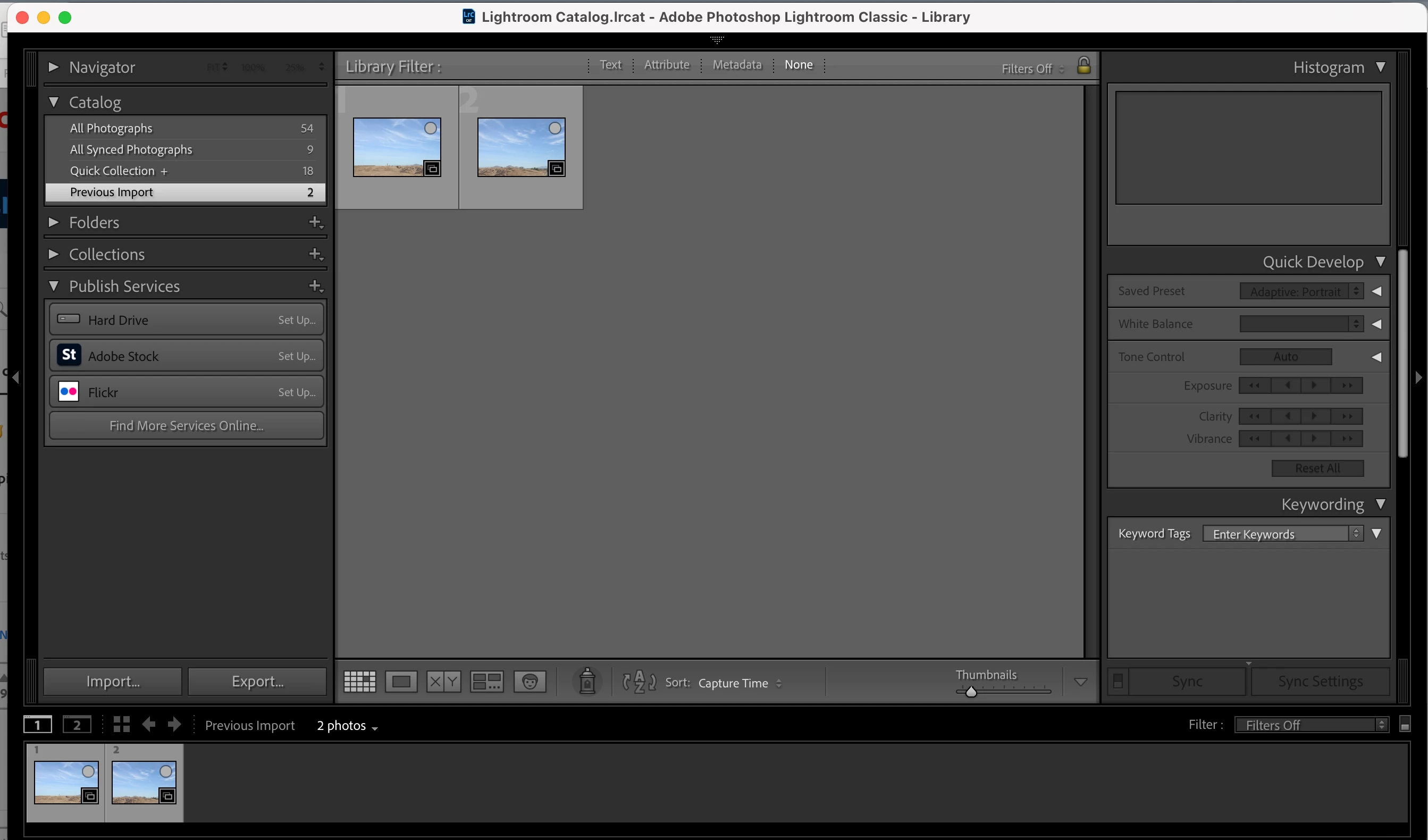
Sync button in the bottom right is not working

  • December 31, 2024
  • 1 reply
  • 304 views

Hi I'm fairly new to lightroom. I was trying to click the sync button in the bottom right next to "sync settings;" however, both of the buttons seem to be grayed out and it won't allow me to click either. I tried to look up how to troubleshoot this issue, but nothing seems to work.
This topic has been closed for replies.
Correct answer Ian Lyons

You need to have two or more images selected before the sync button becomes active. In your screenshot none are select, hence the button being greyed out.

1 reply

Ian Lyons
Community Expert
Ian LyonsCommunity ExpertCorrect answer
Community Expert
December 31, 2024

You need to have two or more images selected before the sync button becomes active. In your screenshot none are select, hence the button being greyed out.