
Question
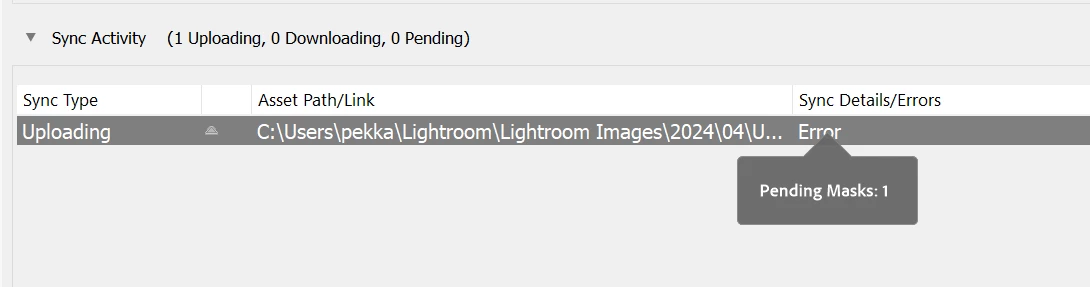
Sync errors with LrC when using people + person features AI masks.
I'm using LrC and are suddenly started to have sync errors every time I use the people of person features AI masks. I don't have any sync errors with images that are not using these AI masks. I can't pinpoint which of these AI masks is the culprit here as I usually use multiple. I have been using these AI masks earlier without any sync errors. Can't be sure did these issues start with LrC v13.2 or not. This is a fairly new installation on my new laptop.
What the fix would be?
I'm aware of resetting the sync data procedure, but I really don't want to take this drastic measure, if it can be avoided. As this issue is only limited to situations where those specific AI masks are used, I'm not too confident that resetting sync data will necessarily help.
I'm trying to find an alternative way of sorting out this issue, and only revert to resetting of the sync data, if that's the last resort.
---
LrC v13.2, Win 11 Pro, Intel Core i9-13980HX, 32 GB, NVIDIA GeForce RTX 4060 Laptop GPU, 1.5 TB of free storage on the system SSD.


 AdChoices