

tfau
Participant
October 18, 2020
Answered

Sync Metadata

  • October 18, 2020
  • 1 reply
  • 347 views

I think I have discovered a bug. When I mark 2 photos in Grid view i Lightroom Classic and press the Sync Metadata button and press the Syncronize button in the Syncronize Metadata dialog, the syncronization from the active photo to the otherone does happend, also the Capture Time attribute.

But however when filtering or sorting it appeares that the value still seams to be as before the syncronization.

In other words the Cature Time attribute is not updated properly.

I corrected the error by marking all the photos I synced to and changed the Capture Time by adding one second, then doing it again by subtracting one second. After this operation sorting and filtering was as expected and correct.


I am running Lightroom Classic version: 9.4 [ 202008061458-dbb2971e ] on windows10.
This topic has been closed for replies.
Correct answer Just Shoot Me

In the Sync Metadata dialog I see no reference to "Capture Time". I do see a "Date Created" entry. But checking that field does not change the Date Time Original or the Date Time Digitized field (Capture Date and time) of either of the images.


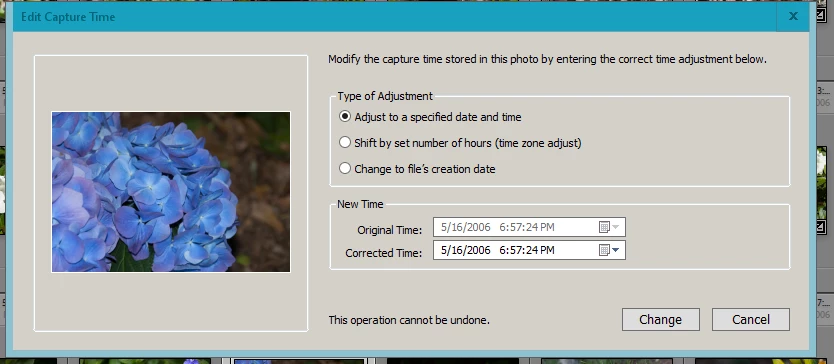
To my knowledge the only way to change the Capture Date/Time is with the "Edit Capture Time" option found in the Metadata menu item in the Library module.


1 reply

Just Shoot Me
Just Shoot MeCorrect answer
Legend
October 18, 2020

In the Sync Metadata dialog I see no reference to "Capture Time". I do see a "Date Created" entry. But checking that field does not change the Date Time Original or the Date Time Digitized field (Capture Date and time) of either of the images.


To my knowledge the only way to change the Capture Date/Time is with the "Edit Capture Time" option found in the Metadata menu item in the Library module.


tfau
tfauAuthor
Participant
October 25, 2020

That's write, there is noe setting for "Captured date". But it does syncronize it anyway in some cases I have discovered. It seams to do so if the image is importede to Lightroom as a image that has been created with a scanner, but not if it comes from a digital camera, but it does not happend every time. It did happende often when I discovered this and on my setting on those images I then handled. I have now upgraded til v 10.0. It may have changed how its done, but I am not sure. I have not found the pattern of when and when not. I guess it is related to whether "Captured date" is set or not in these scanned images.
Pretting odd sircumstances I guess. 🙂


Thank you for your reponse!

Tormod Fauskrud