
Participant
February 15, 2025
Question

Syncing issues with Lightroom Catalog

  • February 15, 2025
  • 1 reply
  • 95 views

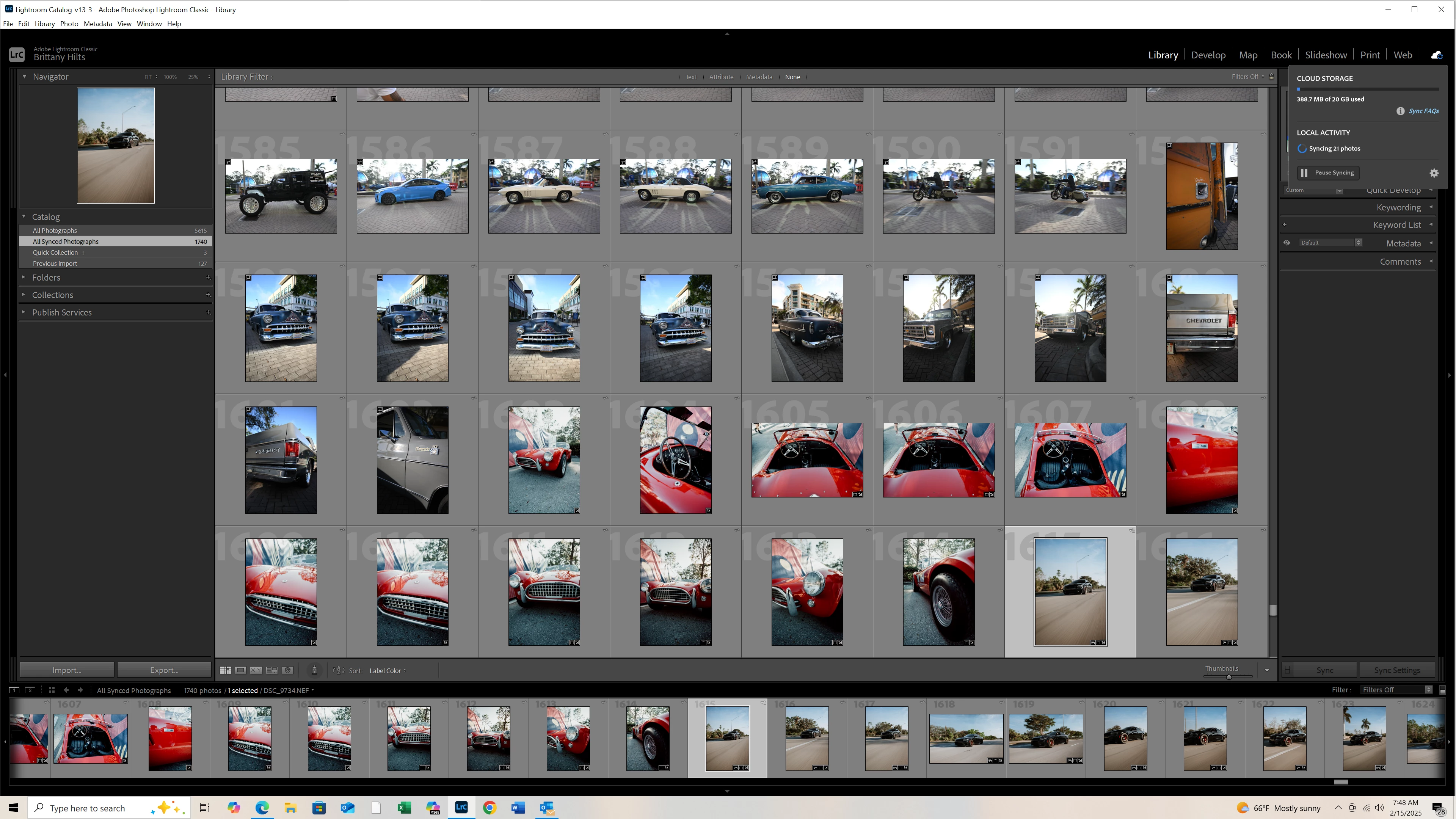
Hey guys, I am hoping you can help me. I am having syncing issues with Lightroom, my photos keep saying they are syncing and it will not give me the green checkmark that syncing is complete. There are 21 photos and I do not know which photos I am having an issue with. I do use multiple devices, computer, tablet, and I phone to edit photos. The version of Lightroom I am using is: Adobe Lightroom Classic, version 14.1.1 release. I have included a photo of the issues, top right you can see syncing is still occuring, but will not complete. Anyone know how to fix this? Thank you in advance
 

1 reply

Sameer K
Community Manager
Community Manager
February 17, 2025

Hey, @brittanyh94076445. Welcome to the Lightroom Classic Community. I'll help you figure this out. 

Before troubleshooting further, update Lightroom Classic to v14.2 via the Creative Cloud desktop app & let Lightroom Classic run for a while.


If it does not help, go to Preferences > Lightroom Sync Tab > Press and check if you see a list of files that have sync in progress.

If you can locate the collection in which these 21 images are located, start by adding flags/ratings or minor edits to the photos and waiting for the sync to finish.


Awaiting to hear more from you. 

Thanks!

Sameer K

(Type '@' and type my name to mention me when you reply)