

Syncing to cloud has stalled
Seems that is very common to have issues on Lr sync...
I've been using the Creative Cloud suite for a while and never had this kind of problems. My computer has Windows 10 up to date and also all Creative Cloud apps are at the last version (LrC 12.1 right now)
I only have 1 catalog with almost 400k images and I use a lot syncing my collections to the cloud so I can access them on my iphone and ipad and also share folder to some clients. I had 20k synced images with no problem, but last week the sync stop working and on Edit -> Preferences -> Lightroom sync I had 3 errors, "Metadata" ones. After looking up this kind of error I tried deleting those 3 images and importing them again... not worked, then I had the same 3 sync errors but this timethe link to the image pointed to lightroom.adobe.com not to my local hard drive.
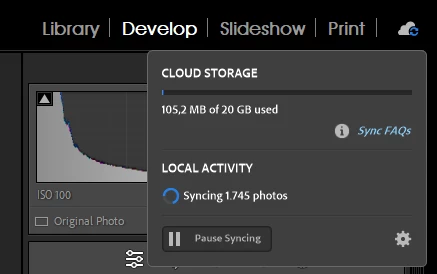
At the end I decided to delete the entire library and start from scratch, went to lightroom.adobe.com and deleted the library, all my synced images disapeared and I restarted Lightroom Classic. I log out and log in again on the iphone and ipad. Then I started syncing again some collection but nothing happened, no errors on the preferences panel, not any problems at the cloud web and the sync at top right corner just stuck at syncing the images but without progress, like this for all night long I let the computer with Lr on.
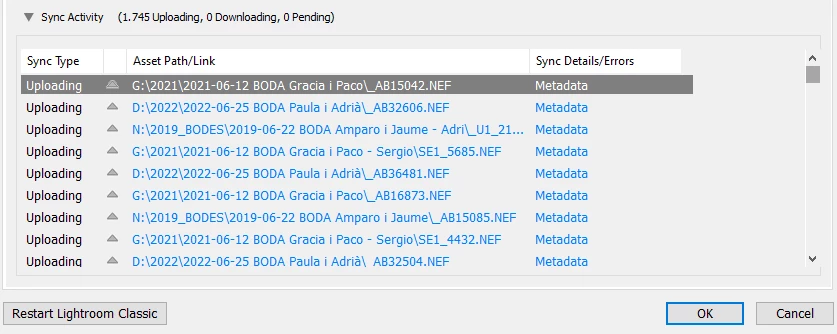
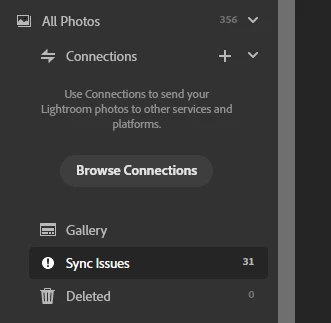
After a while, at my iphone, ipad and cloud web page only had the collection folders but not any image, and now I started LrC again it only uploaded 300 images and had lots of errors on preferences panel as shown on this images:
Any idea how to proceed?
Thanks


 AdChoices