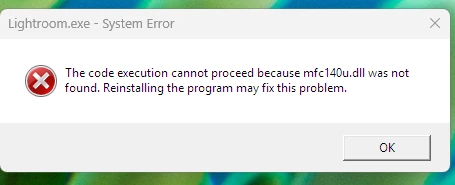
This error is directly related to Microsoft Visual Studio. I see no need to reinstall Lightroom
Try these steps to manually recreate the MSVC++ Libraries:
In the Creative Cloud app, press CTRL + ALT + T (Win) to launch Creative Cloud Troubleshooter & select 'Close Creative Cloud and related processes' > click on Go.
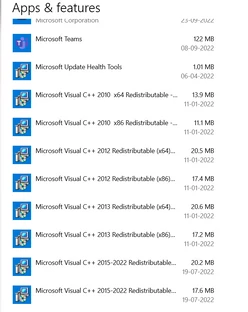
Go to 'Add or Remove programs' in Windows search & find all the installations of Microsoft Visual C++ Redistributable (all years).
Uninstall them completely. Even if there is an option to repair them, please uninstall all the existing MSVC++ packages.
This error is directly related to Microsoft Visual Studio. I see no need to reinstall Lightroom
Try these steps to manually recreate the MSVC++ Libraries:
In the Creative Cloud app, press CTRL + ALT + T (Win) to launch Creative Cloud Troubleshooter & select 'Close Creative Cloud and related processes' > click on Go.
Go to 'Add or Remove programs' in Windows search & find all the installations of Microsoft Visual C++ Redistributable (all years).
Uninstall them completely. Even if there is an option to repair them, please uninstall all the existing MSVC++ packages.




 AdChoices