
Tethered camera connects, but does not transfer images.
Version: Lightroom Classic 13.0.1
Platform: Windows 10.0.19045 (AMD 3700X CPU, RX580 GPU, 16GB RAM)
Other Equipment: Canon EOS 700d, USB A to Mini B Cable
When tethering my Canon 700d no images are transferred when the shutter is pressed.
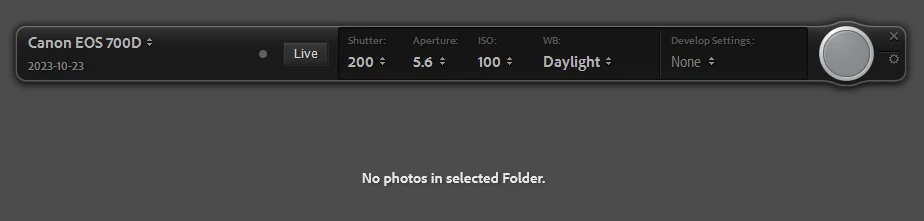
The camera's shutter audibly fires, but no image appears in Lightroom. I have checked in the designated folder and there definitely no files in there.
I have tried using Canon EOS Utility 2 to tether, and images are transferred as normal. I have also tried using a second 700d camera body, which did not fix the issue. Because EOS Utility 2 works as normal, I do not suspect the camera or the cable is at fault.
I have used this exact camera tethered with Lightroom many times before, but at some point recently it stopped working - this may have coincided with an update but I have not verified that. I think the last time I successfully used this camera tethered was on 2023-08-30, though I may have no updated to the latest version of Lightroom then.
 AdChoices