Participant
January 30, 2022
Answered

Tethered Capture buffering

  • January 30, 2022
  • 2 replies
  • 275 views

Hi everybody,


I am desperately trying to get my cameras tethered in Lightroom Classic.

I am running the latest version of LRC and my Canon EOS R6 is on the latest firmware 1.5.0.

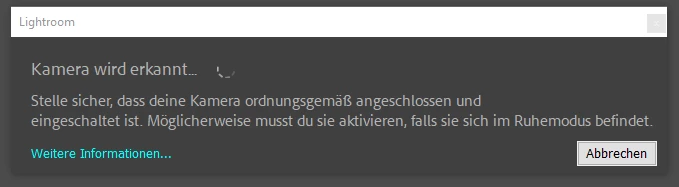
Once I want to start the tethering LRC is just buffering while detecting the camera:
I've literally tried all the tips (https://helpx.adobe.com/lightroom-classic/kb/troubleshoot-tethered-capture-lightroom.html) starting at restarting camera and computer, using different usb ports, using different cables, even my old EOS 60D will not be detected.

Can anybody tell how to solve the problem? 


kind regards, Dominik

This topic has been closed for replies.
Correct answer dominiks48793771

I've found the solution:


The issue was, that I was running Win 10 Pro N. Also trying to retrospectively installing the media packs from mircosoft did not work, BUT:

after installing the normal version without the N, everthing works fine now, and the camera is being detected and tethered shooting works perfectly fine!

2 replies

Participant
January 17, 2023

I have same issus My camera Canon R6 and i using mac book pro 13 M2

please can anyone help me

dominiks48793771AuthorCorrect answer
Participant
February 13, 2022

I've found the solution:


The issue was, that I was running Win 10 Pro N. Also trying to retrospectively installing the media packs from mircosoft did not work, BUT:

after installing the normal version without the N, everthing works fine now, and the camera is being detected and tethered shooting works perfectly fine!