Participant
November 17, 2022
Question

Tethering problem with live view, please help!

  • November 17, 2022
  • 2 replies
  • 827 views

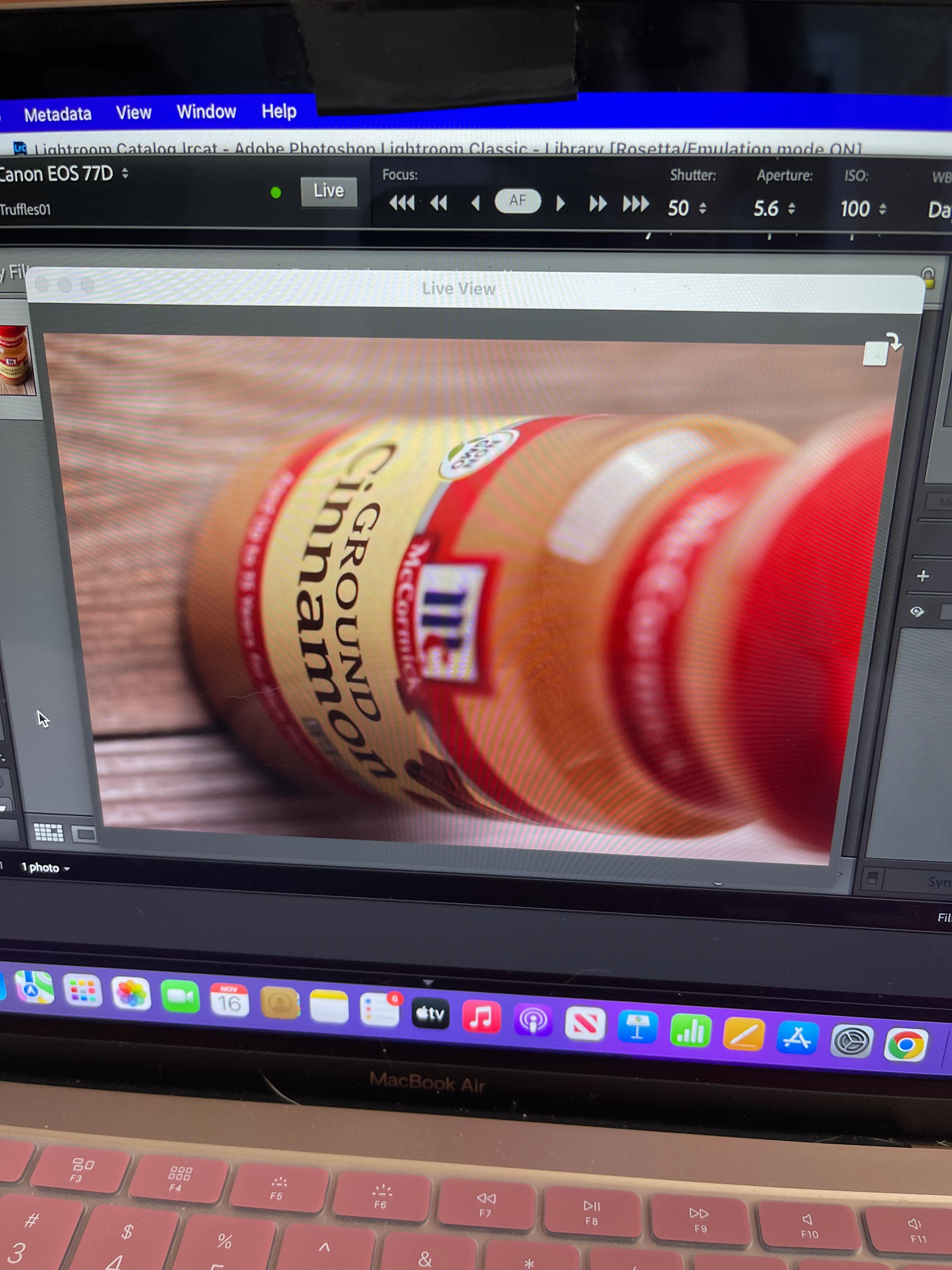
  Hello everyone! I REALLY need help with this tethering problem. I've also never tethered before. In Adobe Lightroom Classic live view I was trying to take a portrait shot. I'm shooting with a Canon 77D on a MacBook. 


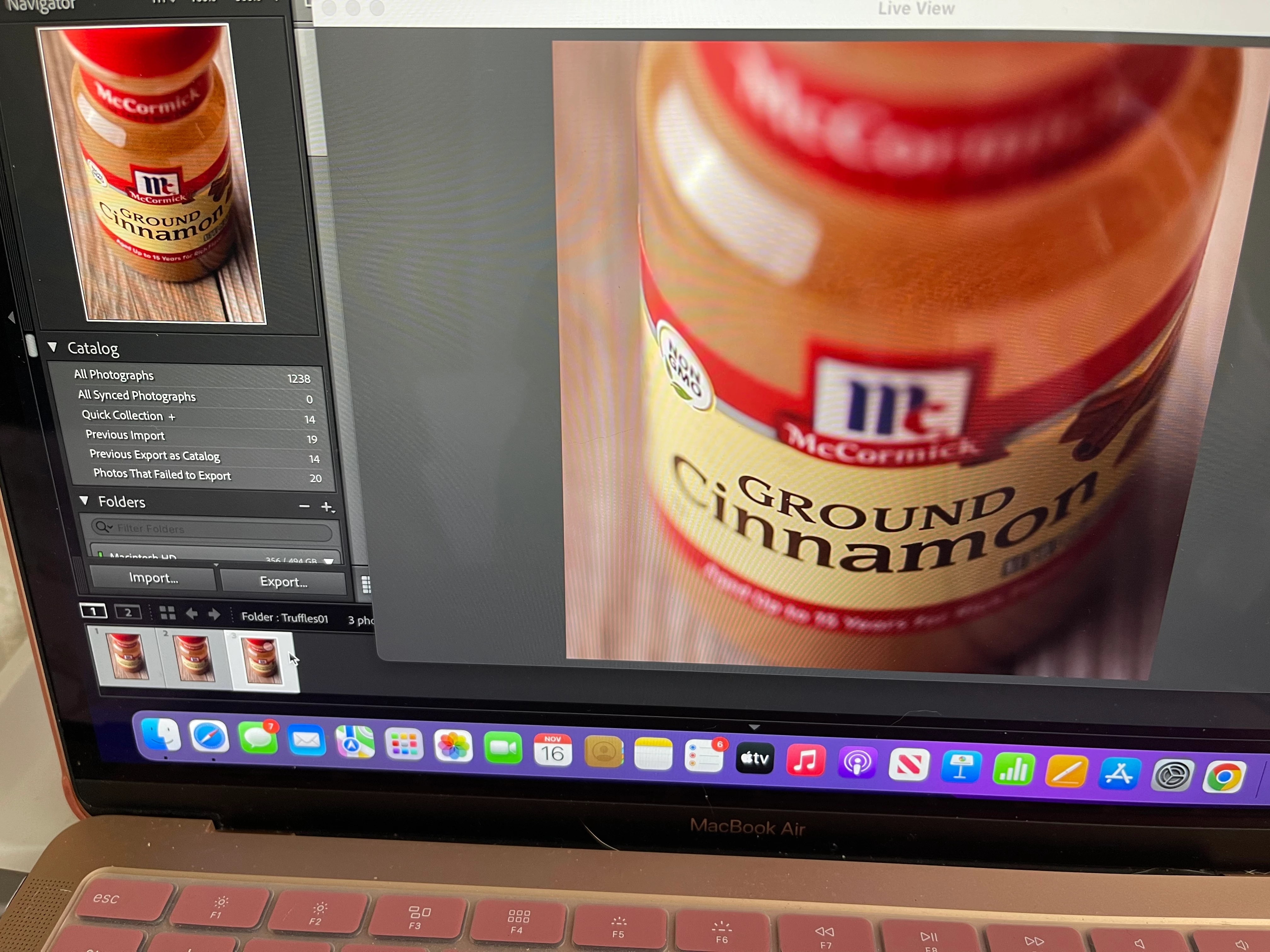
As you can see my live view is cropping the actual photo (1st attachment, smaller photo on the left is after the photo was taken). When I flip the live view orientation (second photo), it's no longer cropped. But that's means I'd have to flip my laptop on its side for the whole tethering session?? I can't even find this problem on Google and support has to call me back today because they couldn't figure it out (with screen share). Any help is highly appreciated, thank you!! 


This topic has been closed for replies.

2 replies

Known Participant
July 13, 2024

Hi, 


I am having the same problem.  When tethering in portrait format, the live view doesn't rotate and if I click on the rotate icon at the right hand top corner, the live view shows a cropped display. Have you found the solution yet?

Bob Somrak
Legend
November 17, 2022

On my Imac I can see the image both Landscape and Portrait but I have to resize the window.  A resize cursor does not show up on the corners but if you click and hold near a bottom corner it will show up.  I think this is a bug.

M4 Pro Mac Mini. 48GB
Participant
November 17, 2022

Yes no matter what size I make the live view screen, the live view is cropped compared to the actual photo. I updated my Mac and my Lightroom, bought a new shorter tether cord, restarted my computer and the application many many times and same problem. 😕😕 Thabk you for the reply!