Participant
April 26, 2018
Answered

Text above my Photos in Lightroom how can I delete it
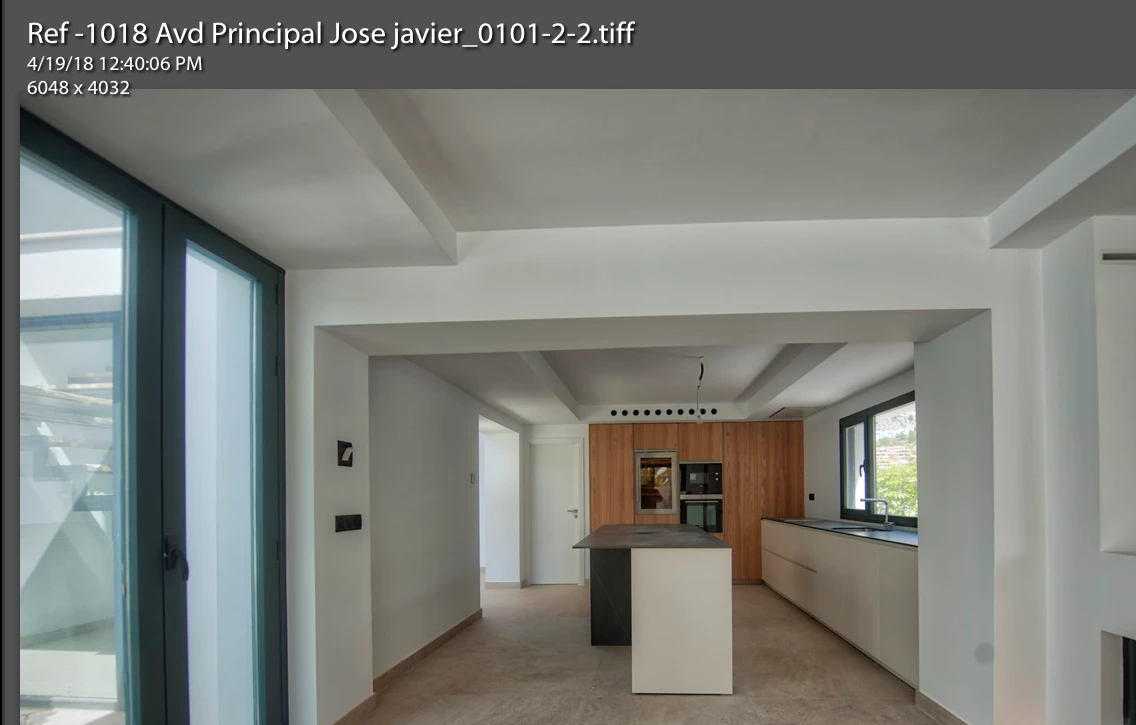
  • April 26, 2018
  • 3 replies
  • 386 views

This topic has been closed for replies.
Correct answer Akash Sharma

Hi there,

Please uncheck "Show info overlay" under the View>>View options>> Loupe view menu.
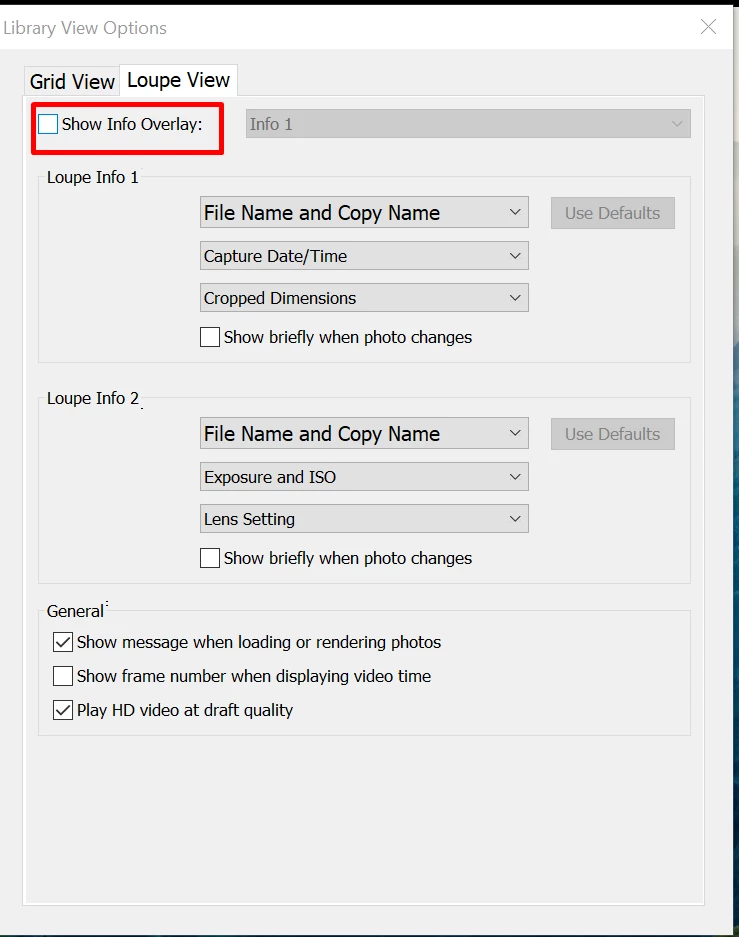
Let us know if that helps.

Regards,

Akash

3 replies

Rob_Cullen
Community Expert
Community Expert
April 26, 2018

Keyboard Shortcut is  [ i ]  ('eye' for Information)  Toggles Info1>Info2>Nothing

Regards. My System: Windows-11, Lightroom-Classic 15.3, Photoshop 27.5, ACR 18.3, Lightroom 9.3, Lr-iOS 10.4.0, Bridge 16.0.3 .
Todd Shaner
Legend
April 26, 2018

You can also use Ctrl + i keys or just the i key to cycle between the info overlay views.

pococoAuthor
Participant
April 27, 2018

Thank you for your help

Regards

Jon Stadman

Akash Sharma
Akash SharmaCorrect answer
Legend
April 26, 2018

Hi there,

Please uncheck "Show info overlay" under the View>>View options>> Loupe view menu.

Let us know if that helps.

Regards,

Akash