
Participant
May 27, 2024
Question

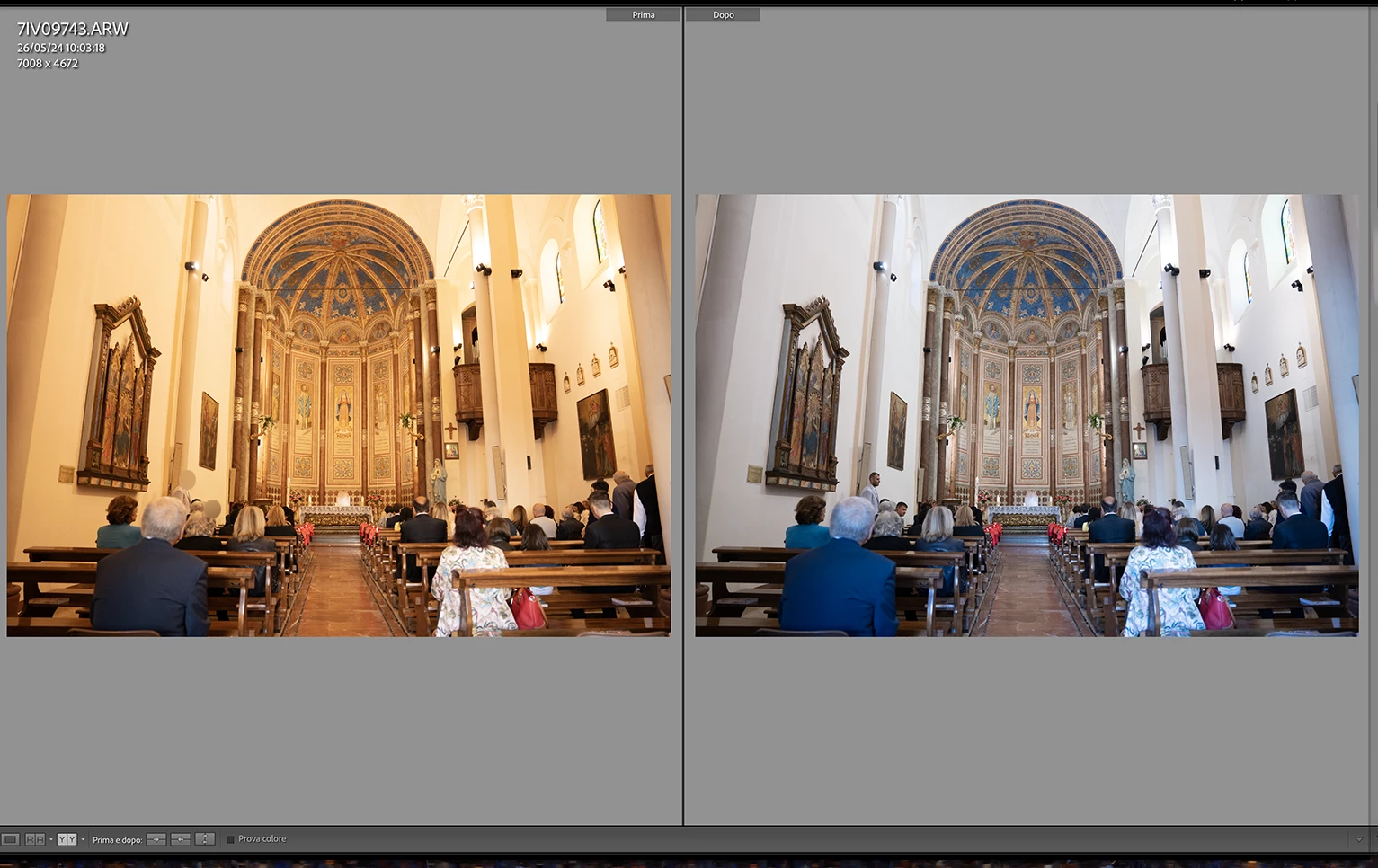
The before and after of raw photos is not correct

  • May 27, 2024
  • 2 replies
  • 328 views

The before and after of raw photos is not correct.
the before of most of the photos i took in raw has a yellow predominance, very warm, even though at the time of shooting the WB had been set correctly. i use sony a7IV and edit with Macbook pro m1 max . i have already restored lightroom to factory settings or reinstalled the program, but i have not solved the problem. can anyone help me? 
This topic has been closed for replies.

2 replies

Community Expert
May 27, 2024

The before in this view is not the in camera jpeg preview but it is the default rendering by Lightroom without any settings applied. It appears the default rendering from Lightroom is much warmer than the in-camera jpeg was. This confuses a lot of people as the image appears to shift interpretation when going from initial import into develop and the image appears to change. All that is is the program initially showing you an embedded preview that came from your camera after which it replaces that preview with an actual rendering that it created itself from the raw data using its own rendring profiles and engine. I've noticed in many forum posts that for Sony cameras that tends to result in a much warmer initial rendering. Its just a difference in how Adobe interprets the data vs Sony. 

kind_Hero1587
Participating Frequently
May 27, 2024

Bonjour,

The white balance selected in the camera at the time of shooting is not taken into account by RAW files. This is perfectly normal and you simply need to adapt your development process in Lr by determining the white balance(automatically, semi-auto or manually). In this case Lightroom is working flawlessly. 
Best regards 

Balliet JM