Participant
August 1, 2025
Question

The finished version of what I'm editing in Photoshop looks VERY different to what comes up in LrC.

  • August 1, 2025
  • 3 replies
  • 165 views

Hi everyone. Basically what the title says - I AM using Lightroom Creative, as that's what I've used for wedding photography for the past 6 years and it's worked perfectly. I recently got a new laptop, and with it new updates to LrC and Photoshop that my old computer was likely too old to get. Everything is different now - I can no longer save a JPG in photoshop without making a copy? If that tells you how long it's been since my computer updated. 


Images are saved as jpegXL. I opened them in lightroom and they look absolutely awful.
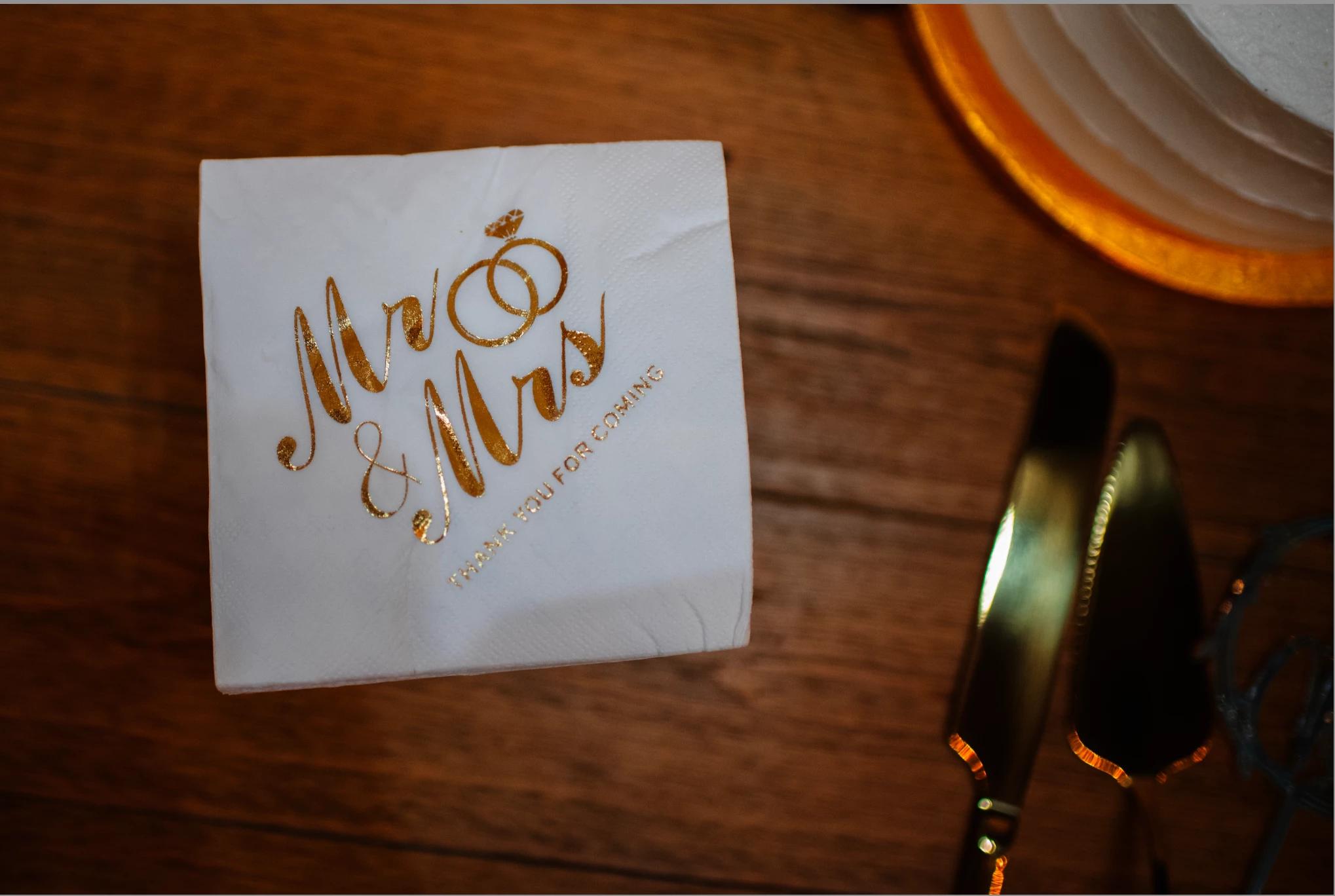
 

The first photo is what it looked like in LrC. The second is what it looks like saved onto my computer (how it's intended to look).


Anyone know what's going on here?

3 replies

Participant
August 1, 2025

Edit: It also looks terrible when I reopen it in PS. So it's the file type? 

Community Manager
August 1, 2025

Hi @defaultsve7vjfnysf0! Thanks for reaching out!

Could you share a few more details about what’s going on? Which versions of Photoshop and Lightroom Classic are you using? Is this happening with all images or just certain ones? And could you walk me through your workflow a bit? Just to make sure I’m following, are you editing the images in Photoshop first, then opening them in Lightroom Classic?

Looking forward to your reply!
Alek

*(If you mention me with an @, like @Aleke, I’ll get a notification and can respond faster.)*
Participant
August 1, 2025

Edit again: Lightroom CLASSIC. My brain today. Wow.

Participant
August 1, 2025

Edit to add: I JUST double-checked to make sure LrC didn't upload my photos with a preset, and it says "Preset: none," so that should not be the issue.