
scruggsimagery@gmail.com
Participant
November 13, 2025
Question

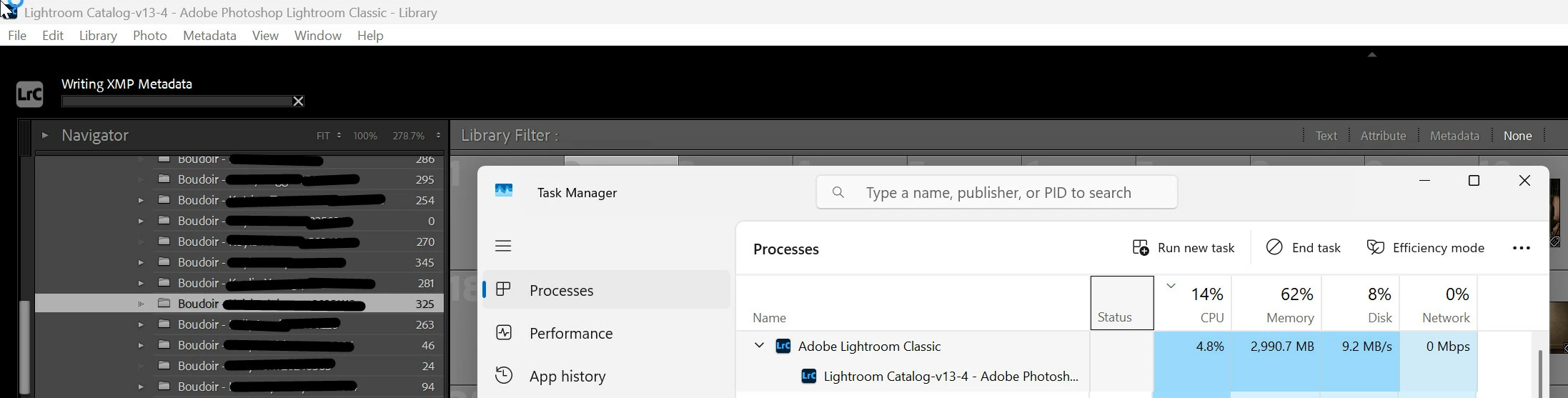
the Saving Metadata progress bar appeared but didn't move

  • November 13, 2025
  • 1 reply
  • 53 views

Lightroom Classic release 15.0.1 introduced incredible sluggishness. Most noticeably, when I tried to Save Metadata to File for 325 NEFs that are about 30MB each, the Saving Metadata progress bar appeared but didn't move. After about 20 minutes, I canceled the operation with one XMP file created in the catalog folder containing the 325 images. 
Note: we're a Windows 11 Pro shop, and my catalog has 88,000 photos. Huge, but this caused no noticeable performance issues before this release.
 

1 reply

dj_paige
Legend
November 13, 2025

Please try this. Open the Windows Resource Manager screen, then do the Save Metadata to the 325 files again, and see if any of the resources (disk, memory, CPU, GPU) seems to be heavily tasked, and which of these (if any) is being used when the process stalls.


Also, how much space is free on the disk where these photos are located?


The size of the RAW 30MP (not MB) is irrelevant here. The number of photos in your catalog is not relevant either (and not really huge either).