


Acai06
Inspiring
January 23, 2026
Question

"There was an error copying files to the destination you selected." Windows11

  • January 23, 2026
  • 1 reply
  • 54 views

Hello,

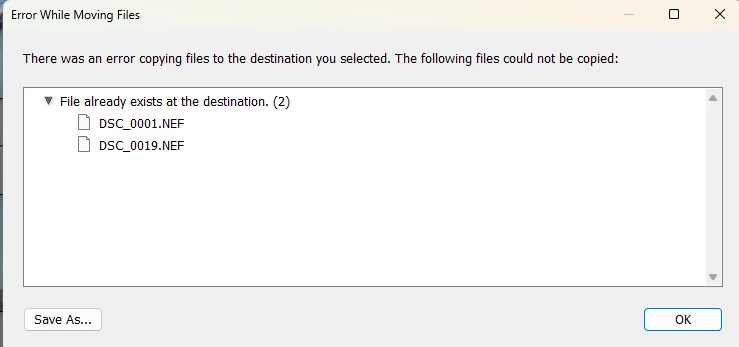
I am using Lightroom Classic and recently starting having this error message below when trying to move some images to a different folder.
Acai06_0-1769179871241.png


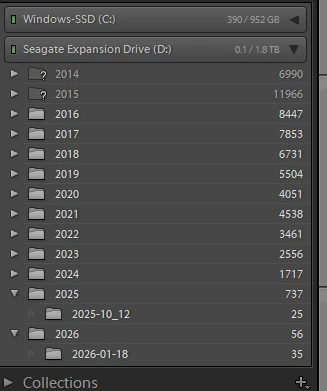
My folder structure is like this below, and the last time I tried to move some images from 2026 folder to 2025 folder. Then I got the error message.

I'm no PC expert but could someone guide me to a solution?
Acai06_1-1769180018211.png


Looking forward to some advice.


1 reply

dj_paige
Legend
January 23, 2026

The file already exists at the destination. So you cannot do the move.


Why do you want to do this move if the file already exists? Please explain. If we understood this better, we could certainly suggest an approach.

Acai06
Acai06Author
Inspiring
January 23, 2026

Indeed it's strange that the error says about copy. I'm trying to move the files to the correct location, not copying them.

dj_paige
Legend
January 23, 2026

Yes I saw that, I originally thought you were doing a copy, but its clear you are doing a move. So I amended my post, please provide the information requested.