
Inspiring
November 24, 2024
Answered

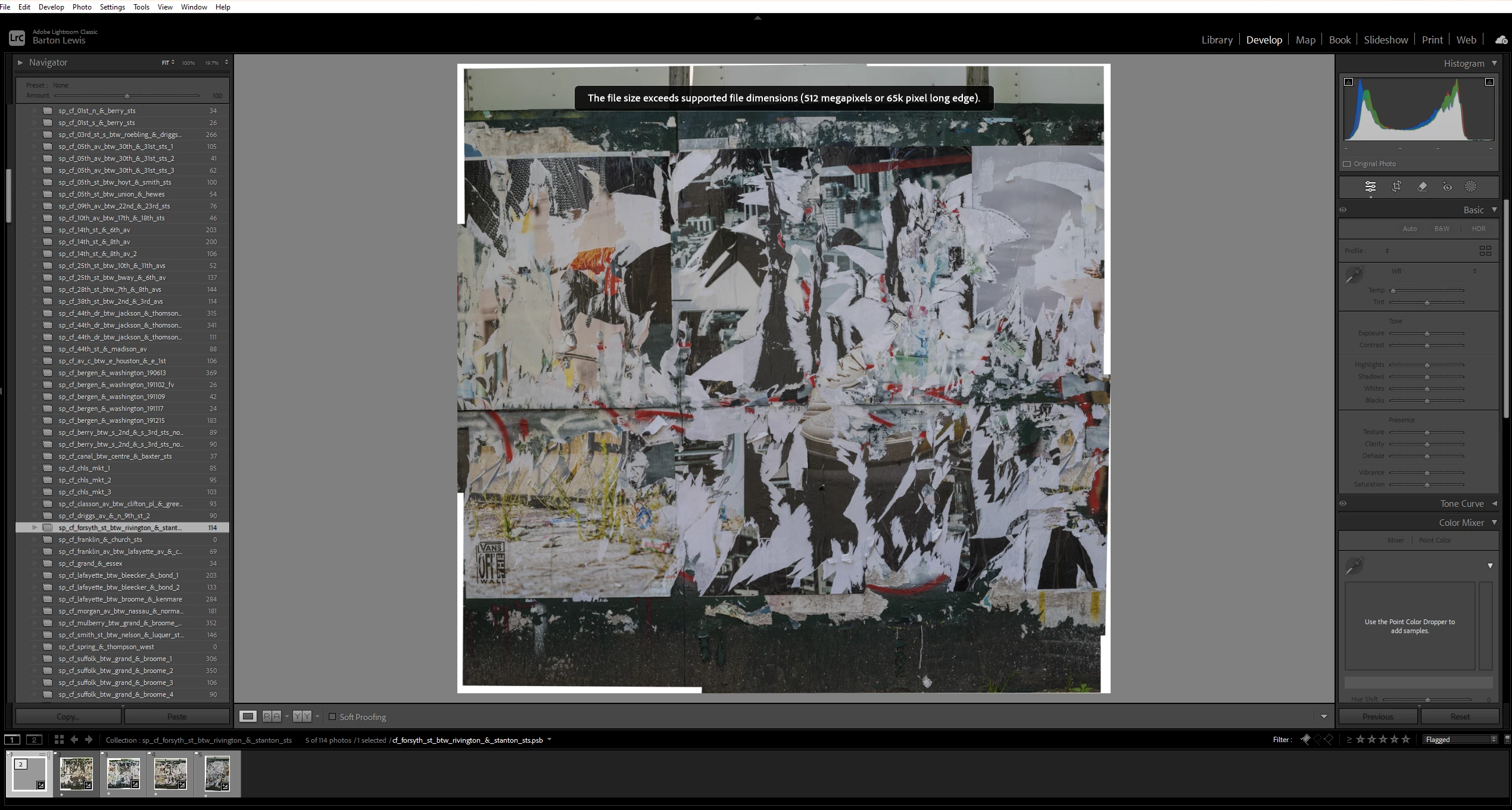
"this file size exceeds supported file dimensions"

  • November 24, 2024
  • 1 reply
  • 667 views

Does Lightroom have new file size restrictions?  I received this message when compositing images.  I have been doing this for years and have never gotten this message.  I'm quite sure this is not the biggest file I have ever composited in Lightroom.  I'm not sure as a practical matter if this is an issue as I'm editing the image in Photoshop and the final file willl be a PSB.  Thanks for any thoughts.  


This topic has been closed for replies.
Correct answer johnrellis

"14198 x 13459"


Hmm. 14,198 x 13,459 = 191,090,882, or 192 megapixels, far smaller than the maximum 512 megapixels. And the long edge 14,198 is much less than 65,000. 


If you upload the file to Dropbox, Google Drive, or similar and post the sharing link here, we can submit a bug report. (Adobe won't pay attention without a sample image showing the problem.)

1 reply

johnrellis
Legend
November 24, 2024

That message accurately states the longstanding limits on pixel dimensions:

https://helpx.adobe.com/lightroom-classic/help/supported-file-formats.html 


What are the pixel dimensions of the problem image?


Inspiring
November 24, 2024

Thank you.  14198 x 13459.  That's odd because i've composited hundreds of images using the Panorama option in LR and I've never gottten this message.  I don't think it's actually a problem since I was able to make edits in LR to the composite and export it to PS for further compositing and other edits.  What does the message mean for practical purposes?  And isn't 65k = 65000 and so a lot bigger than my file?  Thanks.  

johnrellis
johnrellisCorrect answer
Legend
November 24, 2024

"14198 x 13459"


Hmm. 14,198 x 13,459 = 191,090,882, or 192 megapixels, far smaller than the maximum 512 megapixels. And the long edge 14,198 is much less than 65,000. 


If you upload the file to Dropbox, Google Drive, or similar and post the sharing link here, we can submit a bug report. (Adobe won't pay attention without a sample image showing the problem.)