
Participant
October 3, 2022
Answered

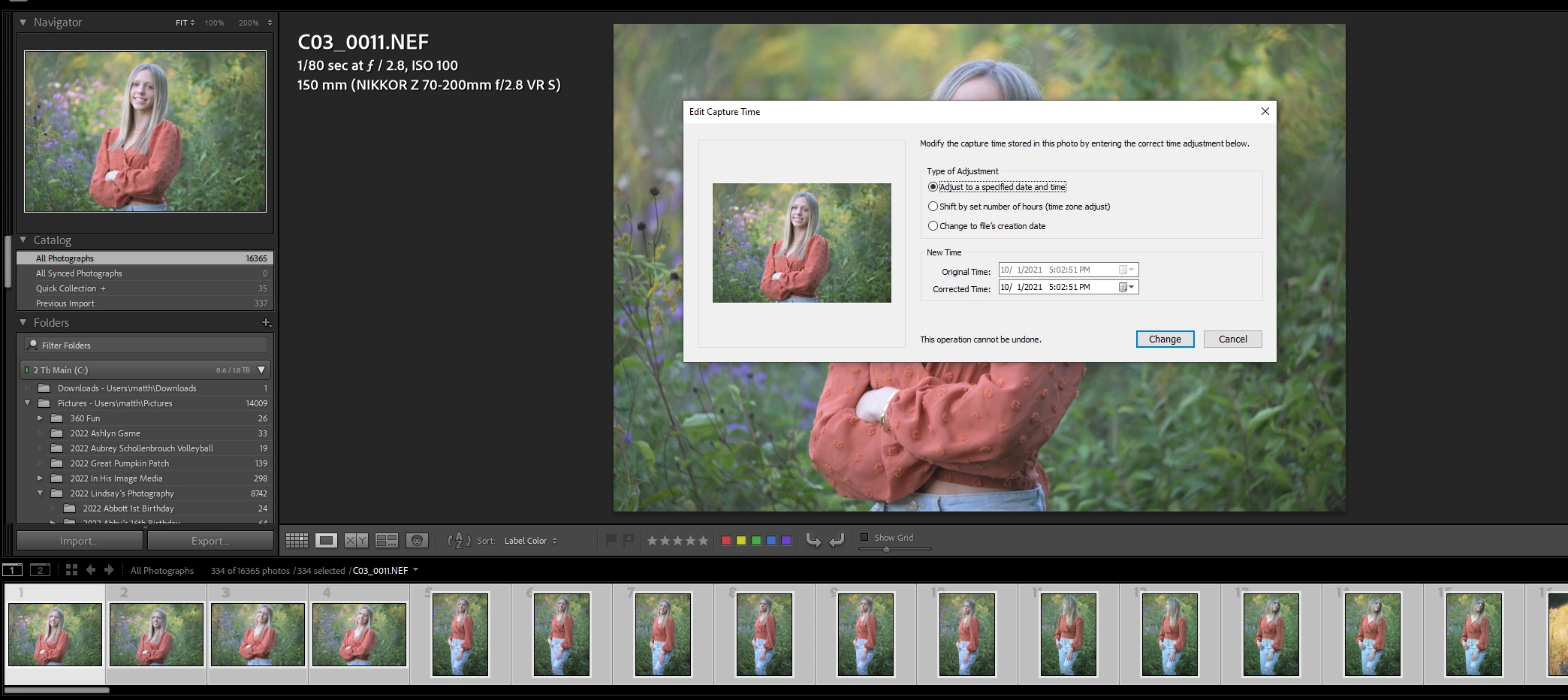
Time and Date Stamp isn't working for multiple photos

  • October 3, 2022
  • 1 reply
  • 197 views

I have changed the time stamp multiple times in Lightroom, but this time I went in and tried and had my 300 photos selected that I need to change the date on. I made the correction in the dialog box and now it says "Change" instead of "Change all" on the button. So I clicked it and it only changed the most selected photo. This is going to be a tough situation if I have to change all of them one at a time. Is anyone else having this issue?

Lightroom Classic V11.5

Windows 10
 

This topic has been closed for replies.
Correct answer johnrellis

Switch to Grid view before invoking Edit Capture Time. In Loupe view, many (but far from all) commands operate on just the most-selected photo.   The complete rules are a mess:

https://community.adobe.com/t5/lightroom-classic-ideas/p-consistent-behavior-when-multiple-photos-selected-in-loupe/idi-p/12360578

1 reply

johnrellis
johnrellisCorrect answer
Genius
October 3, 2022

Switch to Grid view before invoking Edit Capture Time. In Loupe view, many (but far from all) commands operate on just the most-selected photo.   The complete rules are a mess:

https://community.adobe.com/t5/lightroom-classic-ideas/p-consistent-behavior-when-multiple-photos-selected-in-loupe/idi-p/12360578

Participant
October 3, 2022

You my friend, are a lifesaver! Thank you so much!