Participant
January 4, 2023
Answered

tinted colors

  • January 4, 2023
  • 6 replies
  • 444 views


Tinted Colors


After processing an image with a non Adobe programm the files have an pink tint.


Example 1.

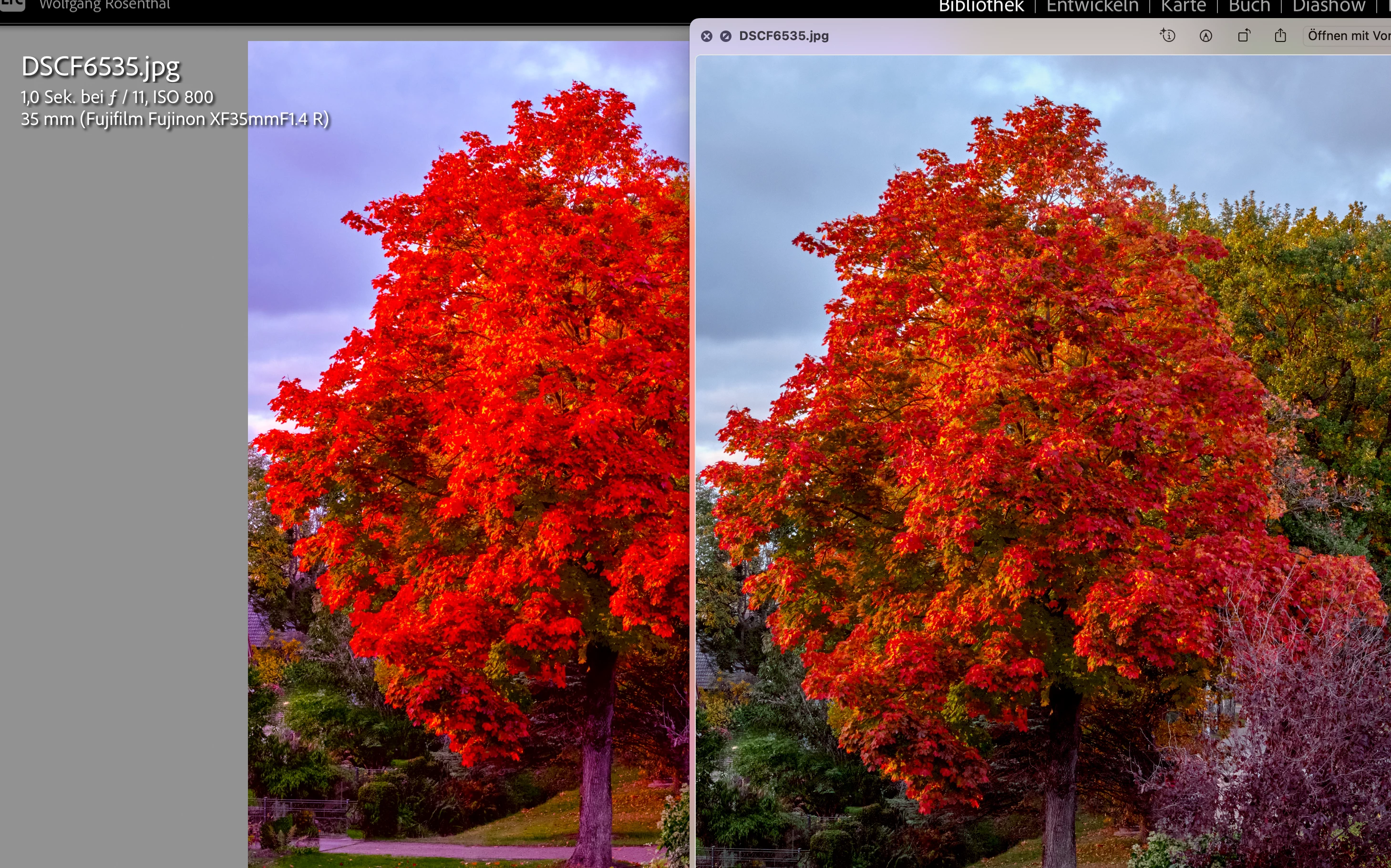
A few ago I used a downloaded preset to push the colors of a tree. In LRC it was far too much.


Example 2.

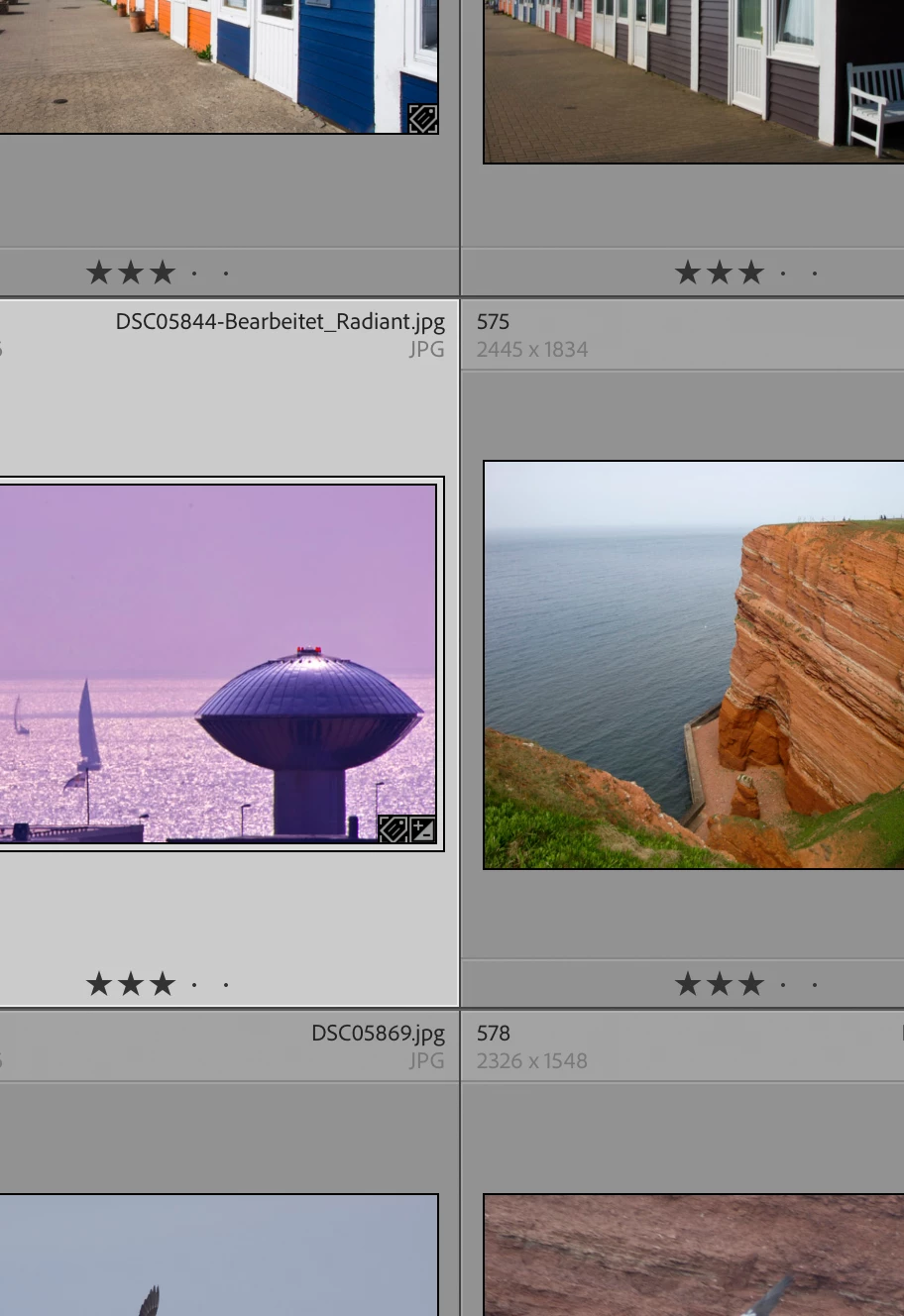
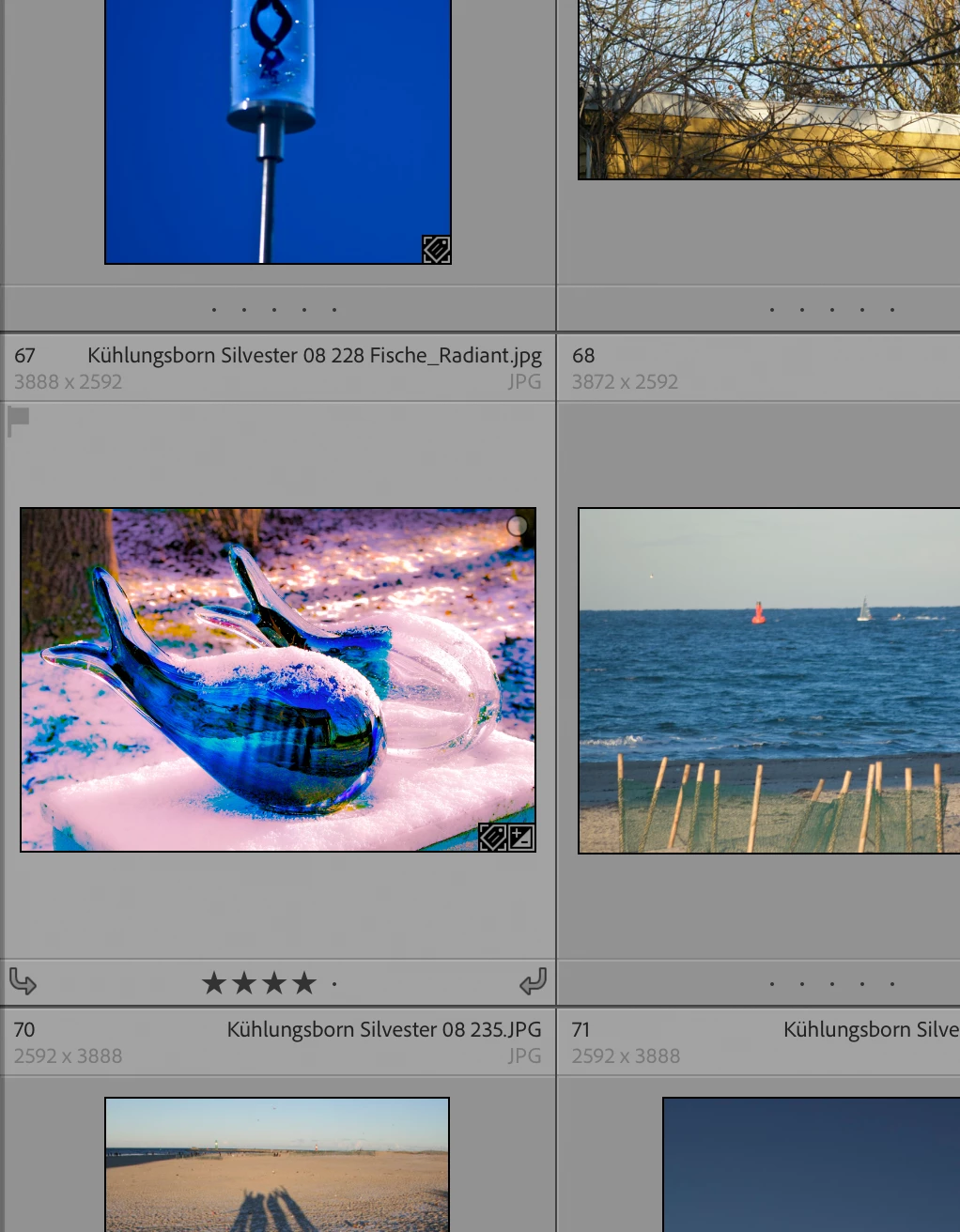
To push the expression of a picture I tried the program Radiant. The file on the SSD is o.k..


Both LRC and PS greatly exaggerate and misrepresent the colors. Opened with other programs, the files on the SSD appear to be fine.


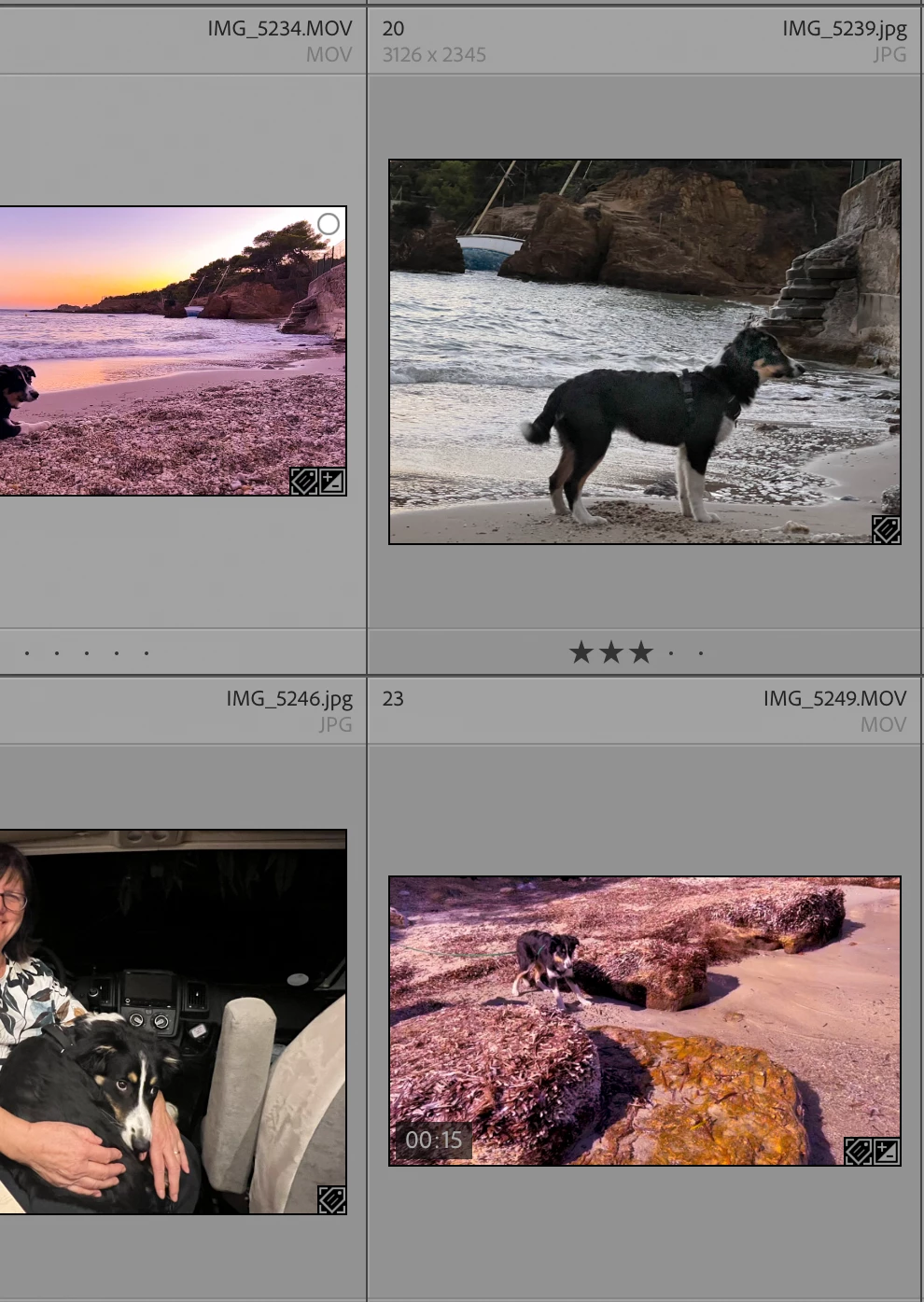
Example 3


Videos imported from Photos (Mac) also have a purple color cast.


There were no error messages at all. Nothing was changed in the configuration of the programs.


LRC 12.1, Camera RAW 15.1, PS 24.1


MacBook Pro

Prozessor:       2,6 GHz 6-Core Intel i7

Grafik:             Radeon Pro 560X 4 GB

Intel UHD Graphics 630

1536 MB

Speicher:         32 GB 2400 MHz DDR4

macOS:           Ventura 13.01.

SSD:                142GB von 1TB available


Best regards

Wolfgang
This topic is closed to new replies. Start a new post to keep the conversation going.
Correct answer Jao vdL

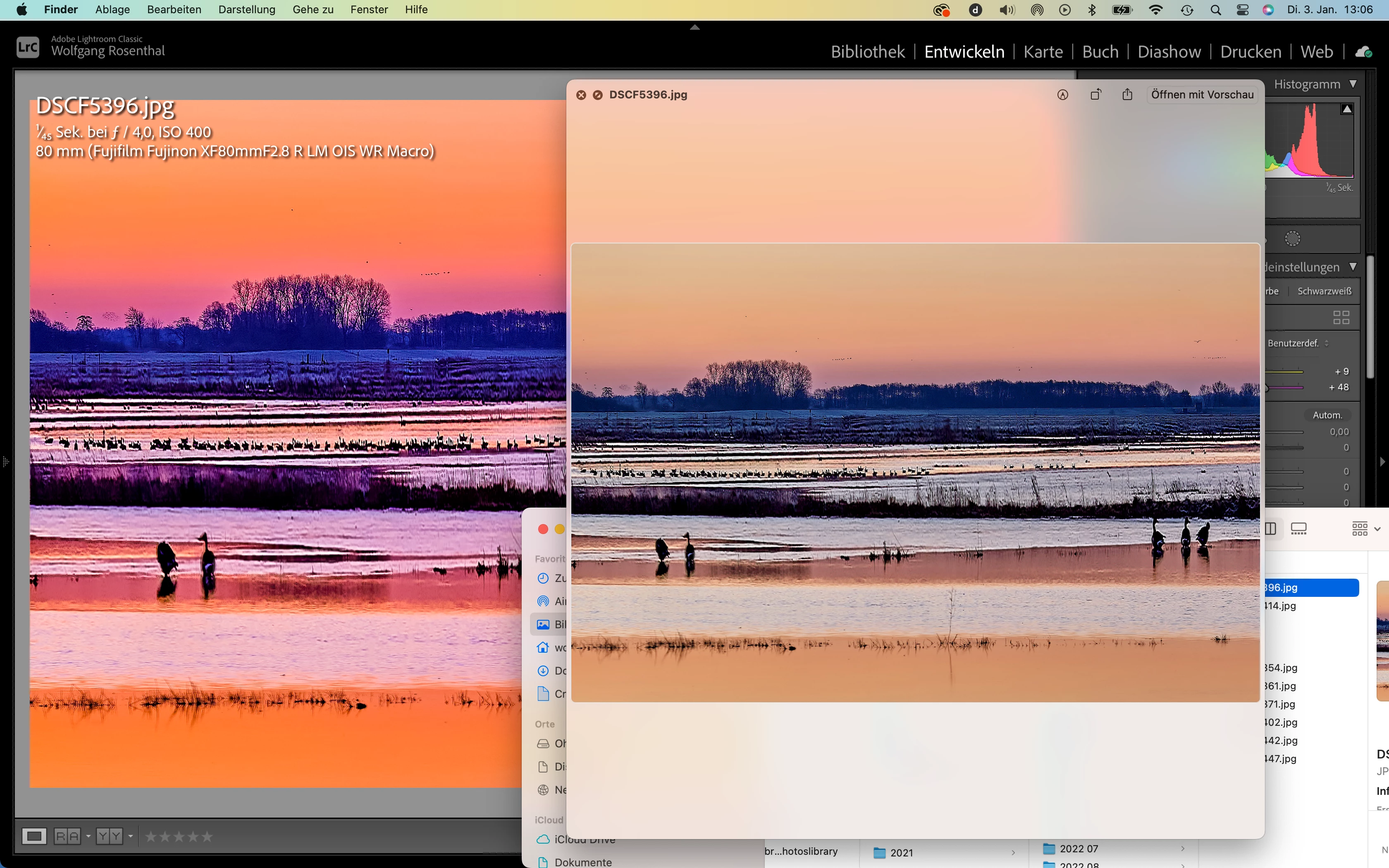
Took your two jpegs and they look completely identical to what they look like in other programs and not weirdly pink or so. The video also looks normal and identical to quicktime player and the preview in the webbrowser. My guess is that you are by accident applying a preset when these are imported. Check for any develop settings that are applied to the images and videos. Since these are jpegs, everything should be zero. You can actually see that this is likely the issue in one of your screenshots. The one with the geese on a beach called DSCF5396. In the background you can see an extreme white balance shift of +9 temp and +48 tint is applied. That will cause your image to look competely pink if you do that. So check your import panel for a preset being applied.

6 replies

Jao vdLCommunity ExpertCorrect answer
Community Expert
January 7, 2023

Took your two jpegs and they look completely identical to what they look like in other programs and not weirdly pink or so. The video also looks normal and identical to quicktime player and the preview in the webbrowser. My guess is that you are by accident applying a preset when these are imported. Check for any develop settings that are applied to the images and videos. Since these are jpegs, everything should be zero. You can actually see that this is likely the issue in one of your screenshots. The one with the geese on a beach called DSCF5396. In the background you can see an extreme white balance shift of +9 temp and +48 tint is applied. That will cause your image to look competely pink if you do that. So check your import panel for a preset being applied.

wrsnthlAuthor
Participant
February 3, 2023

Thank You!

You´re right, I accidentally change the import  settings and applied a preset.

TheDigitalDog
Inspiring
January 4, 2023

First, the preview architecture in Develop is unique to all other modules and the most accurate preview of the data. You should always view previews there and elsewhere at 1:1 or greater and when comparing, use the same zoom for each. 
It is normal to see slight differences at 1:1 but if really excessive, the first thing to try is to disable GPU in preferences; better? If not, you might have a corrupted display profile. Recalibrate the display or whatever you usually do to create a display profile. When given the option to build this profile, pick Version 2 (not V4) and Matrix not LUT. As to viewing Develop module and Library and outside of LR, it helps to soft proof in Develop using the same profile used in Library (Adobe RGB (1998)) OR the profile selected in Export for the edited image. 

Since you appear to be on a Mac, the likely hood is the 'other' application you're comparing the image to is color managed. The difference I see are so large I suspect either GPU or display profile is the issue. Let us know if this resloves the issue. 

Author “Color Management for Photographers" & "Photoshop CC Color Management/pluralsight"
wrsnthlAuthor
Participant
January 7, 2023

Hello dear employees,


the suggested ways didn´t resolve the issue.


I turned off the support of LRC by GPU. It did not show any change in the preview.


Also using the sRGB profile IEC 61966 - 2.1has not brought any change. The effect is also visible on my EIZO monitor. Both monitors are calibrated with the Spyder software.


The colored previews are with a preset written for LRC, edited with Radiant or with Capture One or are videos imported from photos. The latter only as of a few weeks ago. Videos imported up to September 2022 are shown without coloring.


For further information the excerpt from the LRC settings:


Lightroom Classic-Version: 12.1 [ 202212072312-d7ab524b ]

Lizenz: Creative Cloud

Spracheinstellung: de-DE

Betriebssystem: Mac OS 13

Version: 13.0.1 [22A400]

Anwendungsarchitektur: x64

Anzahl logischer Prozessoren: 12

Prozessorgeschwindigkeit: 2,6GHz

SQLite-Version: 3.36.0

Integrierter Speicher: 32.768,0 MB

Für Lightroom verfügbarer phys. Speicher: 32.768,0 MB

Von Lightroom verwendeter phys. Speicher: 2.331,6 MB (7,1%)

Von Lightroom verwendeter virtueller Speicher: 45.789,5 MB

Cache-Speichergröße: 67,7MB

Interne Camera Raw-Version: 15.1 [ 1329 ]

Maximale Anzahl Threads, die Camera Raw verwendet: 5

Camera Raw SIMD-Optimierung: SSE2,AVX,AVX2

Virtueller Speicher in Camera Raw: 109MB / 16383MB (0%)

Physischer Speicher in Camera Raw: 111MB / 32768MB (0%)

Standardvorschaugröße: 1440 Pixel

Monitore/Anzeigegeräte: 1) 3360x2100


Informationen zum Grafikprozessor:

Metal: AMD Radeon Pro 560X

Anfangsstatus: GPU wird standardmäßig für die Bildverarbeitung unterstützt

Benutzerpräferenz: Aus


Installierte Zusatzmodule:

1) AdobeStock

2) Aperture/iPhoto-Import-Zusatzmodul

3) Flickr

4) HDR Efex Pro 2

5) Nikon Tether-Zusatzmodul

6) Radiant Photo


Config.lua-Flags: None


Best regards

Wolfgang


Community Expert
January 4, 2023

Is the "non-Adobe program" color manged?

Do you use the same color profile, like sRGB or AdobeRGB overall your used software?


Another point can be a defective monitor profile. Please check.

How do I change my monitor profile to check whether it’s corrupted? | The Lightroom Queen


My System: Intel i7-8700K - 64GB RAM - NVidia Geforce RTX 3060 - Windows 11 Pro 25H2 -- LR-Classic 15 - Photoshop 27 - Nik Collection 9 - PureRAW 6 - Topaz Photo AI
dj_paige
Legend
January 4, 2023

After processing an image with a non Adobe programm the files have an pink tint.


Be specific. What non-Adobe program? What processing?