

Participant
October 16, 2025
Answered

Top toolbar in Lightroom now covers part of the grid

  • October 16, 2025
  • 2 replies
  • 302 views

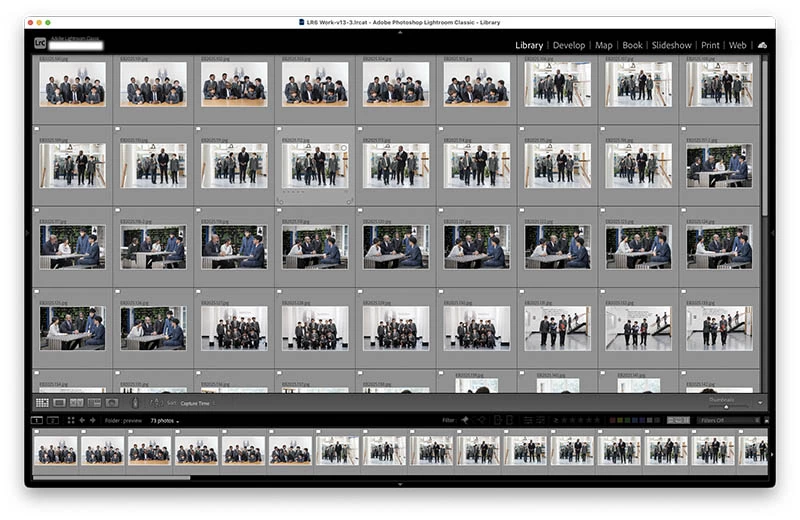
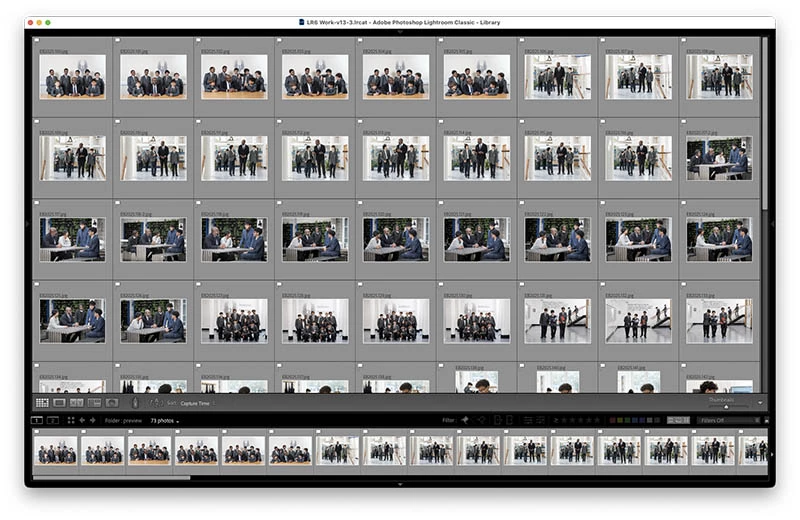
In Lightroom Classic grid mode, the top toolbar now covers part of the grid. In full-screen mode I can't even see the file names. Is this something I can fix here?

Correct answer BB40

@Sameer K Important update : the issue ONLY exists when my MacBook Pro is connected to my Appel Studio Display screen. If not using the Studio Display, no pb. 


@Sameer K Probleme resolu ! J'ai selectionné JAMAIS dans REGLAGES SYSTEMES > BARRE DES MENUS > Masquer/Afficher automatiquement la barre des menus. 

2 replies

Inspiring
October 21, 2025

hello,

same issue for me, MacBook Pro 13`, MAc 0S 26.0.1, LC 14.5.1.

what a shame, please Adobe do something asap 

Inspiring
November 6, 2025

Important update : the issue ONLY exists when my MacBook Pro is connected to my Appel Studio Display screen. If not using the Studio Display, no pb. 

Inspiring
November 6, 2025

Probleme resolu ! J'ai selectionné JAMAIS dans REGLAGES SYSTEMES > BARRE DES MENUS > Masquer/Afficher automatiquement la barre des menus. 

Participant
October 16, 2025

Acutally the issue is only in full-screen mode. When LR is in a window, I can scroll to see the top line of the grid, in full-screen that doesn't work.

dj_paige
Legend
October 16, 2025

I'm afraid I look at the screen capture of the full-screen grid and I don't see the problem you described.


Please tell us the  version NUMBER of LrC and the version NUMBER of your operating system. We need version NUMBERs and not words like "up-to-date" or "latest".

Participant
October 16, 2025

LRC 14.5.1

Mac OS 26.0.1

Here's a screenshot of the full screen, scrolled as high as it'll go. Hiding/revealing the top tools recreates the same..