

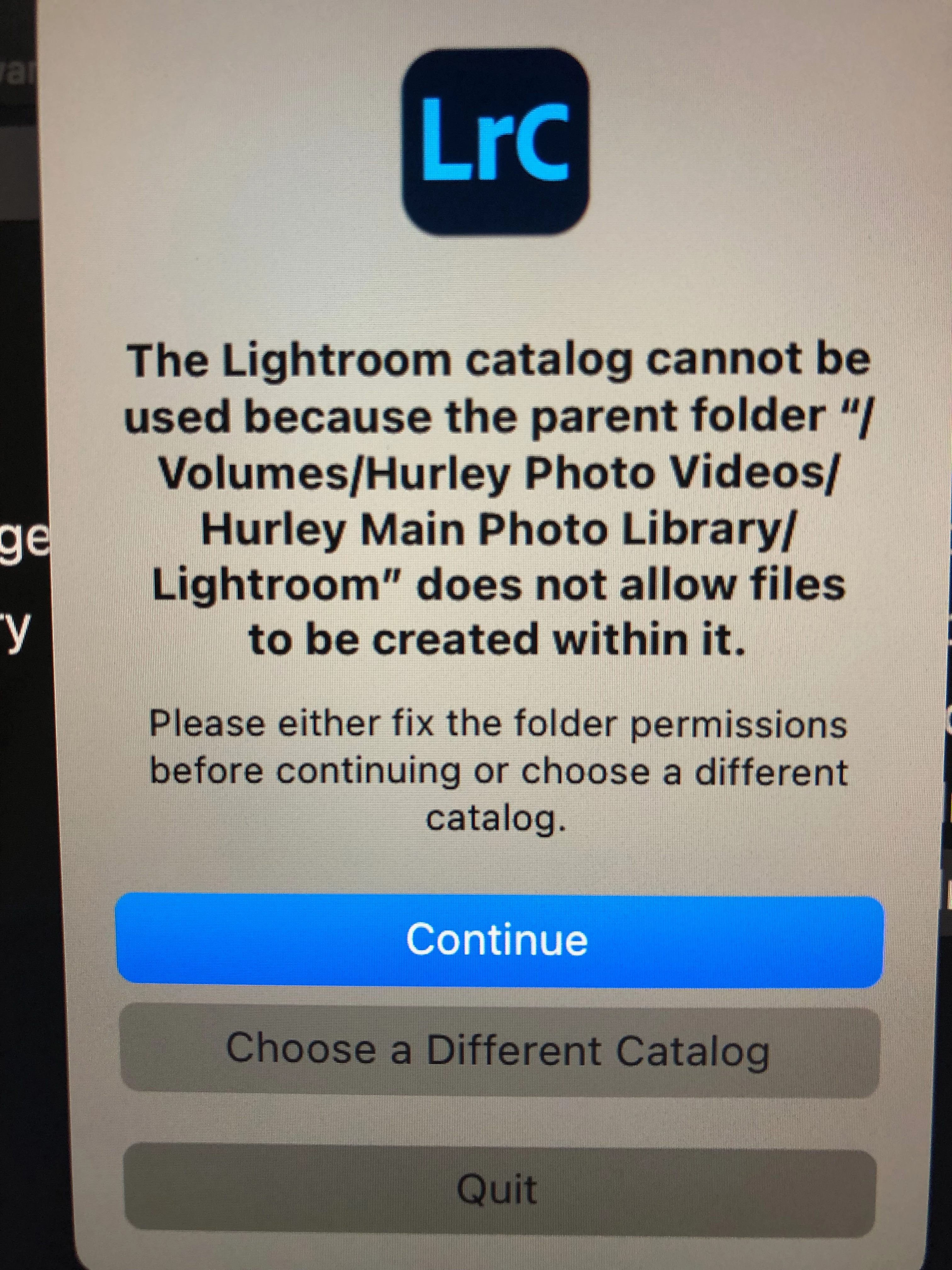
Transferred Catalogue only gets an Error message on opening...
Hi Folks - hoping I can find a solution...I've gone through several posts...this seems a unique problem.
Situation: replacing my old iMac 2017 with a new iMac 24.
On old iMac I had photo library on a RAID system with catalogue on internal HD. I want to move catalogue to the external HD (RAID)...following online advice on how to do that. I tested LRC on my old iMac to endure it would open successfully on the old iMac, from the new catalogue file location (on same external HD system) - which it did successfully.
When I connect the external HD to new iMac I launched the catalogue file from the external HD and get this error message. So how do I change 'folder permissions'??? I did go into Sys Preferences and LRC is checked off to allow access under Security & Privacy.
As an aside, I know it's not ideal to have catalogue off of the internal HD but it can be done...I have to this point managed my catalogue of ~50, 000 images as one...
Any help much appreciated...hope I have provided enough detail.
Thanks in advance


 AdChoices