Inspiring
December 15, 2023
Answered

Transferring LR from old to new laptop

  • December 15, 2023
  • 11 replies
  • 733 views

I do most of my LR and PS work on my desktop but when I travel I use my very old Lenovo laptop where I have LR 6 and my original PS 6 installed. I am looking to replace my laptop but am concerned that if I delete LR on my old laptop Adobe may not let me set up LR on my new laptop ( it has been a number of years in these two locations). Can someone give me detailed instructions as to how best to proceed? I have the same concerns for PS as well.

This topic is closed to new replies. Start a new post to keep the conversation going.
Correct answer dj_paige

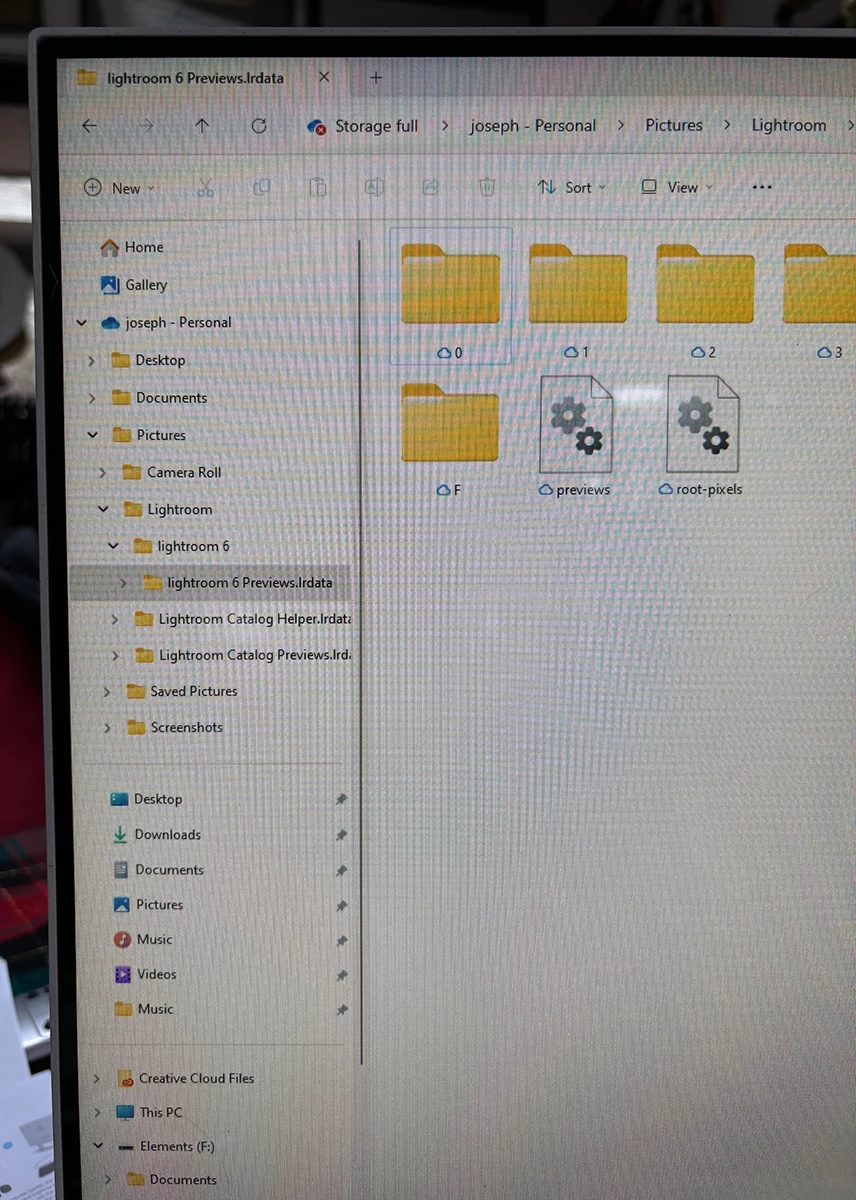
My apologies to start as I am technologically impaired. What may look clearcut to you in these instructions is confusing to me and I am reluctant to start anew when I suspect I am only a step or two from getting this done. I currently seem to have LR6 on the new computer and can bring up photos but they are all contain  check marks which means they are not recognized as already imported by LR. My 6.14 version of LR on my desktop computer has 400,000+ images and the version that I see on my new computer has 593 and reads LR mobile on top. I ran into this in the past and it seems that the synchronize process corrected the problem. I have already brought my latest backup (12-22-23) of my desktop catalog into the new computer but I suspect it is simply not located in the right place for LR to incorporate it. I will now display several images on my computer screens and perhaps you will be able to spot the error(s) and get me headed in the correct direction. I am sure this will be frustrating to you but the directions Queen sets forth are confusing to me. Here goes:
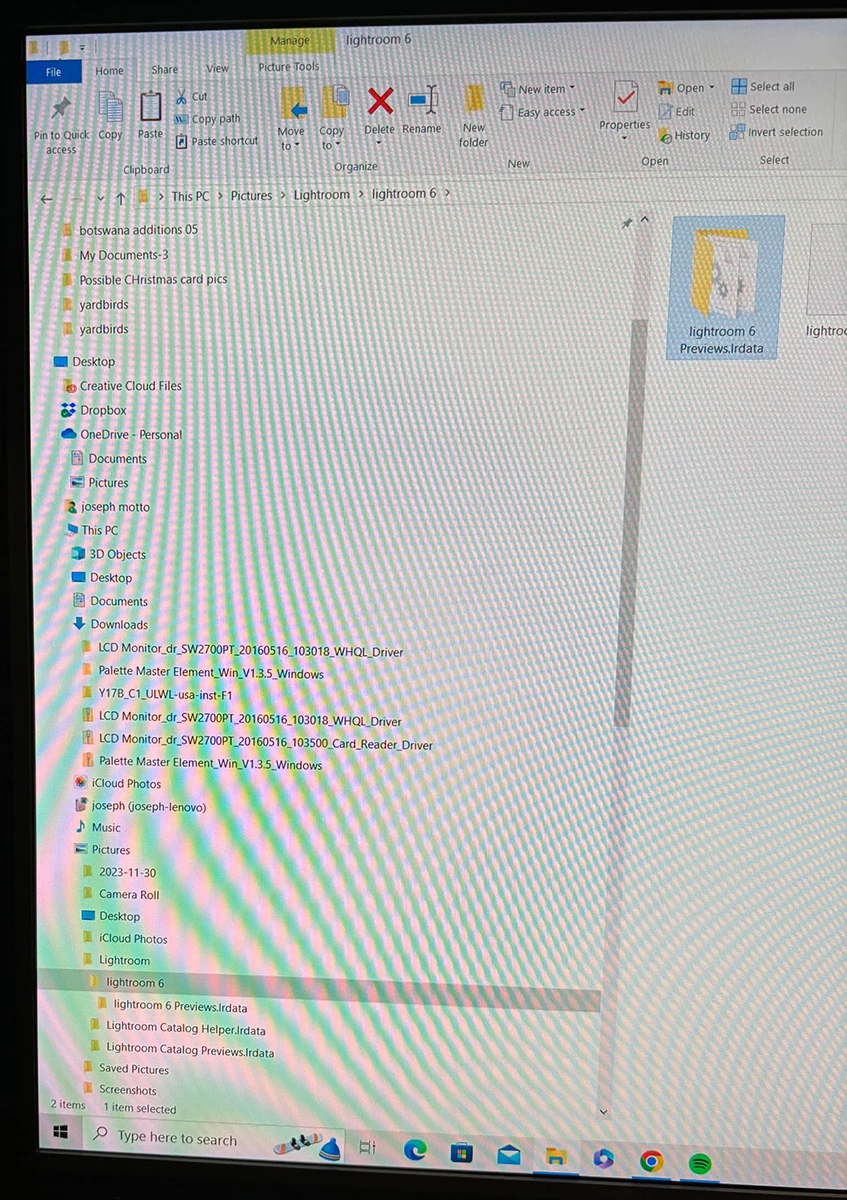
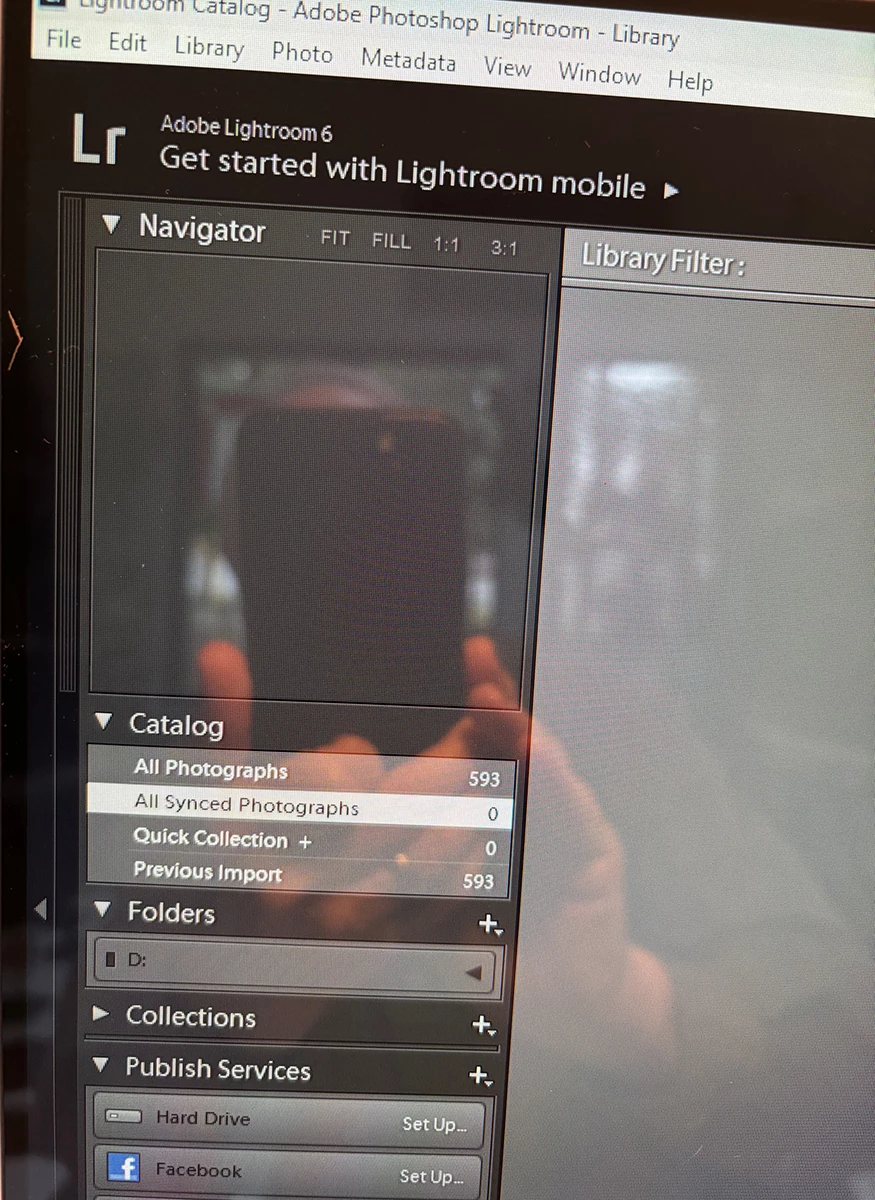
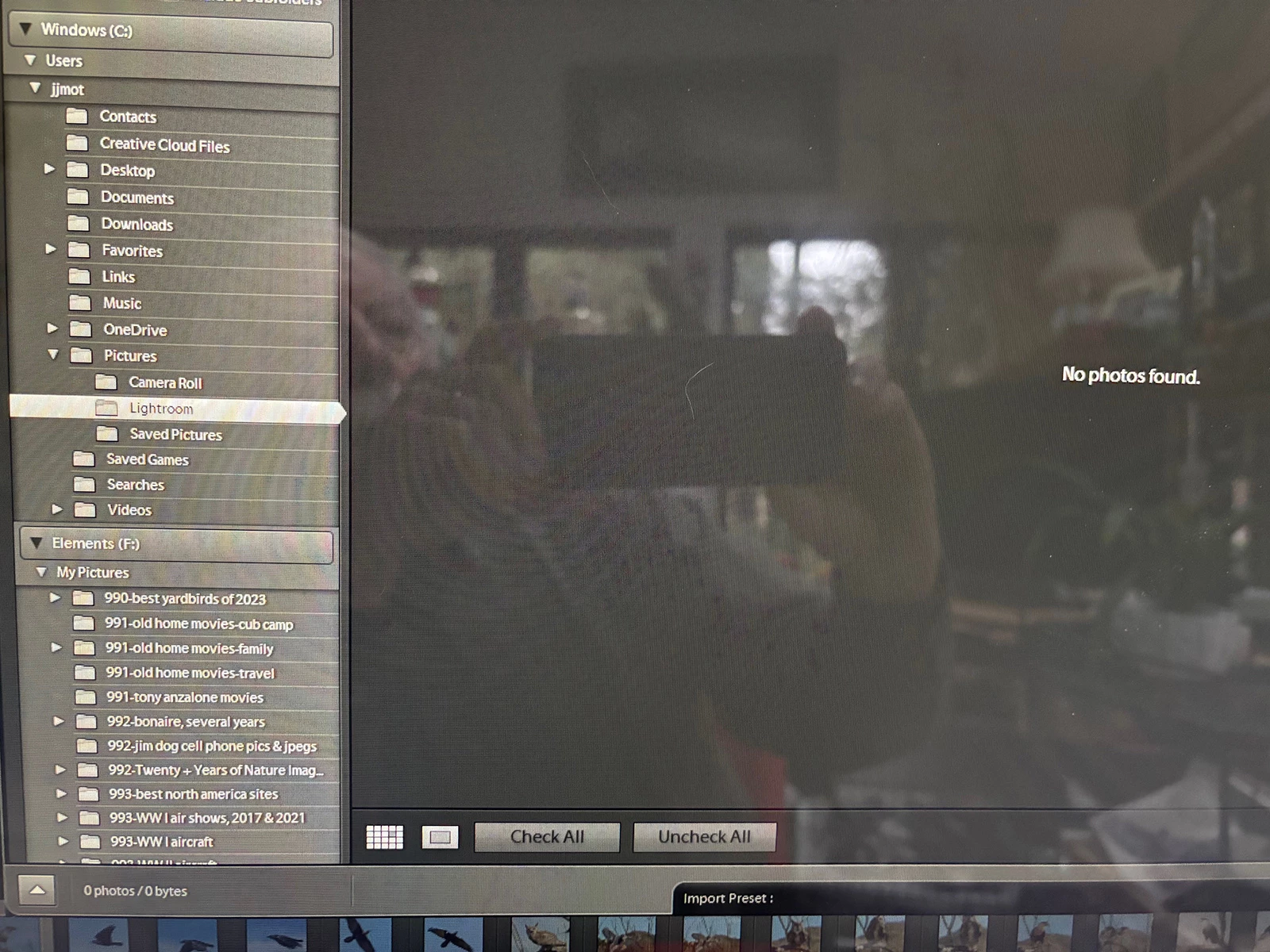
quote

My apologies to start as I am technologically impaired. What may look clearcut to you in these instructions is confusing to me and I am reluctant to start anew when I suspect I am only a step or two from getting this done.


By @joseph motto


I missed seeing this message while I was on vacation. If one or more parts of the explanation are not clear to you, the next thing for you to do is ask specific questions here in this thread.

11 replies

dj_paige
Legend
December 15, 2023

Go to https://helpx.adobe.com/lightroom-classic/help/lightroom-6-end-of-support.html and then download the Lr 6 installer file. Save it in some place where you can find it if you need it again in many years. Do this immediately as this link won't work after some time next week.


Instructions on how to move Lr to a new computer: https://www.lightroomqueen.com/how-move-lightroom-to-new-computer/

Inspiring
December 24, 2023

I was able to install LR 6 on my ne All in One HP.  I copied and transferred my most recent catalog backup as well but can't seem to get LR to incorporate it as all images that I bring up require importing; any suggestions appreciated although I do have two more knowlegable relatives coming over today and I will ask their assistance. I cannot so far been able to get photoshop CS 6 transferred as well but that's another story. Holiday headaches.

dj_paige
Legend
December 24, 2023

but can't seem to get LR to incorporate it


I'm not sure what this means, nor am I sure what you did. Please describe both in detail.


The full set of instructions is at: https://www.lightroomqueen.com/how-move-lightroom-to-new-computer/ Please follow these instructions exactly as stated; do not skip any steps (unless it doesn't apply to you like moving from Windows to Mac); do not make up your own steps. Please note: there is no importing in this process. If you feel it is time to import, STOP and read the instructions again.