
Answered
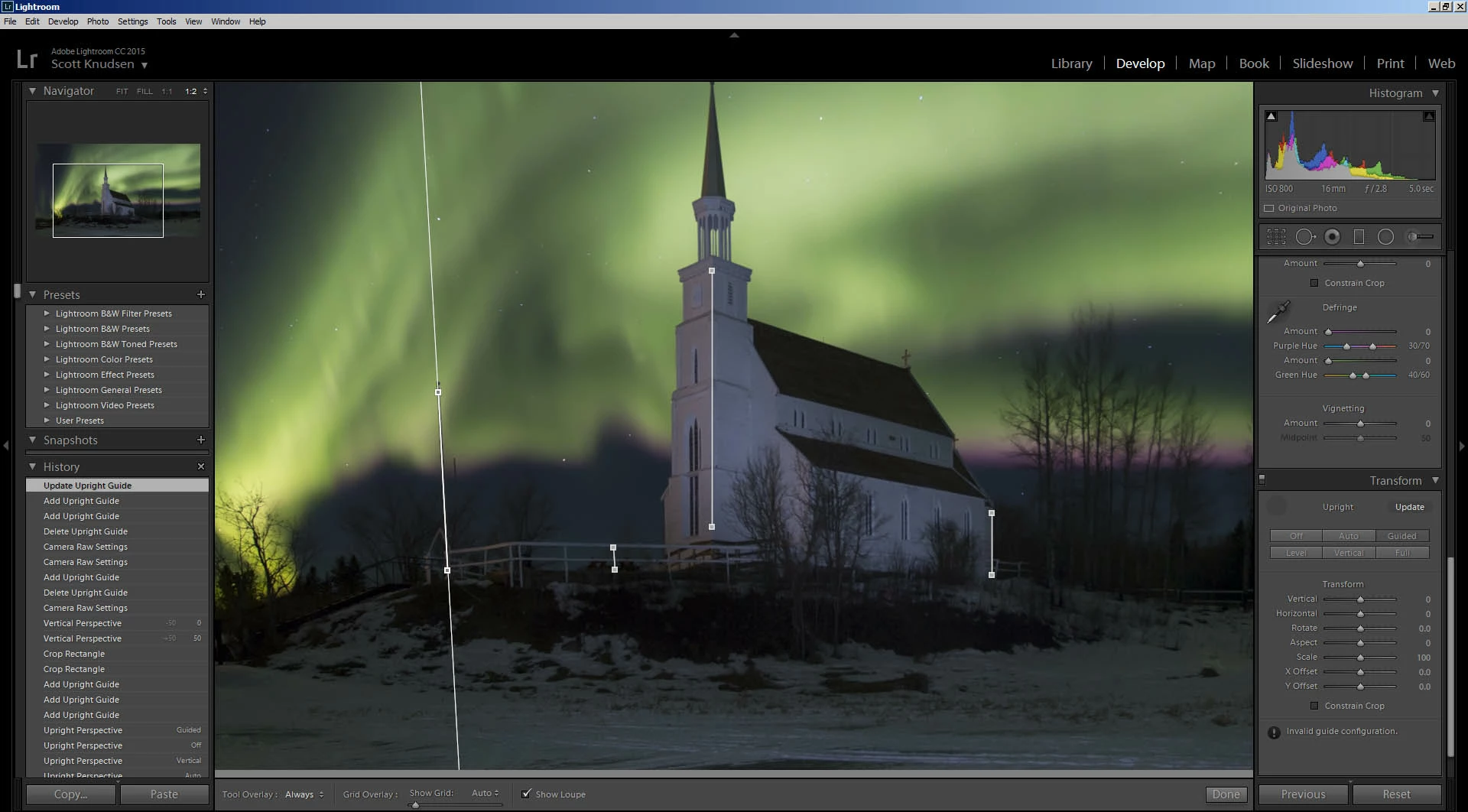
Transform - Guided Upright Tool, Invalid Guide Configuration.
I have an image of a church that was tilted back quite a bit so I used the Transform - Guided Upright Tool to straighten it up, which worked like a charm.
After doing that I noticed a flag pole that had previously been leaning in was now leaning out. I tried using the Guided Upright Tool again, but it would not do anything and instead said "! Invalid guide congiuration.".
I then tried adding another upright guide on a nearby fence post to the right of the flag-pole but that did not help, and then replaced the flag-pole guide with a guide on a fence-post to the left of it, but that did not help either.
Any ideas on how to fix this in Lightroom, or even Photoshop if that fails?
Thanks,
Scott
 AdChoices