
Answered
Turn off Lightroom automatically sending folders to my hard drive
Hello, All,
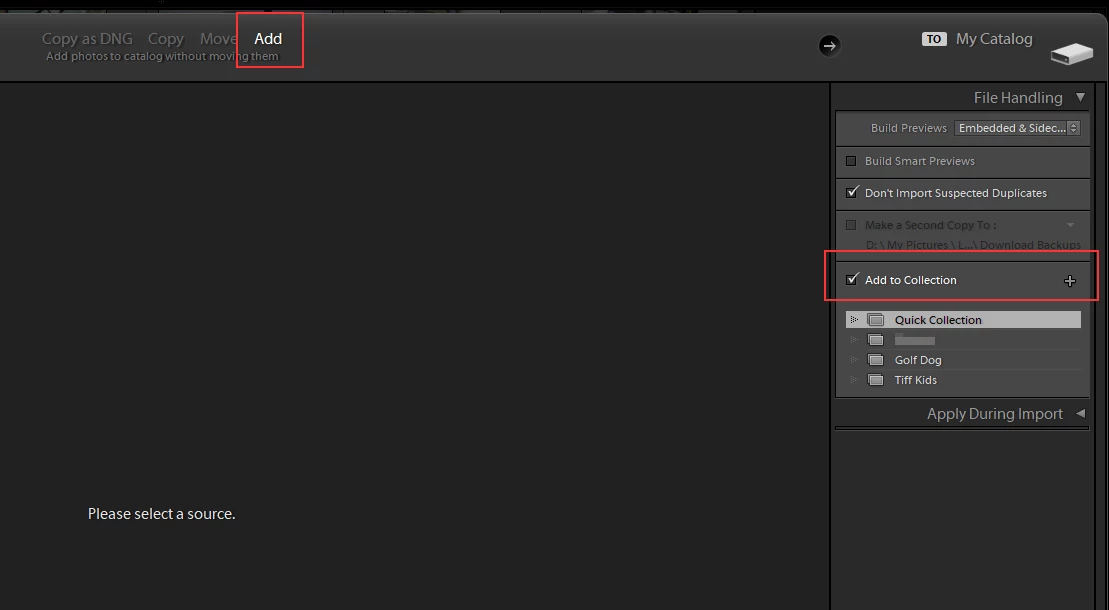
I need to turn off whatever function it is in Lightroom that automatically sends folders of images to my hard drive. I don't want Lightroom to do that. It clogs up my hard drive. It is my protocol to take images I want to process in Lightroom off my SD card, put them in a dated file folder on my hard drive, and eject the SD card; then I import the ARW images to Lightroom from the dated file folder I created. I do not need or want Lightroom to create of its own accord a differently dated file folder of images and send to my hard drive, and I find the Lightroom folders wind up in irrelevant places, folders from 2020 showing up in 2018, and so on. How do I correct this problem? Thank you for your help!
 AdChoices