Participant
January 11, 2022
Question

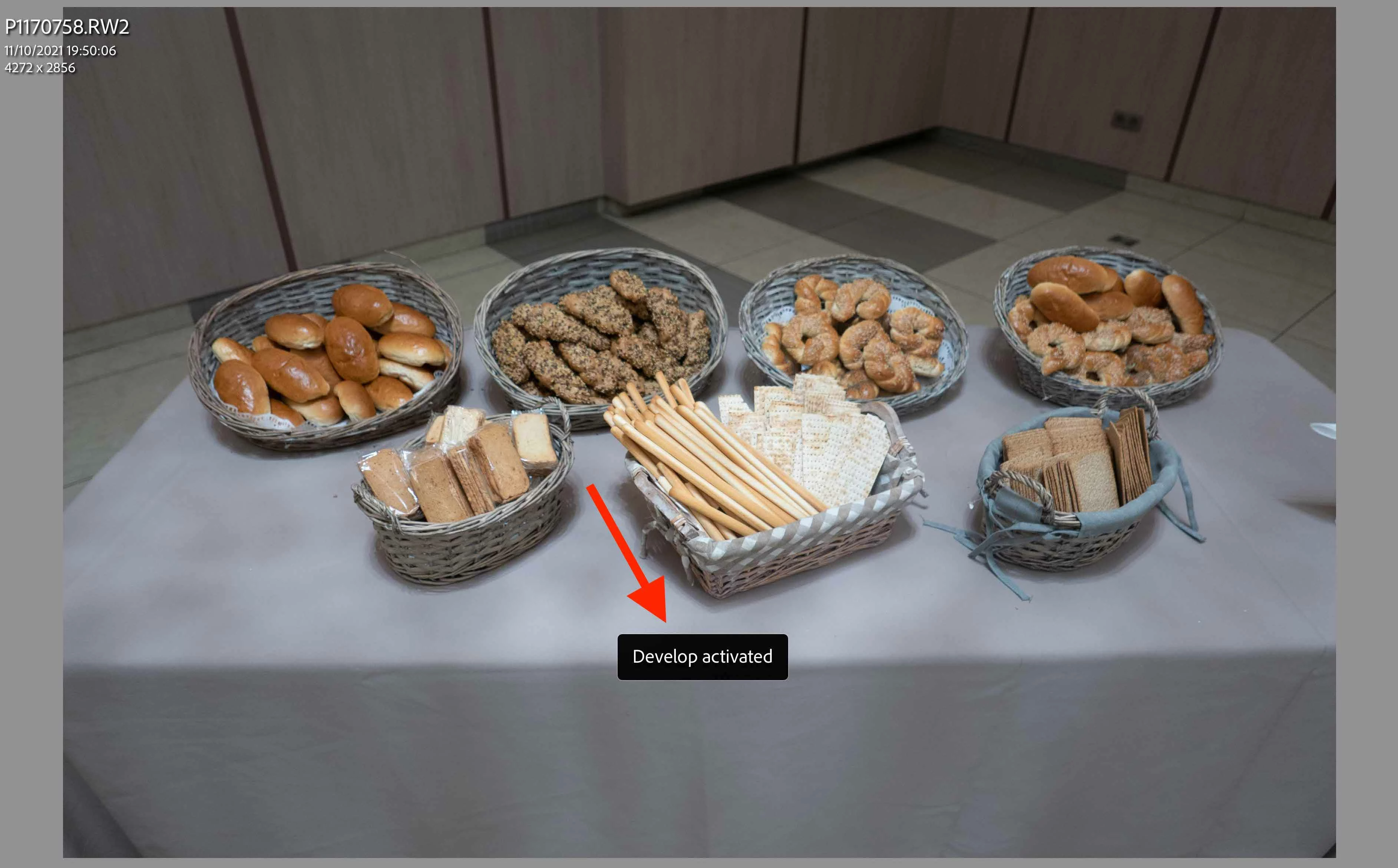
turn off notifications bar

  • January 11, 2022
  • 4 replies
  • 500 views

how can I turn off this notifications?

This topic has been closed for replies.

4 replies

Karo Holmberg Logitech
Inspiring
June 16, 2023

Hi, notifications from Loupedeck plugin can be deactivated from Help->Plug-in Extras->Loupedeck Plugin Settings
Just unselect "Show plugin notifications"


--// Karo Holmberg, Loupedeck/Logitech (PO: Photoshop, Lightroom Classic, Illustrator, Capture One)
FoveaCreative
Inspiring
October 30, 2023

Brilliant! Thanks for posting the correct answer. I was getting annoyed by Loupedeck+ telling me I looked great today every time I launched Lightroom Classic!


johnrellis
Legend
January 12, 2022

This notification is coming from a plugin, probably one used in conjunction with a MIDI controller (e.g. Loupedeck or the MIDI2LR plugin). 


If you're using the MIDI2LR plugin, uncheck the option Show Status And Activity.


If you're using Loupedeck, you'll have to contact them.

dj_paige
Legend
January 11, 2022
quote

how can I turn off this notifications?


By @Jonath22600228ad3k


Please state what software you are using.


Explain, in detail, step-by-step, what steps in your software cause this message to appear.


GoldingD
Legend
January 11, 2022

Please post your System Information as Lightroom Classic (LrC) reports it. In LrC click on Help, then System Info, then Copy. Paste that information into a reply. Please present all information from first line down to and including Plug-in Info. Info after Plug-in info can be cut as that is just so much dead space to us non-Techs.