Inspiring
February 20, 2019
Answered

Turning off the Filmstrip in Lightroom Classic

  • February 20, 2019
  • 3 replies
  • 4321 views

I never use the filmstrip at the bottom of my screen. I have it set to popup only when I hover over it, but I'd like to disable it entirely. Is there an option to do this?

Any help would be appreciated. MJ
This topic has been closed for replies.
Correct answer Rob_Cullen

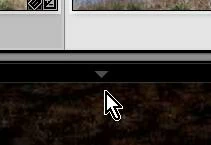
Right-click the triangle: Set it to [Manual]

Same for all four 'edges'

Function keys F5 F6 F7 F8 also Show/Hide the panels.

3 replies

johnrellis
Legend
November 29, 2020

If you're like me and can't remember infrequently used keyboard shortcuts, just remember to look in the menu Window > Panels to hide or unhide pieces of the LR user interface.  In general, the various shortcuts are listed in the menus.


[Use the blue reply button under the first post to ensure replies sort properly.]

Participant
November 29, 2020

Brilliant, thanks from me too. It annoys me when it pops up when I hover over it by mistake.


Rob_Cullen
Community Expert
Rob_CullenCommunity ExpertCorrect answer
Community Expert
February 20, 2019

Right-click the triangle: Set it to [Manual]

Same for all four 'edges'

Function keys F5 F6 F7 F8 also Show/Hide the panels.

Regards. My System: Windows-11, Lightroom-Classic 15.3, Photoshop 27.5, ACR 18.3, Lightroom 9.3, Lr-iOS 10.4.0, Bridge 16.0.3 .
mrjacksonAuthor
Inspiring
February 20, 2019

That's it. Thanks!