
Participant
June 17, 2024
Question

Unable tn import to Lrc 13.3.1

  • June 17, 2024
  • 2 replies
  • 243 views

I'm importing jPGs only from my Fuji to my Mac. Everything has been fine until 13.3.  I no longer see previews, and I'm shown the following error message:
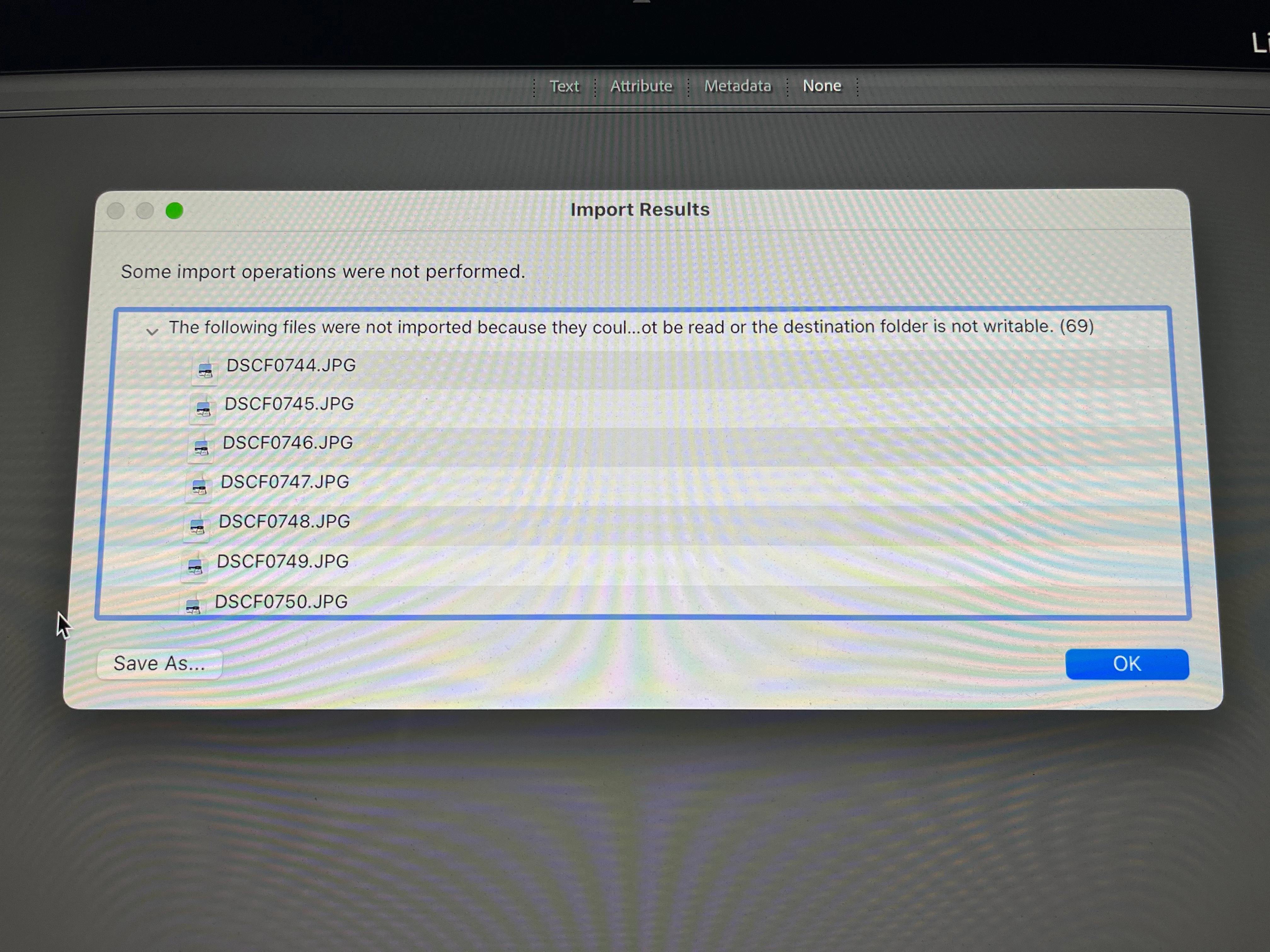
None of the photos can be imported. If I click OK, the message window closes and I'm left with nothing. 

I've seen conversations here about delays in import and sync, but no reference to this barrier.. Anybody experienced this? Any suggestions?


This topic has been closed for replies.

2 replies

Participating Frequently
June 20, 2024

Im Having the same issues with RAW files (.ARW).

My work flow however includes me dragging from Photomechanic (as I shoot a lot of sports, and I set my Metadata there), and I see the same failure / Error message.
As a work around, I moved the selection of raw images in to a seperate folder, and tried to import from there... and faced the same issue. 
Im not quite convinced that the files have been corrupted as I can see the photos through other applications (PS, Photo Mechanic, and even lightroom itself, however it just seems to error out on the import.
 

URGENT HELP / SUPPORT NEEDED

dj_paige
Legend
June 20, 2024

This is a different error message, and so a different issue. Please start a new thread for this problem. People will be happy to assist you in a new thread. Do not discuss this problem further in this thread.

dj_paige
Legend
June 17, 2024

Photos could not be read (possible file corruption) or destination folder is not writeable.


Regarding the latter, go to the Import dialog and check what destination folder is specified (it might have been changed accidentally), so please do not assume LrC is trying to write photos to the same folder as in the past. Then once you know the destination folder, check the permissions on that folder in your operation system —OR— change the destination folder to some folder where you know you can write the photos.