
Participant
Mar 3, 2024 5:10 PM UTC
Question

Unable to advance to next photo with arrow keys in develop tab

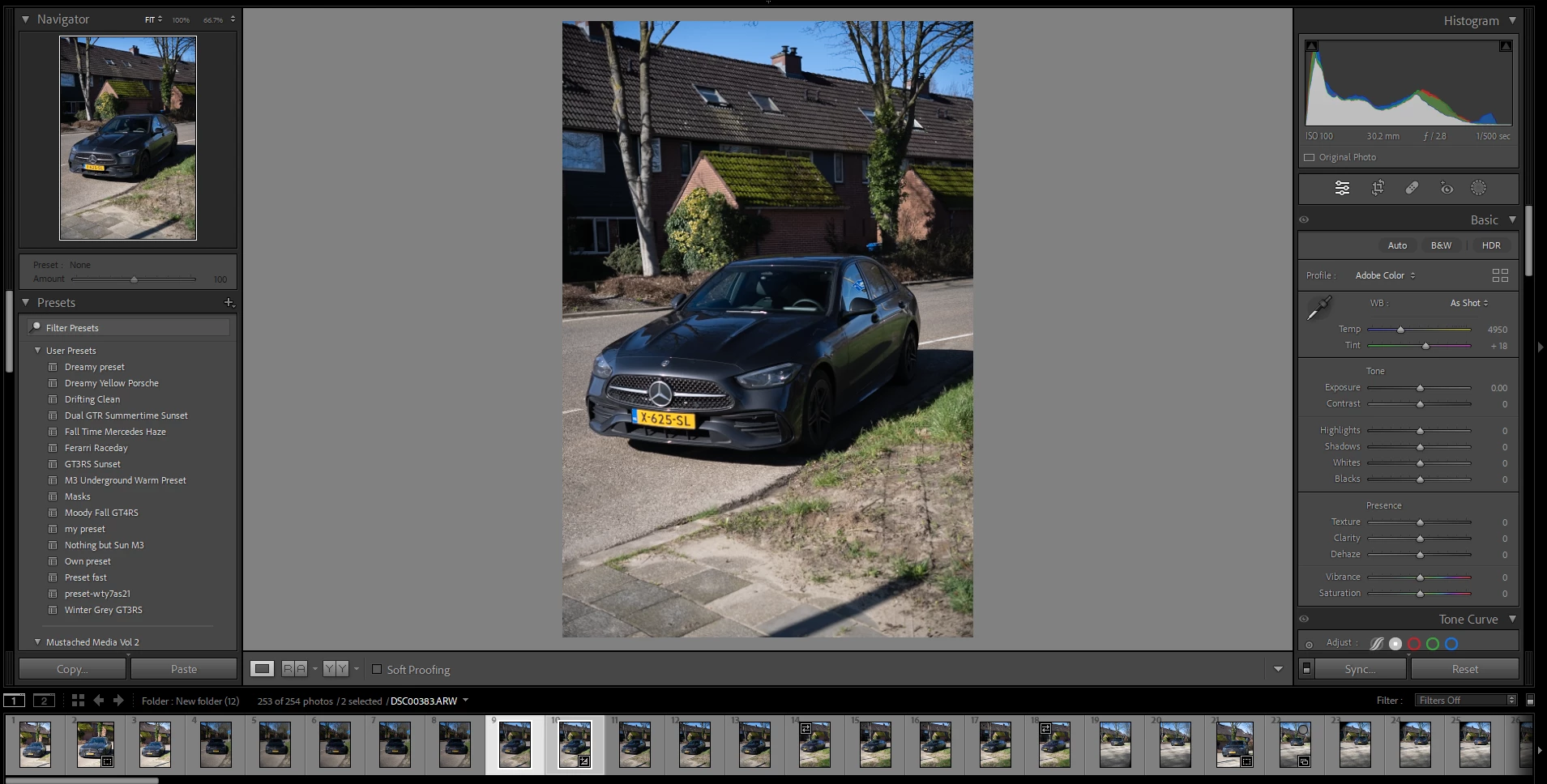
When I click on a photo the photo next to it also gets selected. When I try to move to the next photo with my arrow keys. It will go to the other photo that is selected and if I try to click one more time on the arrow keys in goes to my orginal photo and not the next photo. Is there a fix for this? 
 

This topic is closed to new replies. Start a new post to keep the conversation going.

4 replies

GoldingD
Legend
Mar 3, 2024 8:04 PM UTC

How does this behave.not behave in the Library Module? And can you share a screenshot of that?

(Please have file names showing in grid cells)

Translate
JohanElzenga
Community Expert
Community Expert
Mar 3, 2024 6:33 PM UTC

If you look at the film strip, you will see that you have two photos selected. In that case Lightroom Classic will only go from one selected photo to the other one when you press the arrow key. And because these two photos are (almost) identical, it looks like nothing happens.


Translate
-- Johan W. Elzenga
Participant
Mar 3, 2024 6:58 PM UTC

I only selected one picture. The other one got automatically selected too

Translate
JohanElzenga
Community Expert
Community Expert
Mar 3, 2024 9:58 PM UTC
quote

I only selected one picture. The other one got automatically selected too


By @Tommy35236432dltl


It doesn't matter how they got selected. The behavior in case of multiple selected images is as I described.


Translate
-- Johan W. Elzenga