Participant
November 28, 2020
Answered

Unable to delete photos from disk

  • November 28, 2020
  • 2 replies
  • 729 views

Hi,


this used to work fine, now it doesn't.


I flagged pictures with x in order to mark them reject. I then press Ctrl Backspace, or, select "Delete Selected Photos" under the Photo menu.


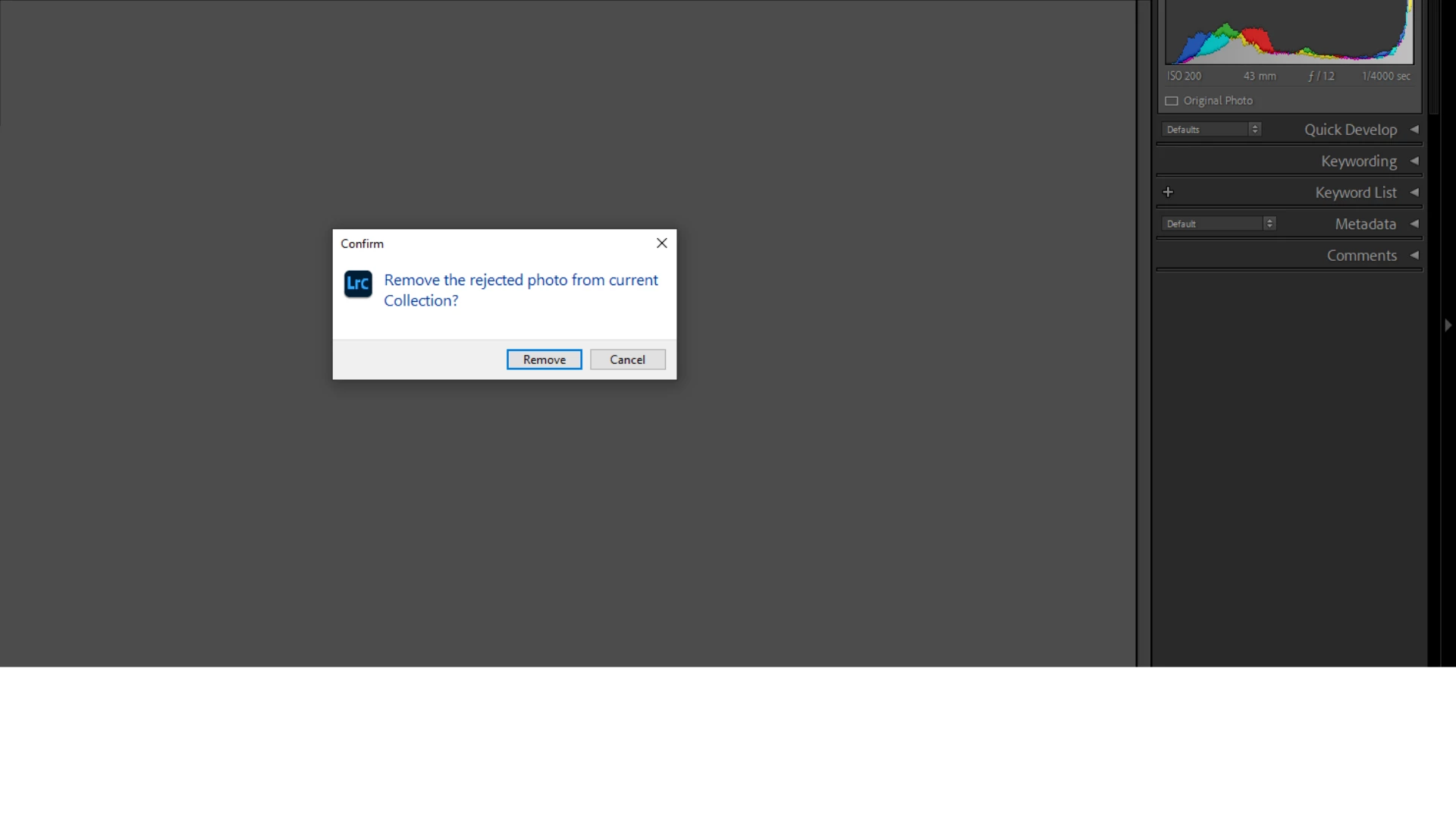
But after doing so I am NOT asked if I want the pictures deleted from the disk, I am only asked if I want to remove them from the collection.


I have already restarted lightroom a few times and restarted the computer a number of time, it doesn't help. The problem is equalliy present in library and develop modes. I can't delete any pictures from the disk via lightroom, when this used to work before. I made no conscious changes to the program settings.


Does anybody know what causes this, and how to fix this?


Thanks!


This topic has been closed for replies.
Correct answer dj_paige

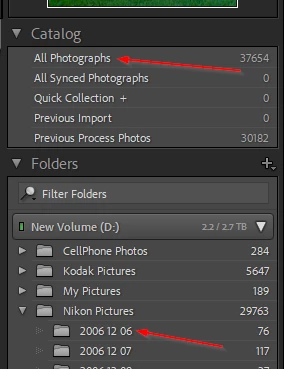
As stated, you can't delete directly from a collection (except with the somewhat dangerous splat delete). To delete a photo (or more than one photo), you need to click on All Photographs, OR click on the folder that contains the photo, and then do the delete.


2 replies

Todd Shaner
Legend
November 29, 2020

You can delete pictures in a collection using CTRL + ALT + SHIFT + DEL keys (Splat Delete).

dj_paige
Legend
November 29, 2020

Splat delete is immediate and there is no confirmation dialog box. Use with caution.

dj_paige
Legend
November 28, 2020

You are inside a collection in Lightroom Classic. This message is the correct behavior.


If you want to delete a photo from the Catalog (and optionally also from the hard disk), you need to select "All Photographs" or a specific folder in Lightroom Classic, and then delete.

DB831Author
Participant
November 29, 2020

Thank you. May I ask where else I could be in order to delete pictures this way? I always import pictures and then put them in a collection, and then delete the ones I don't want. Is this not how it works? I don't want them all deleted, just the ones flagged x.

Theresa J
Community Expert
Community Expert
November 29, 2020

Look in the Folder panel. When you view photos in folders you can delete them from the disk.