
evanc333
Participant
July 11, 2024
Question

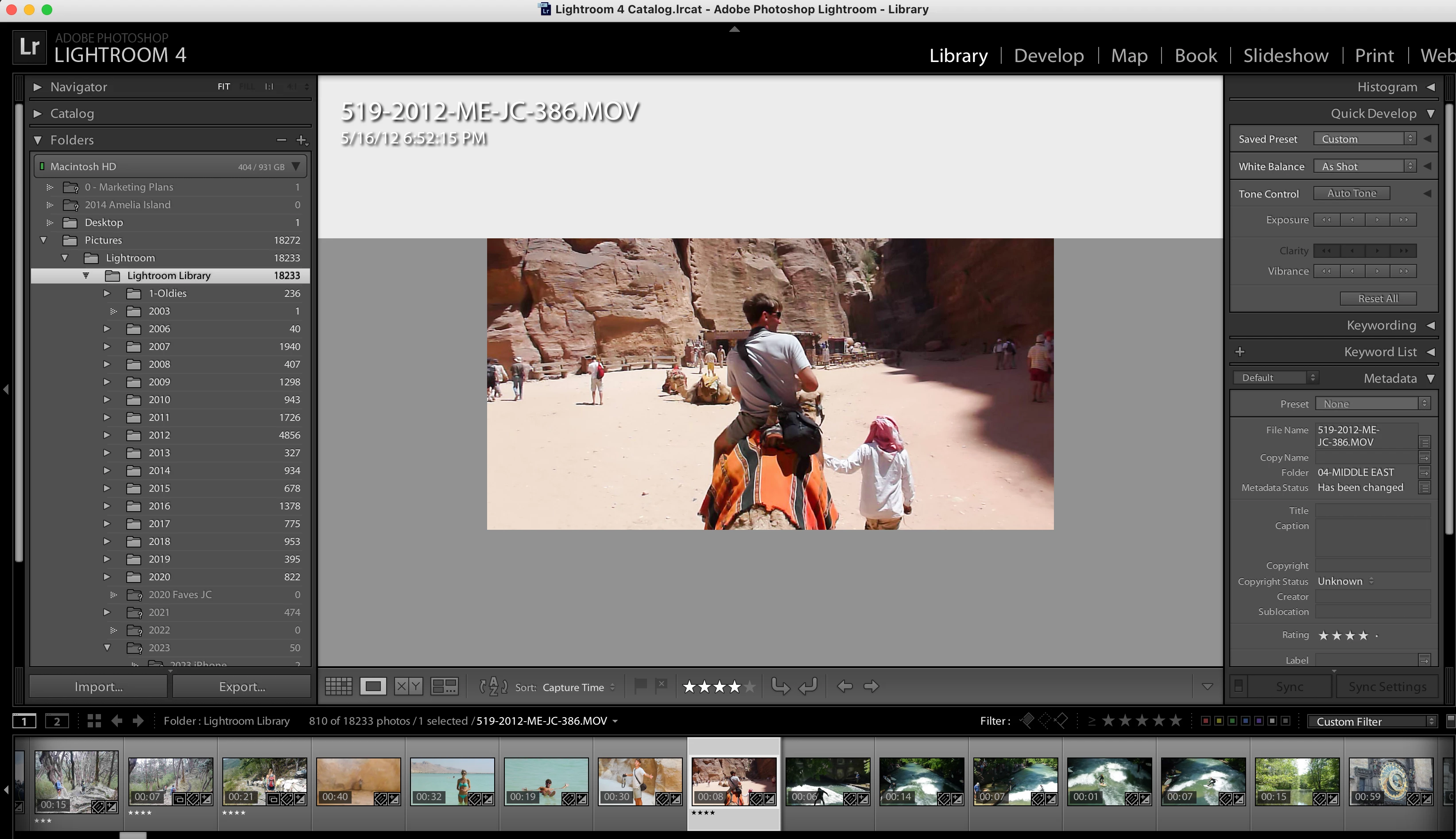
Unable to open .MOV video files in Lightroom

  • July 11, 2024
  • 1 reply
  • 288 views

Can anyone point me in the right direction as to why my .mov video files cannot play within Lightroom? I swear they used to in the past but at some point, the play functionality and buttons disappeared and I cannot figure it out for the life of me. I double click any .mov file to open it in the loupe view but there are no buttons to play it (even if I right click)...nothing. Any guesses? 


(I know the catalog is fine b/c I can find any of the video files in Finder if I want to view them in there... but I just can't figure out why I can't watch videos within Lightroom more efficiently.) 


Any guesses? 


This topic has been closed for replies.

1 reply

JohanElzenga
Community Expert
Community Expert
July 11, 2024

You use an ancient version of Lightroom. It is quite likely that some mov specs have changed since then, or that your current version of MacOS uses codecs that are incompatible with that version of Lightroom.


-- Johan W. Elzenga
evanc333
evanc333Author
Participant
July 18, 2024

Thanks for the extra information. If I am not editing like I used to and don't need all the bells and whistles enough to pay for a monthly subscription to Adobe now, any idea what my best options might be? Thanks for the help, sincerely!

JohanElzenga
Community Expert
Community Expert
July 18, 2024

Probably use something else to manage videos, like NeoFinder.


-- Johan W. Elzenga