


DigitalCanvas
Inspiring
July 16, 2024
Answered

Unable to Tether Sony A7RIV Camera with Lightroom Classic

  • July 16, 2024
  • 1 reply
  • 2000 views

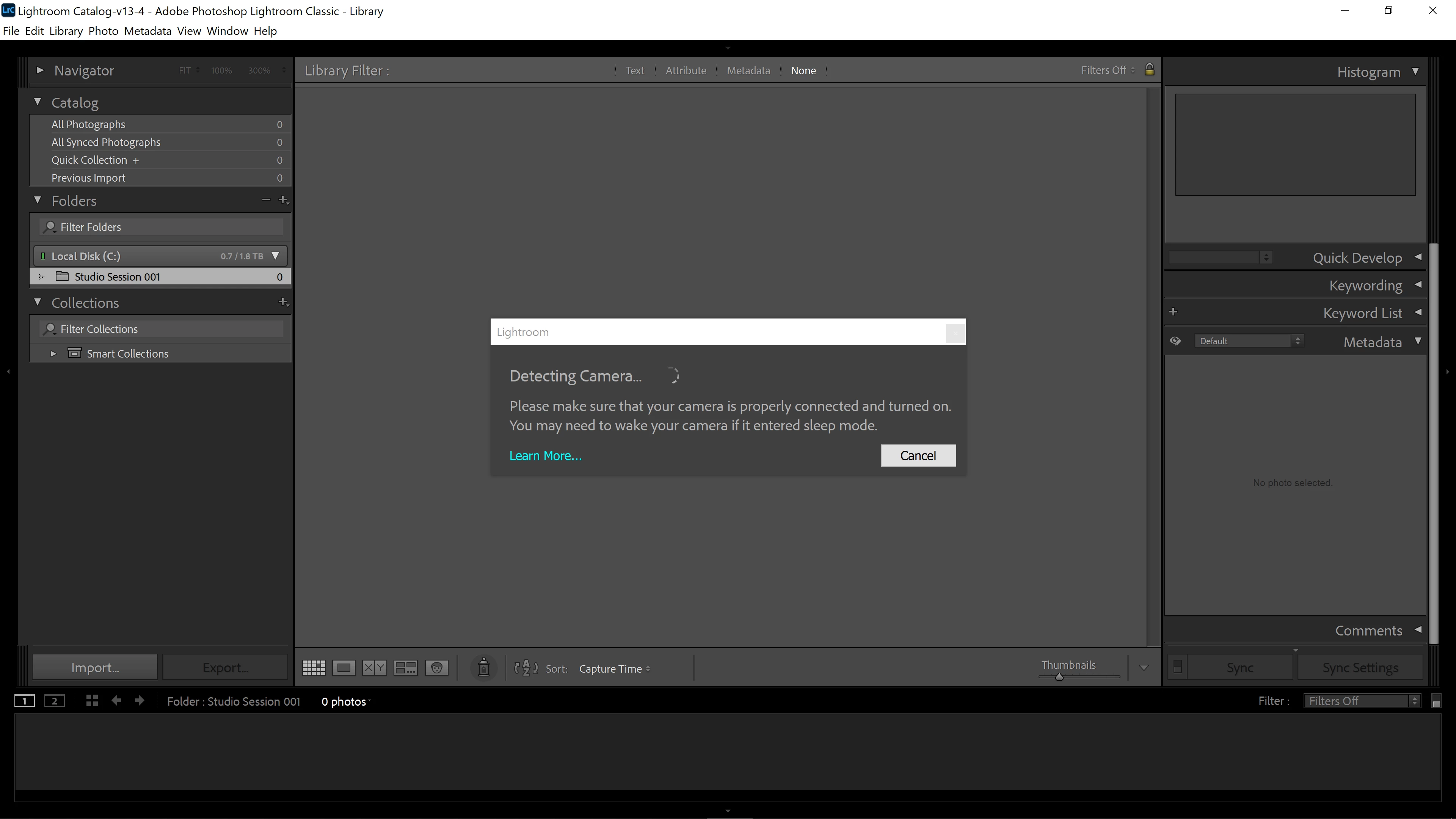
I'm having problems tethering my Sony A7R4 camera with Lightroom Classic and would appreciate any advice you can offer.  Basically, my camera is not being recognized when I try to tether it to Lightroom Classic.  However, my camera tethers perfectly with Sony Imaging Edge Desktop Remote.  I am using a brand new Tether Tools USB-C to USB-C tether.  Dell XPS 15 computer running Windows 10 Pro.  I have also tried using an Anker USB-C tether and different ports on my computer (again everything works perfectly with Sony Imaging Edge Desktop Remote).  Is this a known problem?  Are there any special settings, drivers, etc. on my camera, computer, or LrC software that I need to take into consideration?  Really appreciate any advice you are able to provide!  Right now, it just hangs up on this "Detecting Camera" pop-up in included screenshots.
Correct answer DigitalCanvas

After relentless pusuit finally something worked for me. 

C:\Users\[Username]\AppData\Roaming\Adobe\Lightroom\Preferences
1. From this of wherever your lightroom is installed, remove the preference files. And restart Lightroom.
2. Connect the camera, in PC remote mode. 
3. Go to Device Manager

You will see a "Sony Remote Control Camera" under "libusbK Usb Devices" then Lightroom Classic's tethering will not work.


To fix this situation:

  • right-click "Sony Remote Control Camera"
  • choose "Update Driver"
  • choose "Browse my computer for drivers"
  • choose "Let me pick from an available list of drivers on my computer"
  • choose "MTP USB Device"


You should then be able to tether successfully in Lightroom Classic.


Hi - just saw your note.  What I had to do about a month ago to "fix" the problem was:


  1. Completely uninstall Sony Imaging Edge Software and all of its components from my computer.
  2. Go to "Device Manager" then "View" then click "Show Hidden Devices"
  3. This then displays "libusbK Usb Devices" in the left column with all of the other devices.
  4. Select this "lilbusbK Device" then “Sony Remote Control Camera” then "Uninstall" this device.
  5. Instantly after doing this, tethering my Sony A7R4 in Capture One and Lightroom Classic worked perfectly.


But now, as someone using Sony devices professionally, I no longer have access to Sony Imaging Edge and its dedicated functionality for Sony devices.  If you are able to get Imaging Edge and everything else to work perfectly by your workaround listed previously, please let me know.  As I would like to still use Sony Imaging Edge for specialized functionality with my Sony cameras.


Thanks!

1 reply

johnrellis
Legend
July 16, 2024

Try all the steps listed here:

https://helpx.adobe.com/lightroom-classic/kb/troubleshoot-tethered-capture-lightroom.html


You've already done many of them, but double-check.

DigitalCanvas
Inspiring
July 16, 2024

Thanks John!  I will try these again and let you know if any of them solved the issue.  

Participant
September 3, 2024

Hi @DigitalCanvas Have you found a remedy yet. Your problem is same as mine. I have been struggling with the same issue. Word by work you have explained my situation. I even tried after uninstalling the Remote App/ All Sony App.