Participant
November 25, 2016
Answered

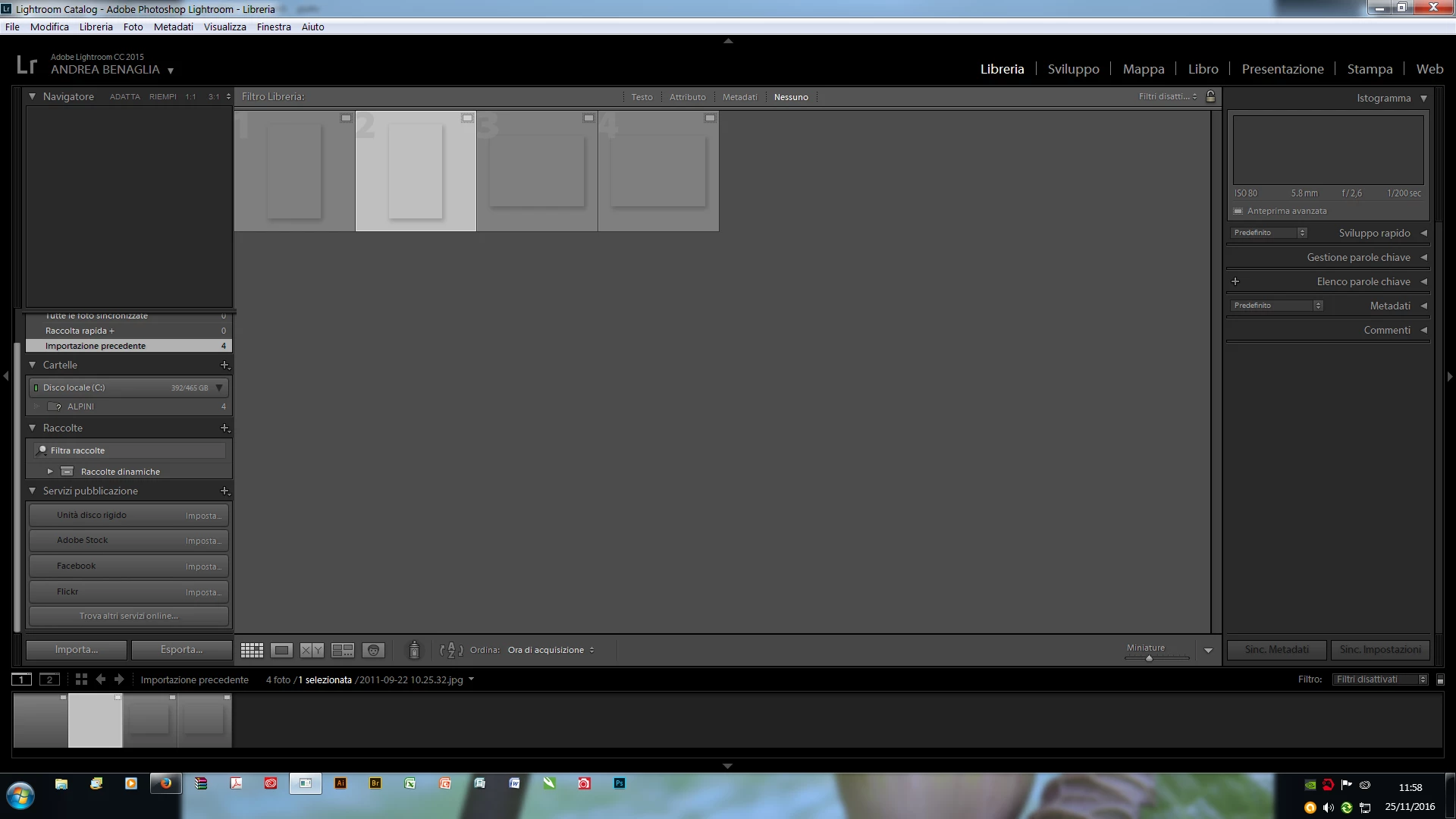
Unable to view picture loaded in Lightroom

  • November 25, 2016
  • 2 replies
  • 453 views

Good day to you all,
I have loaded and been using Lightroom CC sincle this summer and all of a sudden started having a serious problem which has blocked me and my work.
After having created a new catalog and loaded images, Raw Jpg tiff etc, they are loaded but are not showing on screen: The space for the pictures are visible and so is all the info for each photo visible but not the image itself.

Can't seem to get to the end of this and would appreciate some help.

Thanks

Andy
    This topic has been closed for replies.
    Correct answer AxelMatt

    Have you try to disable the GPU support.

    https://helpx.adobe.com/lightroom/kb/lightroom-gpu-faq.html#troubleshooting

    Another point is that your monitor profile can be corrupted.

    Take a llok here: http://www.lightroomqueen.com/corrupted-monitor-profile/

    2 replies

    Per Berntsen
    Community Expert
    Community Expert
    November 25, 2016

    It looks like there is a problem with the preview cache.

    With Lightroom closed, use Windows Explorer and navigate to the folder that contains the Lightroom catalog.

    Delete the folder whose name ends with Previews.lrdata - do not delete anything else.

    Now launch Lightroom, and the previews will rebuild as you browse the library.

    AxelMattCommunity ExpertCorrect answer
    Community Expert
    November 25, 2016

    Have you try to disable the GPU support.

    https://helpx.adobe.com/lightroom/kb/lightroom-gpu-faq.html#troubleshooting

    Another point is that your monitor profile can be corrupted.

    Take a llok here: http://www.lightroomqueen.com/corrupted-monitor-profile/

    My System: Intel i7-8700K - 64GB RAM - NVidia Geforce RTX 3060 - Windows 11 Pro 25H2 -- LR-Classic 15 - Photoshop 27 - Nik Collection 9 - PureRAW 6 - Topaz Photo AI
    Participant
    November 25, 2016

    Fantastic, thank you all so much for your advice.
    At the end resolved by sorting out my colour profile.

    Thanks again

    Andy