Participant
March 15, 2025
Answered

Undo an inadvertent import

  • March 15, 2025
  • 1 reply
  • 291 views

When using Lightroom Classic for the first time, I Imported the entire My Pictures file on my laptop, when I was trying to Import one photo. Big time rookie error. How can I clear the pictures from LR Classic without deleting them from my hard drive too? HELP

Correct answer Per Berntsen

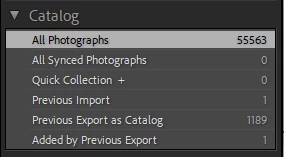
In Library, click All Photographs in the Catalog panel on the left.

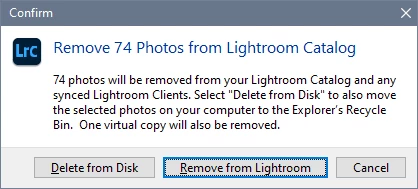
Then select all (Ctrl + A), press the Delete key, and click Remove from Lightroom in the dialog that appears.

This will remove them from the catalog, but not delete them form disk.


1 reply

Per Berntsen
Community Expert
Per BerntsenCommunity ExpertCorrect answer
Community Expert
March 15, 2025

In Library, click All Photographs in the Catalog panel on the left.

Then select all (Ctrl + A), press the Delete key, and click Remove from Lightroom in the dialog that appears.

This will remove them from the catalog, but not delete them form disk.


REN3Author
Participant
March 15, 2025

Thank you so much Pat, especially for the quick response! You are a lifesaver. Now I can move forwatd.