

Undo batch rename, how?
So I was trying to rename 221 images so there were no spaces (because of Pixieset adding spaces). Then I figured I could copy and paste the clients favourites into LR search and walah, they'd pop up no problem. BUT when I batch renamed them I obviously chose the wrong file name method (Custom Name - Sequence) and the names were not as I wanted them. EG Original name: Kaza_Wedding 03_12_17 (1 of 217).JPG Batch rename: Kaza_Wedding 03_12_17(1of217).JPG What they actually renamed to: Kaza_Wedding 03_12_17(1of217).JPG-1.JPG
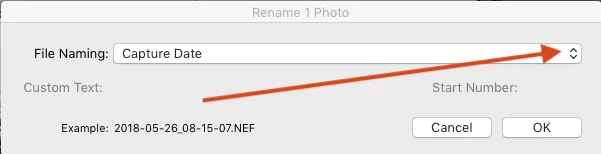
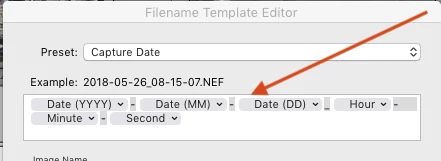
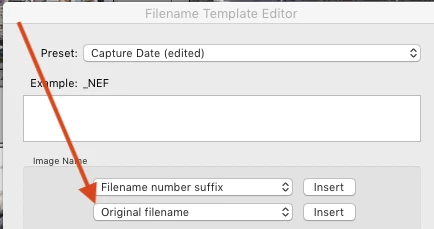
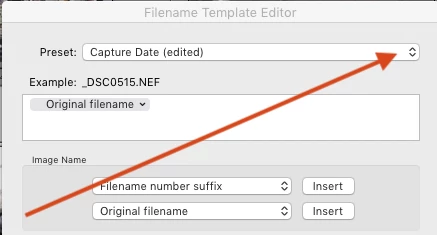
So then I assume that clicking Undo Edit will change them all back but WRONG. I've seen comments on similar posts for the same problem suggesting to create a filename template using the Original Filename token...no clue what this means! Also to be sure the "Preserve current filename in XMP Metadata" is ticked, which looks like an older version and I can't find this anywhere!?
Please help me out of my predicament. The purpose of me doing this was to easily bring up the clients favourites chosen on Pixieset in LR to add to their Album but now it 's turned into the most complicated mess!!
TIA
 AdChoices