
Known Participant
November 8, 2025
Answered

Unexpected Syncing with the Cloud

  • November 8, 2025
  • 1 reply
  • 97 views

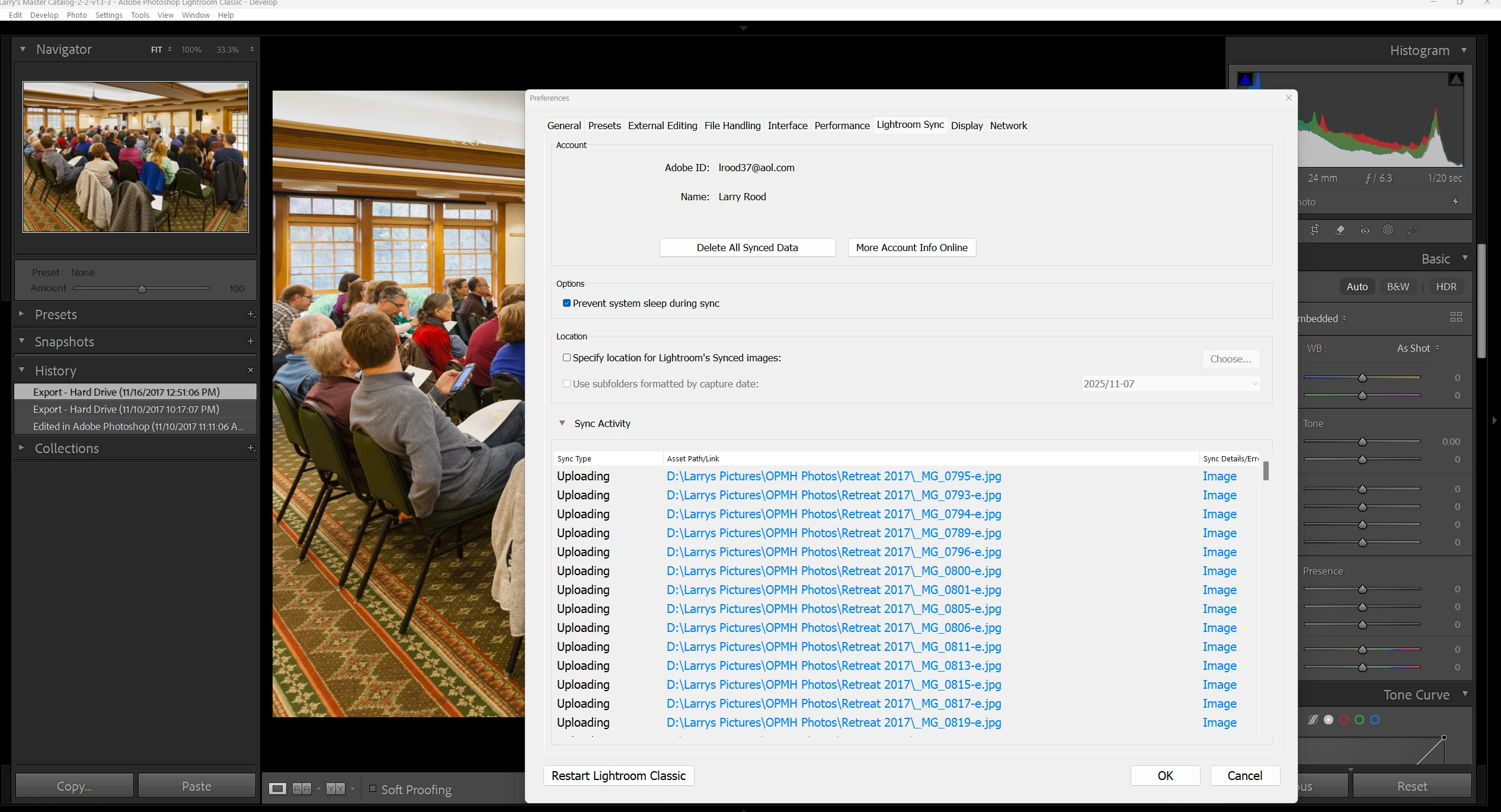
Posted my experience, including system detail, etc. a week ago, and received numerous recommendations, none worked. In working through one of the recommendations I came up with a screen showing that I have been "syncing with the Cloud," a surprise to me since I had no idea that I was doing so. Could this be the problem? Attached is a screen shot showing my syncing status which seems to indicate that I have a group of files waiting to be synced.  My thought is to delete my synced files, particularly those waiting to be synced. Any help will be appreciated.  
Correct answer JohanElzenga

If you don't want to sync at all, then click the cloud icon that you clicked to get this screen, and choose 'Pause'. There is no 'Stop' option, so you just pause it and never start it again.


1 reply

Inspiring
November 8, 2025

Im not sure what the problems in ealier posts are about - i don't know if i've read them.

Regardless, if you want to stop syncing and clear any sync processes that might be stuck; First you need to make sure none of your folders or collections are set to sync. Secondly remove any and all images inside the 'all synced photographs' collection. And third, log onto Lightroom's browser edition and delete all synced images from there.

JohanElzenga
Community Expert
JohanElzengaCommunity ExpertCorrect answer
Community Expert
November 8, 2025

If you don't want to sync at all, then click the cloud icon that you clicked to get this screen, and choose 'Pause'. There is no 'Stop' option, so you just pause it and never start it again.


-- Johan W. Elzenga