
Participating Frequently
October 29, 2022
Question

upgrade catalog LR classic to version 12 not very succesfull

  • October 29, 2022
  • 2 replies
  • 408 views

I upgraded the catalog to version 12, no issues there but now I have a not good working Lightroom and I cannot import anymore.

I have latest version 12.0.1 but that didn't solve the issue. No previews, no histogram, ...
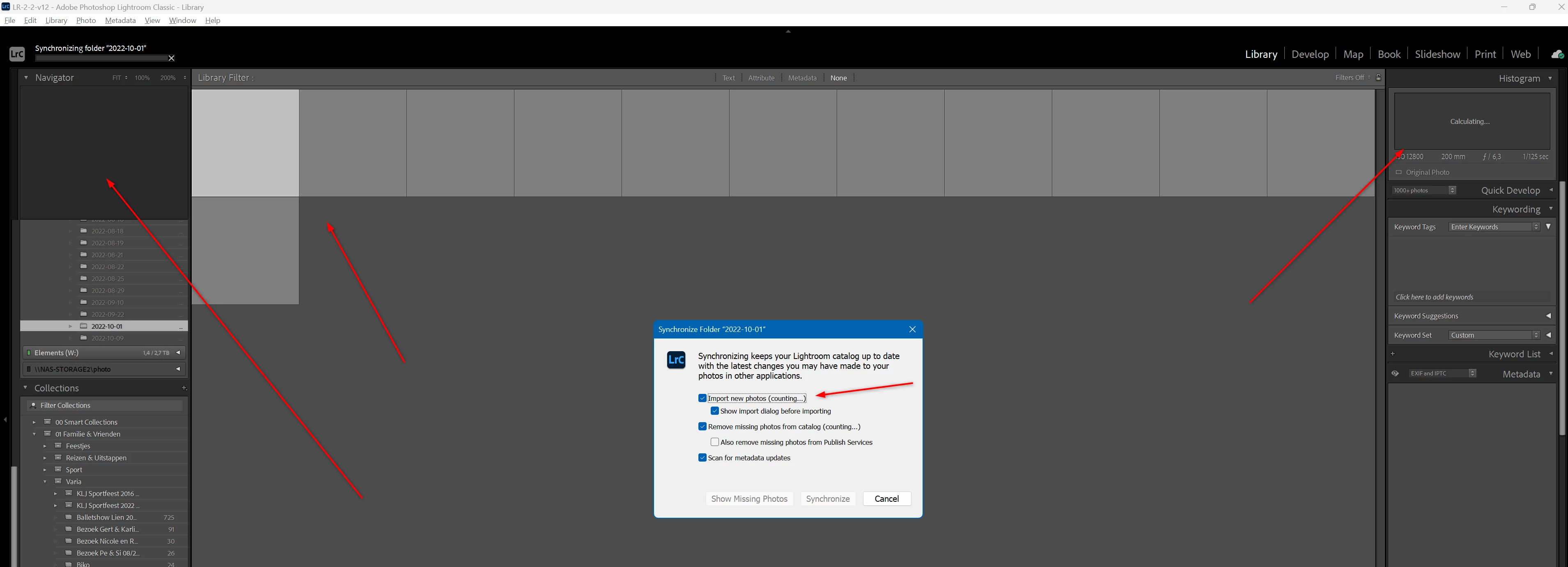
 

Anyone the same issue? Or any tips?

This topic has been closed for replies.

2 replies

flephoto
Inspiring
November 6, 2022

I meet the same issue.

After upgrading, very slow.

Something wrong with the catalog.


You can try to optimize catalog option. Maybe the issue can be resolved, maybe not.

I have several catalogs ( I create catalog by years), this solution works with part of them.

This issue occurs with catalog with many photos (more than 10k).

If your photos are on a network driver, it is likely to happen.

Lieven_vrAuthor
Participating Frequently
November 6, 2022

Ok thanks for that. I have one big catolog with 180000 images. A part of the images are referenced to my NAS but with version 11.5 no issues with it (and also the previous versions of lightroom classic). Optimize catalog is not a solution for me.

dj_paige
Legend
November 6, 2022

I doubt that this problem is caused by size of catalog, there are people with 1/2 million images in their catalog, and are not having this problem. What plug-ins do you have installed?

dj_paige
Legend
October 29, 2022

You can't import, but you don't explain anything about this. Your screen capture is not the Import dialog box. We can't help with Import problems without more infomration.


As for your other issues, try resetting the preference file. https://www.lightroomqueen.com/how-do-i-reset-lightrooms-preferences/


Lieven_vrAuthor
Participating Frequently
October 29, 2022

Ok - maybe the two things are related?

First I reset my settings, when I launch LR, I see the same behavoiour. No previews, no metadata visble, my folders don't show the count of images ...

After some time I see now copy and import? And images are showing bud very slow.


For the second, I wanted to import some images. I see the SD card, when I click on, add to collection, my collections don't show up. When I import, I see some progress for a sec but nothing happens.


Very strange behaviour

dj_paige
Legend
November 6, 2022

Did you try resetting the preferences?