
Upgrade problem from Lightroom Classic from 13.5.1 to 14.0 to 14.01
Experienced a problem with the Lightroom Classic upgrade going from 13.5.1 to 14.0 and to 14.01.
I upgraded on the day of release (Oct 14th) and the actual upgrade from 13.5.1 to 14.0 appeared to have been executed successfully. Carried out some minor sanity checks to make sure the upgraded version was ok. Still had my usual problem where I’m unable to create large numbers of previews at a time – but that has been around for a couple of years so that was par for the course.
The following day version 14.01 was released and I updated. However, after this update, carrying the same sanity checks resulted in Lightroom crashing. The new diagnostic feature came up and informed me that problem was caused by 14.0 and a new version 14.01 was available for installation. I thought did I make a mistake and not install 14.01. Checked with Creative cloud app and that showed 14.01 installed on the system. Yet every time I started Lightroom and checked the Help/ About Lightroom Classic - version 14.0 was always shown.
I decided the best way to resolve this would be to uninstall 14.0/14.01 and reinstall 13.5.1 and then upgrade to 14.01 directly. I retrieved the 13.5.1 catalog files from the newly created Old Lightroom catalogs folder and unzipped the contents replacing the 14.x versions of files and then proceeded with the removal of 14.01 and reinstall of 13.5.1.
Once install was complete starting Lightroom 13.5.1 now resulted in no images being displayed – just gray boxes, or in the case where a color and star rating had been assigned, these were visible. As you can see the from screen grab below, Lightroom has access to the metadata associated with the images but it's as if the previews are somehow missing.
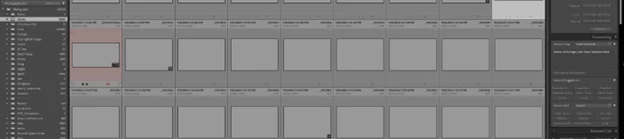
Followed this up by upgrading to 14.01 version again (thinking there may have been some other supporting files upgraded during the original upgrade to 14.0 that were now not compatible with version 13.5.1). The initial opening of Lightroom after the install of 14.01 indicated the Lightroom catalog was corrupt and needed to be corrected – the diagnostic tool corrected whatever the issue was and Lightroom started. The Help/ About Lightroom Classic now showed 14.01 as the installed version but no change in the Library view.
Now on 14.01 I’m thinking maybe it’s a problem with the preview and smart preview Lightroom files and maybe they just needed a “kickstart”. I tried to synchronize a folder and this resulted in a system crash with no files being synchronized. The new diagnostic tool this time reported no faults found. Following up on this I then tried to import a folder - again the process seemed to start but then crashed without importing anything. The new diagnostic tool again this time reported no faults found. This seemed to support my suspicion that somehow the preview files/folders are locked or corrupt and cannot be written to.
I still believe it’s probably an issue with the preview files/folders but have no idea how to verify or correct the issue. Is there some diagnostic information that I could provide for analysis purposes? System configuration file is attached


 AdChoices