
Participant
January 24, 2023
Answered

Upgraded catalog missing edits

  • January 24, 2023
  • 2 replies
  • 1741 views

Hi, 

Lightroom Classic asked me to upgrade a catalog

I agreed.

It created an upgraded copy of the original catalog in the same folder of my original catalog.

It opens up the ugraded catalog but there are no edits. Just the ratings in stars.


I went on my laptop which has the older version of Lightroom Classic and I tried to open up the original catalog and there are no edits there too.


What should I do to get my edits back?


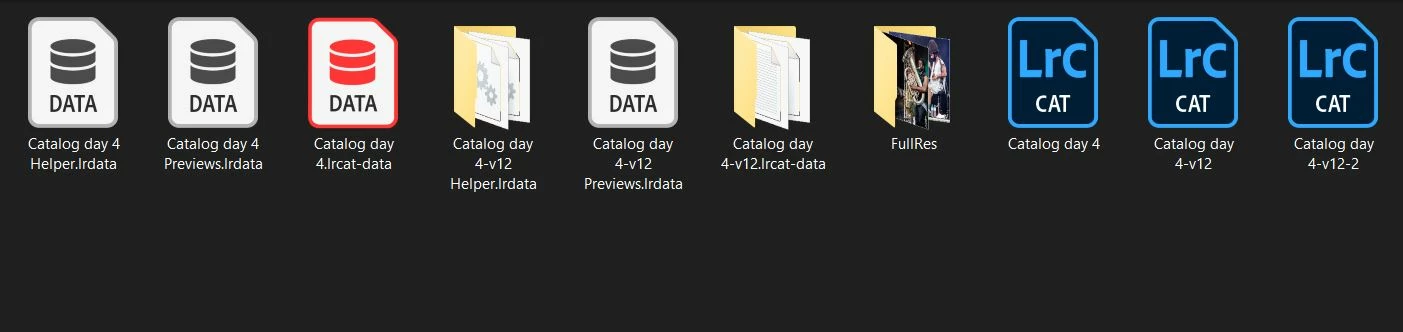
Catalog day 4 is the orignal catalog where I have edited my photos.
Correct answer GoldingD

Are you sure that the catalog in that folder, the v4 one, not the v12 one, is the catalog in use before the upgrade?

Do you have additional catalogs elsewhere?

When you look in that folder,what are the dates associated with the files? 


2 replies

GoldingD
GoldingDCorrect answer
Legend
January 24, 2023

Are you sure that the catalog in that folder, the v4 one, not the v12 one, is the catalog in use before the upgrade?

Do you have additional catalogs elsewhere?

When you look in that folder,what are the dates associated with the files? 


Participant
January 25, 2023

Exactly! I've found the right catalog with all my edits by going to this directory:
macOS: /Users/[user name]/Pictures/Lightroom

Participating Frequently
May 4, 2023

Would your answer @Matteo5C74 / @GoldingD possibly help me with my issue as well?


Edits reversed on export:

I was exporting FOUR HUNDRED AND FIFTY completed edits early this morning and as they were exporting I went back in to the library and then to develop to see some photos I hadn't done and right next to them the photos changed back to the original import right before my eyes!! Ugh. I checked and the exports were NOT edited, they also were the orginal import (which came from Imagine AI). I've been doing my process for over 6 months with Photomechanic to Lightroom to Imagine AI to Lightroom to export and it's never done this before. I've been a photographer for 13 years and have used lightroom a long time and this is vaguely familiar like it's MAYBE happened once before but I'm just completely sick. 


Is there anything thing I can do to get those 450 edits back?? I haven't updated the catalog that they are in. I started a new one, updated that to 12.3 and will try in there but I didn't want to touch the catalog that had the 450 in it so maybe just maybe we could get them restored. 


JohanElzenga
Community Expert
Community Expert
January 24, 2023

If the original 'Catalog 4' has no edits, then it's obvious that an upgraded copy also won't have edits. You need to replace the original by a backup copy and then upgrade again.


-- Johan W. Elzenga
Participant
January 24, 2023

I have no backups of that catalog. Aren't catalogs saving the edits that I do along the way? Where are my edits gone then? If I don't backup everytime where are the edits normally? So, is baking up mandatory? 

JohanElzenga
Community Expert
Community Expert
January 24, 2023

Edits are stored in the catalog automatically. I can't tell you why your catalog has lost them. Making a catalog backup each time you made changes is highly recommended for exactly this reason. Something could go wrong and then a backup may be the only way to solve it. So no, it is not mandatory for saving edits, but it is wise to do it.


-- Johan W. Elzenga