Inspiring
February 1, 2023
Answered

Upright Vertical Transform BEYOND 100 possible?

  • February 1, 2023
  • 1 reply
  • 1335 views

I'm not here to argue whether one should even need to go beyond 100 with the vertical transform, however there are times I need to in order to make the lines of buildings, using a wide-angle lens, vertical. 


In Photoshop I can adjust the perspective without limitation. Is there a way to achieve this in LR Classic? 


Has anyone else run into this problem? Not seeing much about this online. 


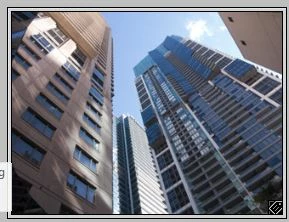
Screenshot of my problem in action. Building's lines not yet vertical yet I'm tapped out at 100.  
This topic has been closed for replies.
Correct answer Rob_Cullen

Try a combination of the guided upright tool [Shift+T] to firstly define the verticals (this has limitations also!),   then apply some more Vertical transform.


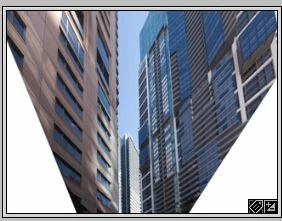
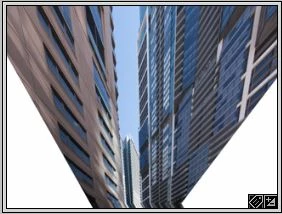
My three tests-  Original, Upright Tool , +Vertical Transform


1 reply

Rob_Cullen
Community Expert
Rob_CullenCommunity ExpertCorrect answer
Community Expert
February 1, 2023

Try a combination of the guided upright tool [Shift+T] to firstly define the verticals (this has limitations also!),   then apply some more Vertical transform.


My three tests-  Original, Upright Tool , +Vertical Transform


Regards. My System: Windows-11, Lightroom-Classic 15.4.1, Photoshop 27.8, ACR 18.4, Lightroom 9.4, Lr-iOS 10.4.0, Bridge 16.0.3 .
Inspiring
February 1, 2023

Yes! This does the trick!!


I'm not entirely sure what's going on since going into the "Vertical" tab automatically straightened the lines of the photo without the vertical slider having moved. It also squeezed the image tall so I adjusted the Aspect slider to account for it. 


Thanks a million for chiming in! Totally solves my problem and I hope this helps others trying to figure this out too!