
Using AI - Assist Masking in Strictly Complementary Way
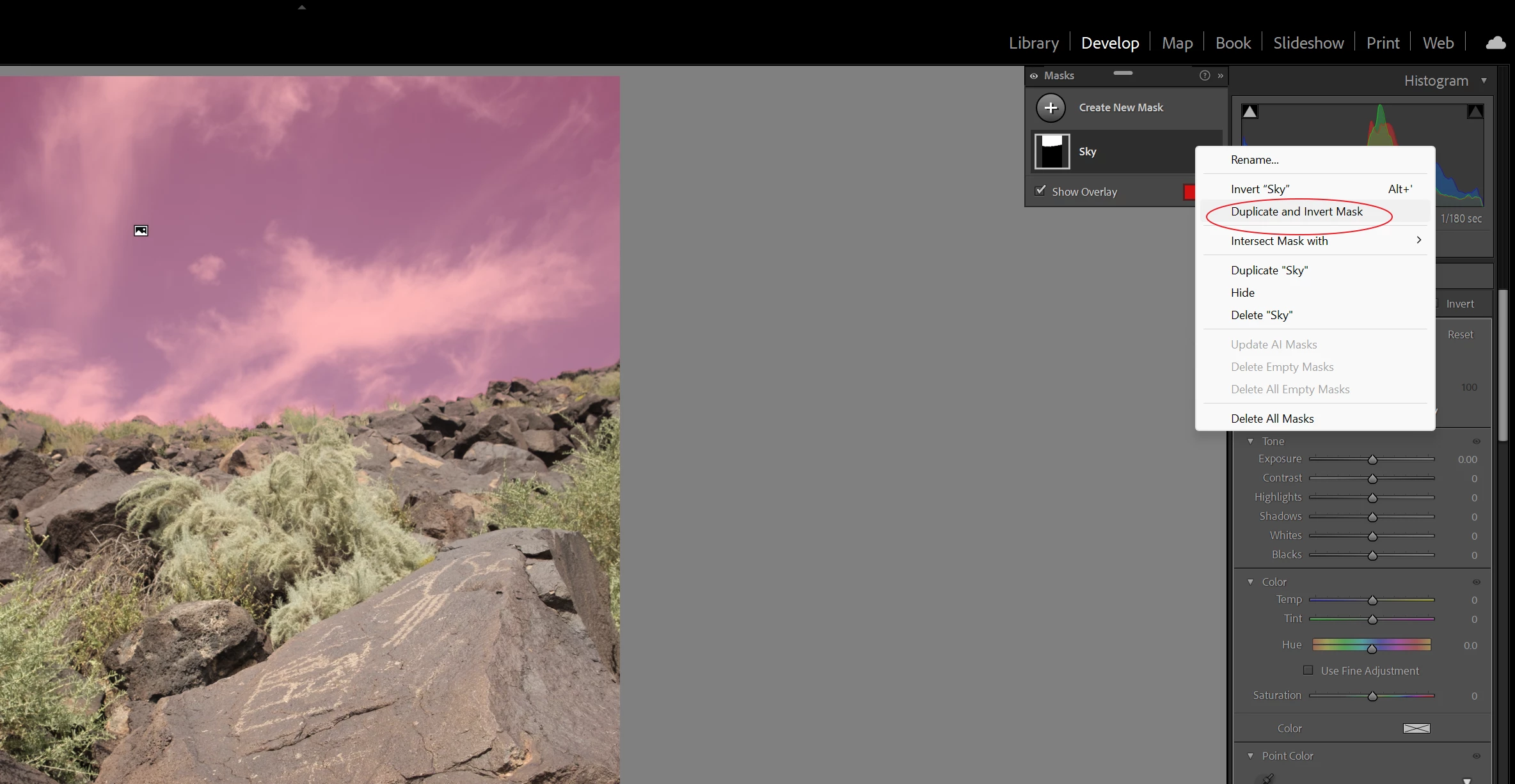
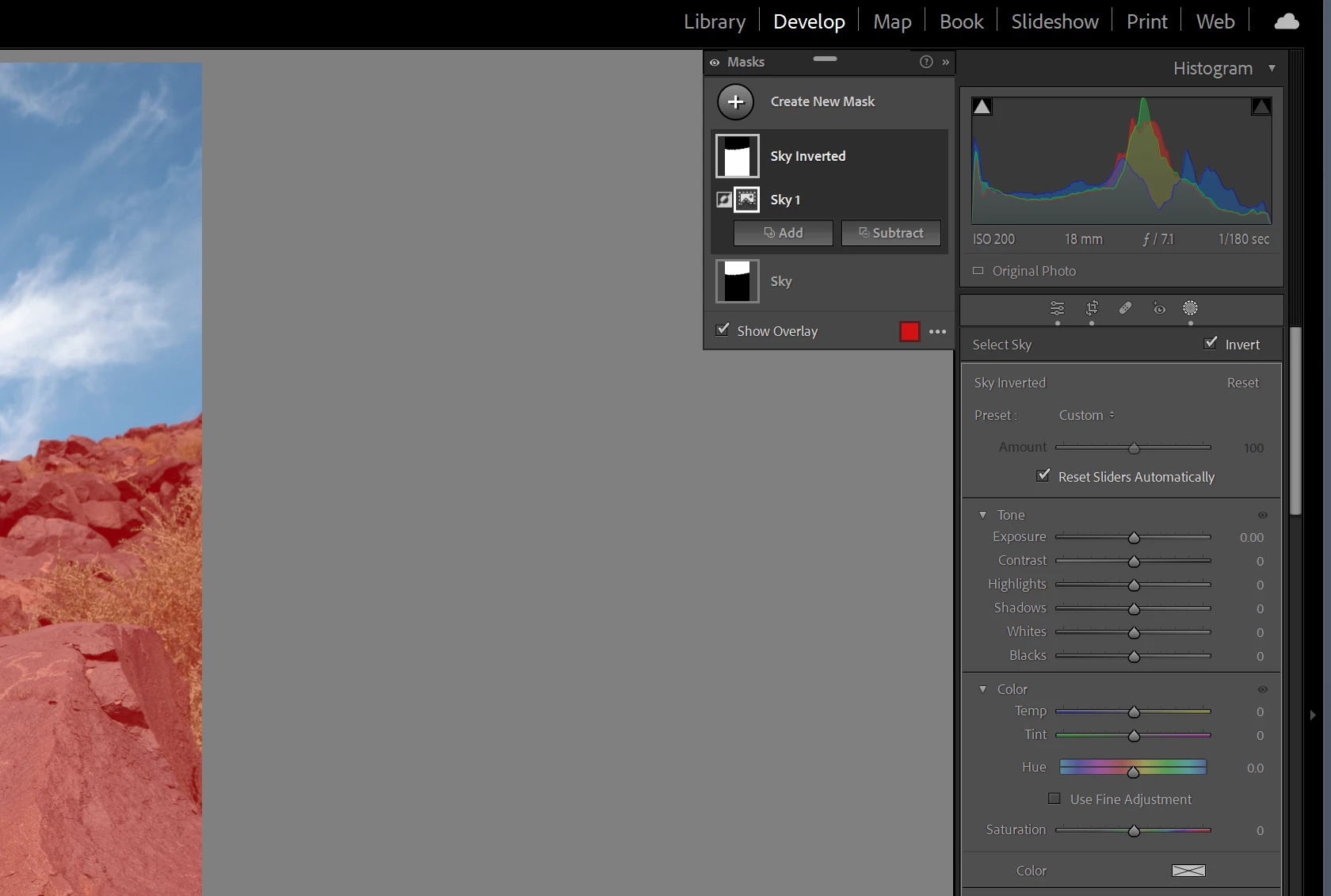
I'm finding the AI - assisted masking a big help, but I often run into this problem when I photograph and develop photos featuring objects other than people (which the feature developers clearly anticipated). I almost always use just two masks: one for the background and one for a collection of objects being photographed (which we offer for sale). I do the background first and add / subject to get the exact outlines and then make another mask for the objects themselves. What I want is a second mask that is precisely the complement to the first mask; in other words, any area of the photo not covered by the first mask, as that first mask is defined with both additions and subtractions, I want to constitute the second mask. Virtually everytime, however, I find myself adding to the second mask what I subtracted from the first and subtracting what I added to the first. It seems that it would not take much "intelligence" to figure this out, so I'm betting that there is a feature of LRC that I have missed that makes this possible. Any suggestions?
 AdChoices