


Using Keyboard Maestro to crop an image in 4 x3 Aspect Ratio
I’m trying to create a Keyboard Maestro macro that will automate the selection of 4x3 crop in the Crop and Straighten Panel.
I’ve tried a half a dozen approved but none seem to work.
The first one uses click on Found Image to select the Original Dropdown and then another Found Image to select the 4 x 3 Aspect Ratio
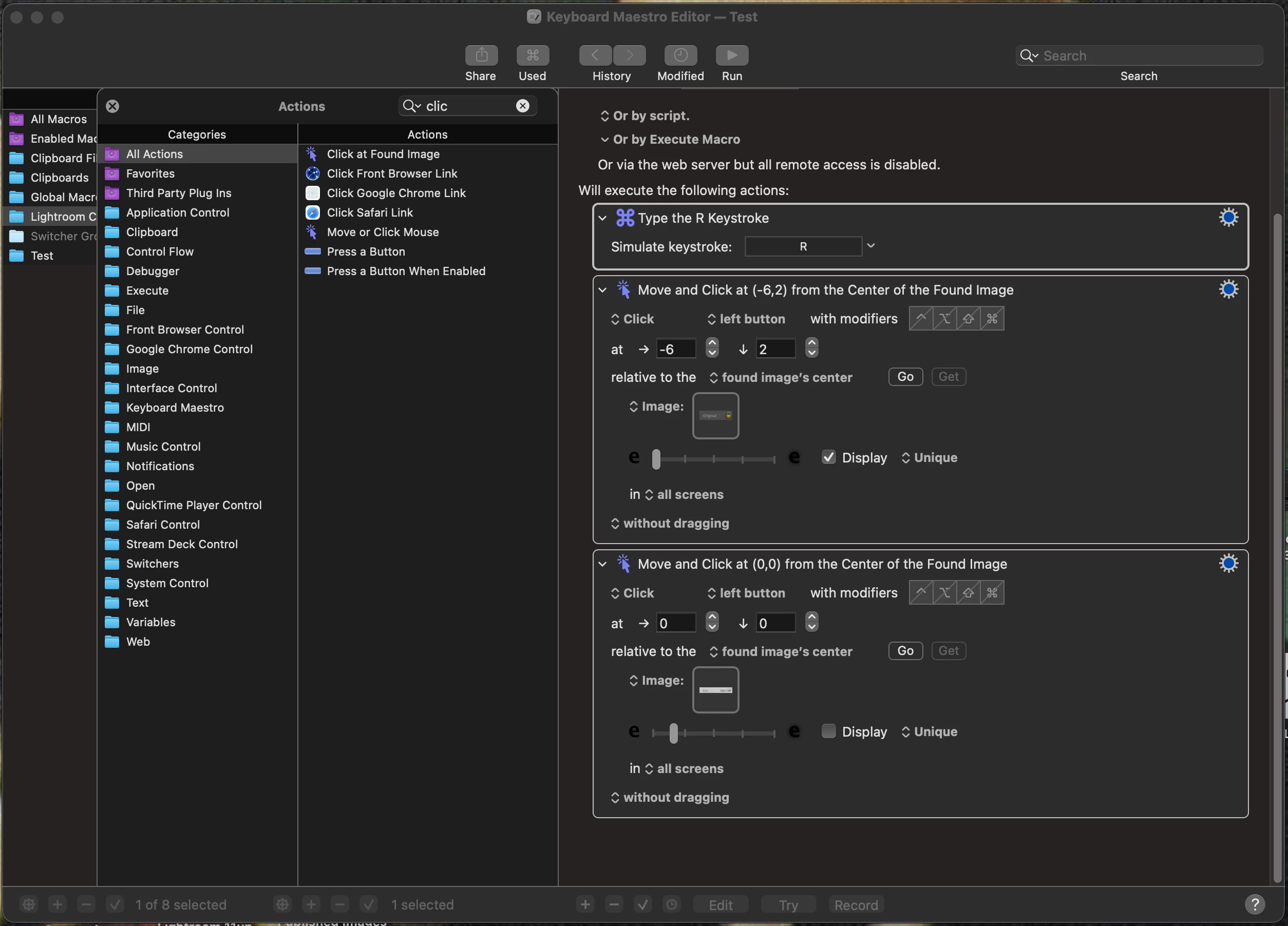
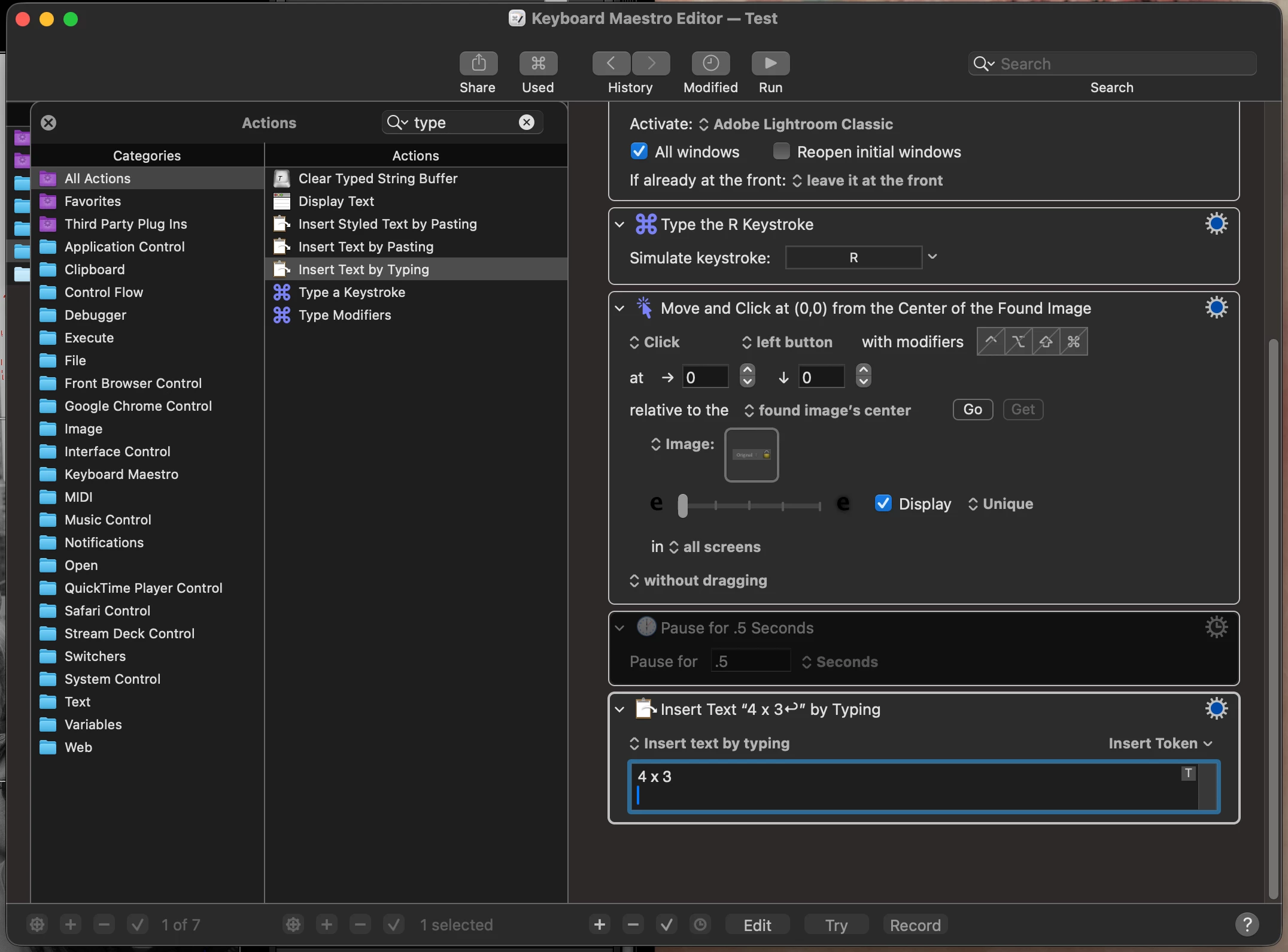
The next try uses the same click on Found Image but instead uses Insert Text by Typing (I’ve also tried Insert Text by pasting)
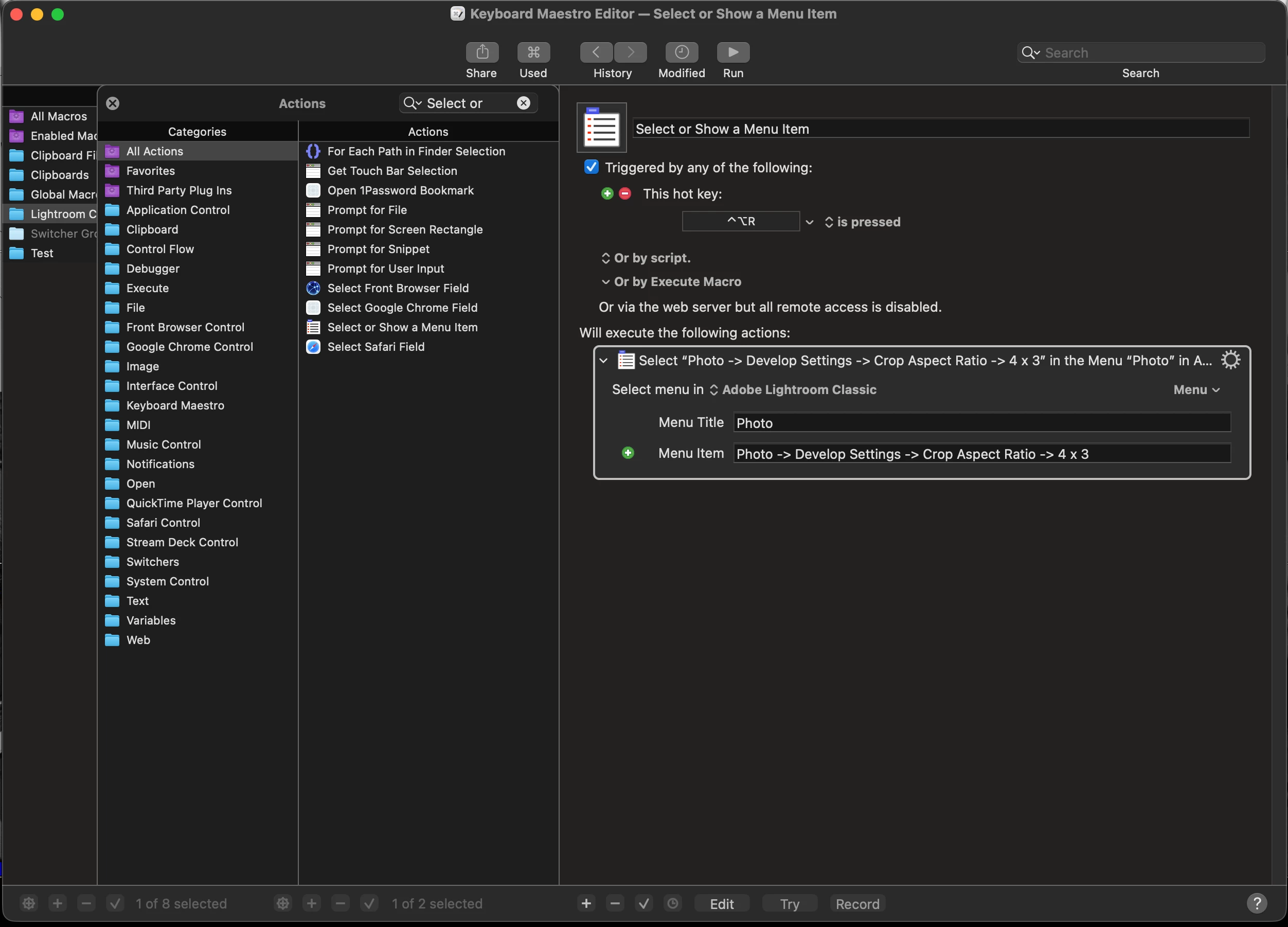
The Other version I’ve tried is Select or Show a Menu Item
None of these seem to work I know… I’m hitting the Original Dropdown because when I hit go it lines up perfectly with the dropdown area.
I’m new to Keyboard Maestro so any suggestions as to what I’m doing wrong would be greatly appreciated?? - CES
 AdChoices