Participant
June 4, 2017
Answered

Using Lightroom 6 with 2560 x 1440 monitor?

  • June 4, 2017
  • 1 reply
  • 760 views

I have a new laptop with WQHD 2560 x 1440 display.

Is there a way to reduce the size (width) of the side panels (left and right) and have them display smaller text?
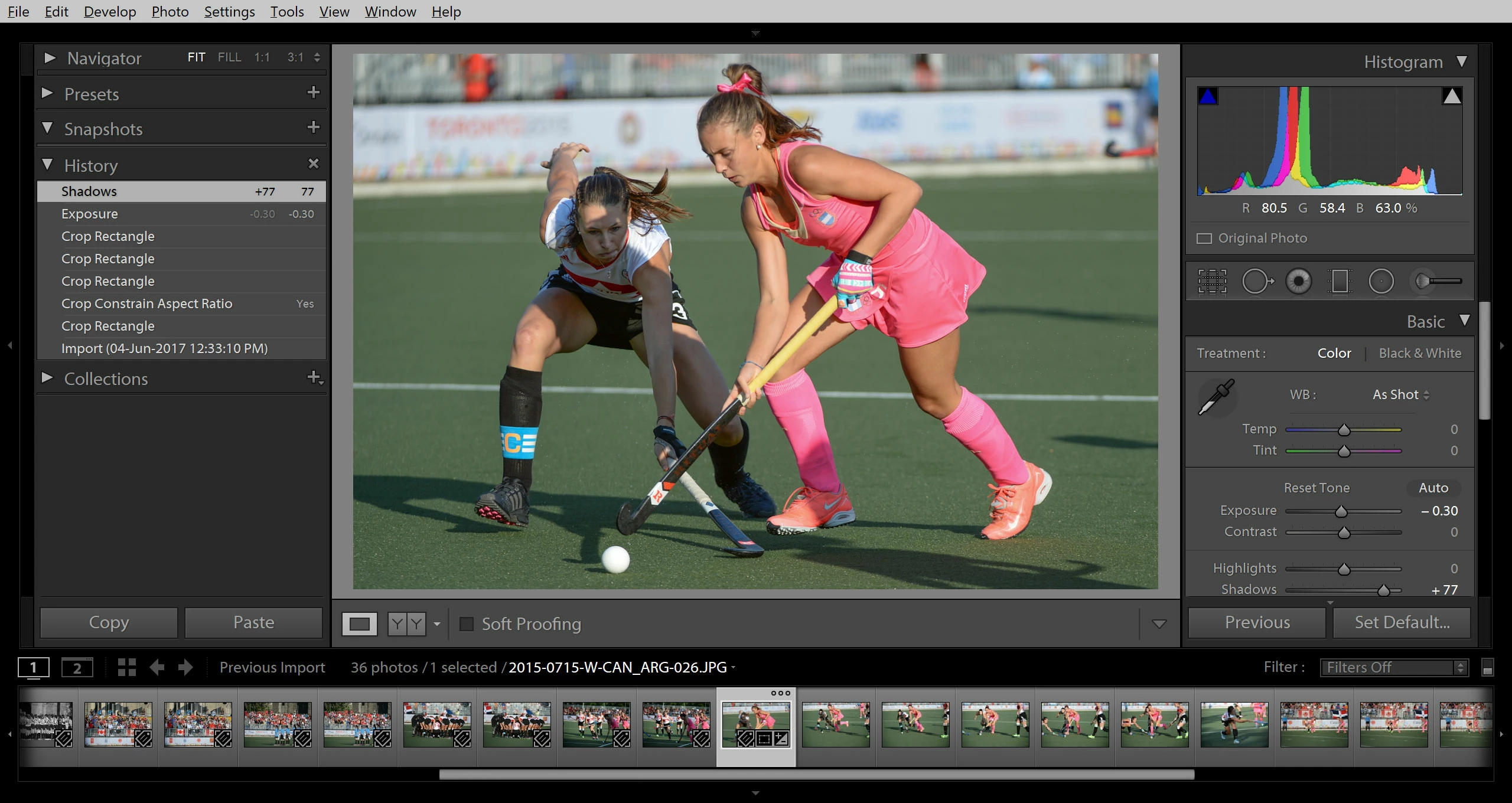
In 1920 x1080, more commands appear in the right column (e.g. all the "Basic" adjustments) to avoid having to scroll up and down all the time.

Thank you for any assistance !

    This topic has been closed for replies.
    Correct answer johnrellis

    Go to Preferences > Interface and change Font Size to a smaller size.  Also, you can adjust the width by dragging the vertical dividing bar between the panel and the center image.

    1 reply

    johnrellis
    johnrellisCorrect answer
    Legend
    June 4, 2017

    Go to Preferences > Interface and change Font Size to a smaller size.  Also, you can adjust the width by dragging the vertical dividing bar between the panel and the center image.