

Video colours off in Lr Classic and Rush
I was looking for some assistance for the following issue -
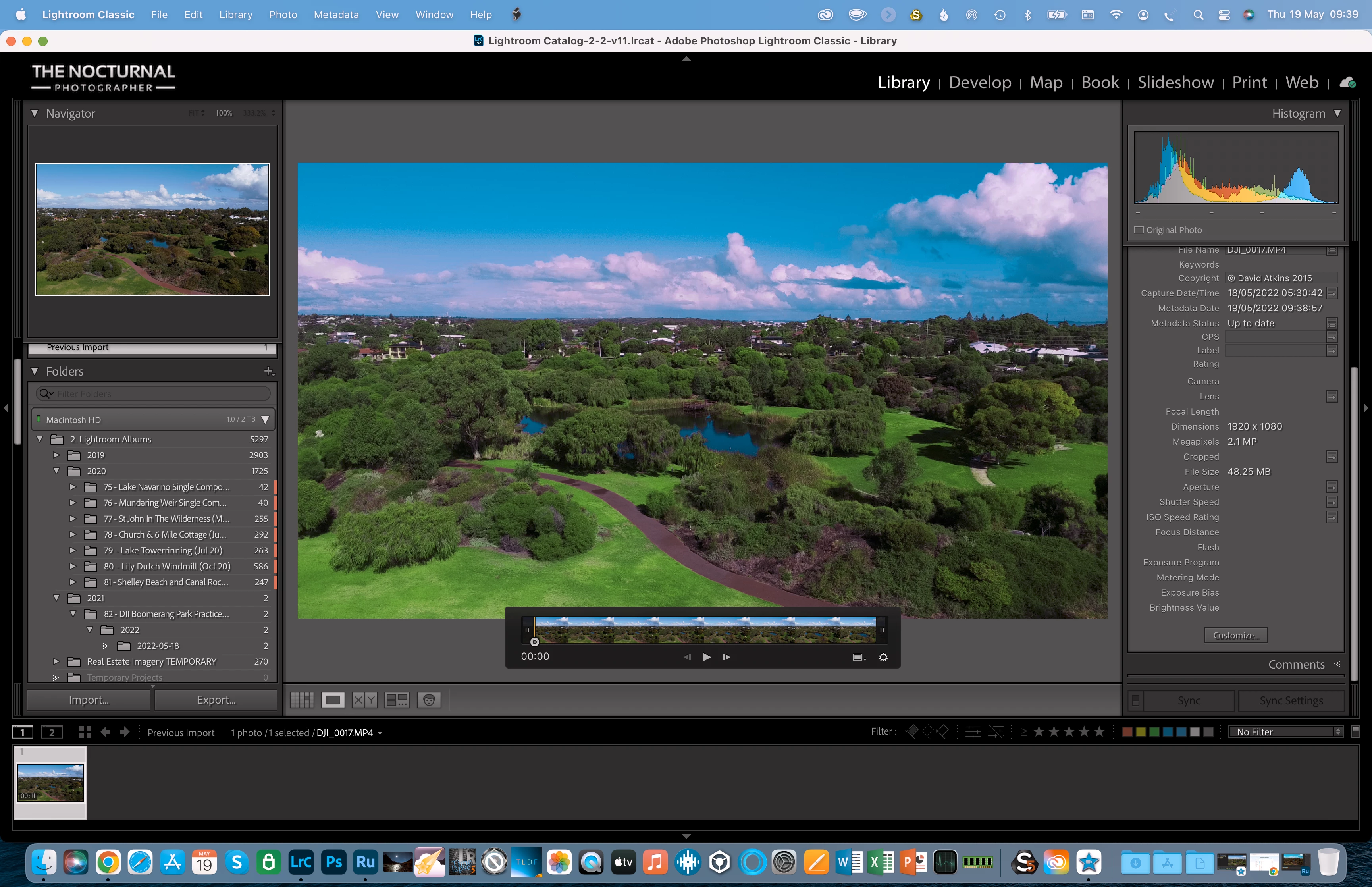
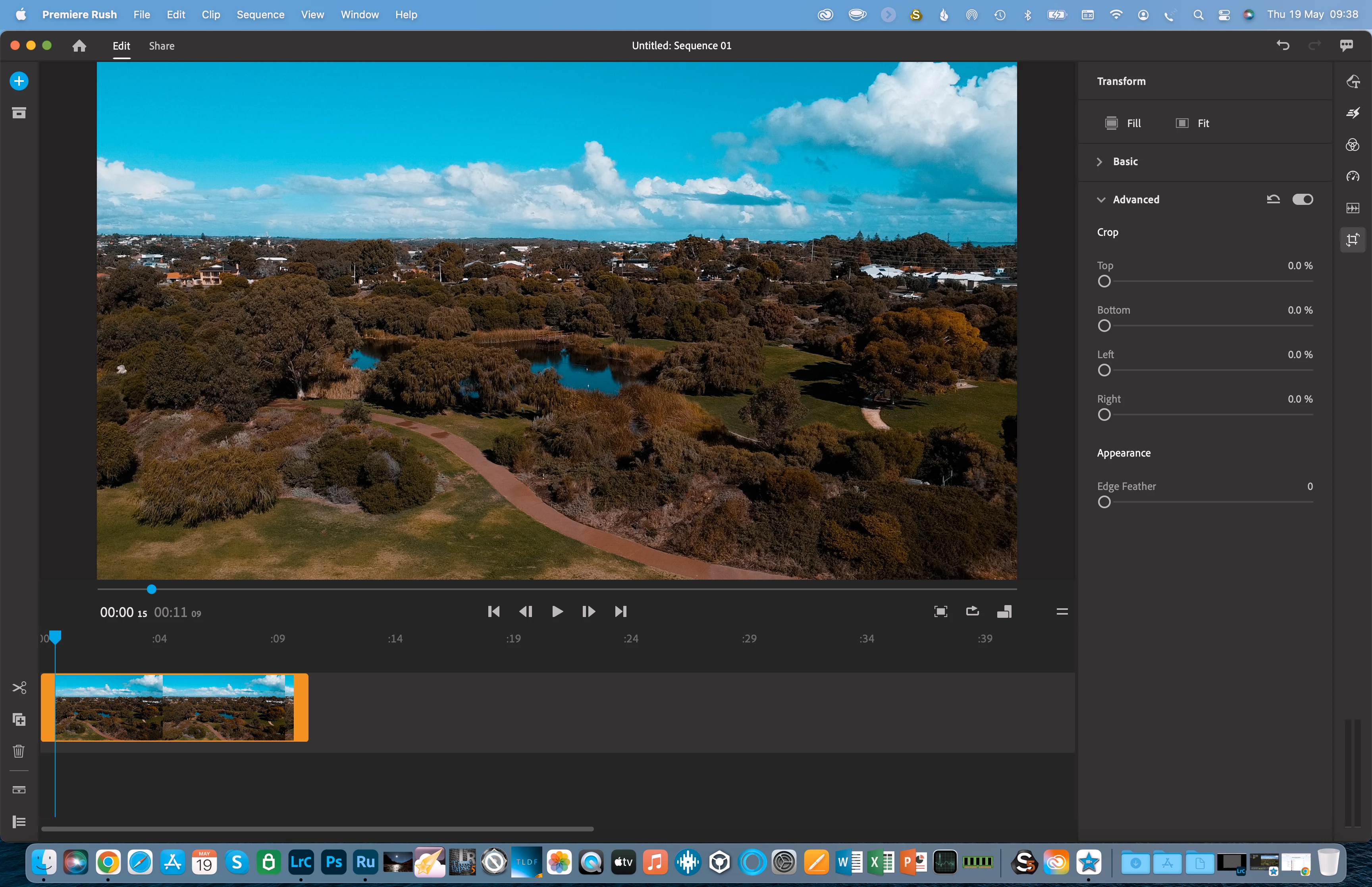
I store my video files (mp4 captured on a DJI mini 2 drone) in Lr Classic as a way to help me orgnaise shoots, but once I've imported the video file the previews show strange colours that are different from the original. If I then export the video its playback colours are fine, so it only happens in the preview within Lr Classic. Incidentally it also happens in Rush when I'm viewing the unedited video file in there although the colours are different (more purple in the clouds and warmer oranges for the ground in this example). It does not happen in iMovie which I ran for a test.
Please see the following images.
(Macbook Pro 16" 2021 M1 Max, OS 12.4)
(Adobe Apps all up to date)
1- Video preview in Lr with off colours. The small Navigator preview in top left looks fine.
(I just store all my videos in Lr so they can be kept together with my still images from that shoot - just how I orgnaise things).
2- Video preview in Rush with off colours. No edits or fitlers have been added.
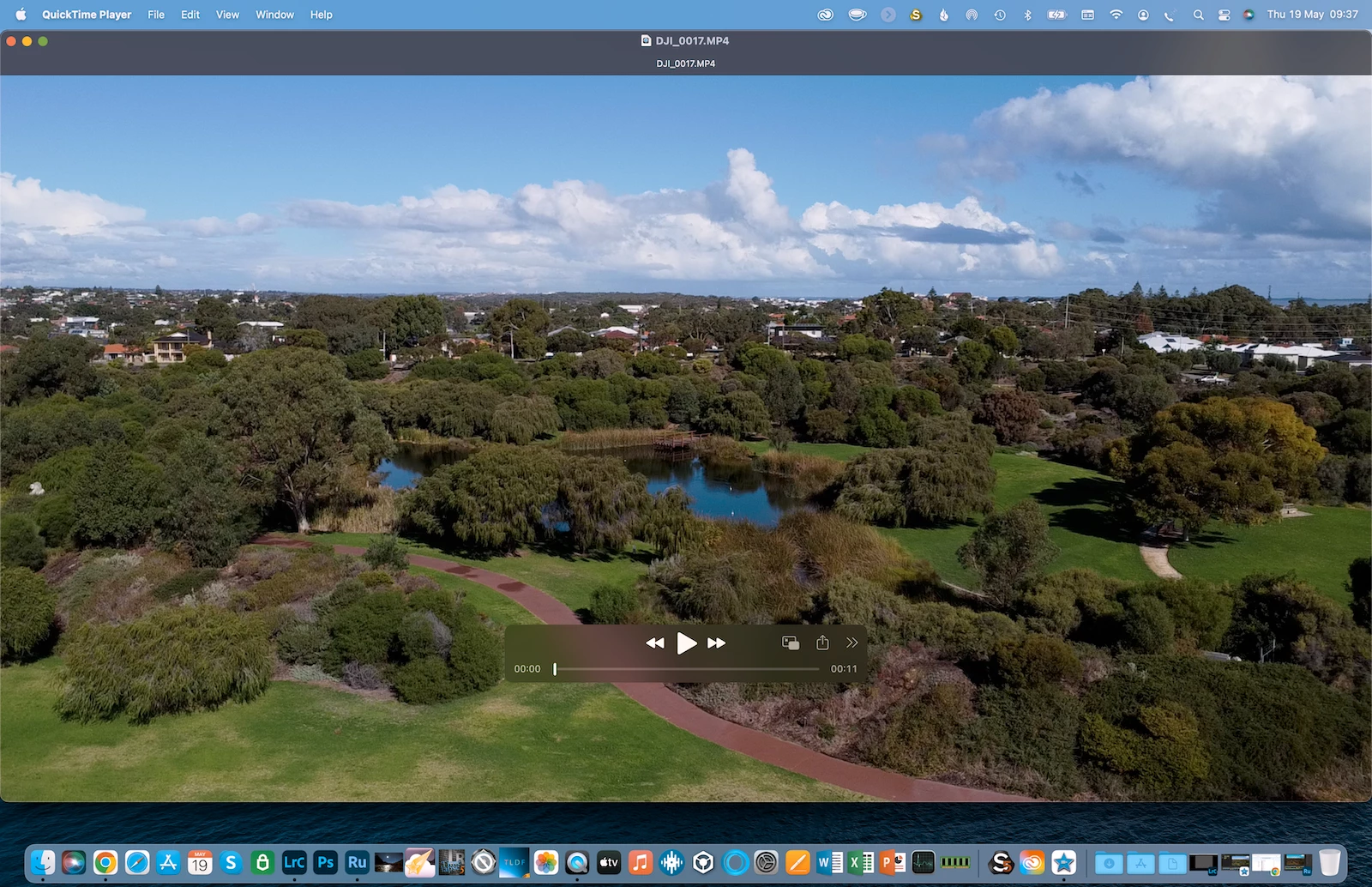
3- This is a screenshot of the orignal video file opened up in Quicktime Player with correct colours
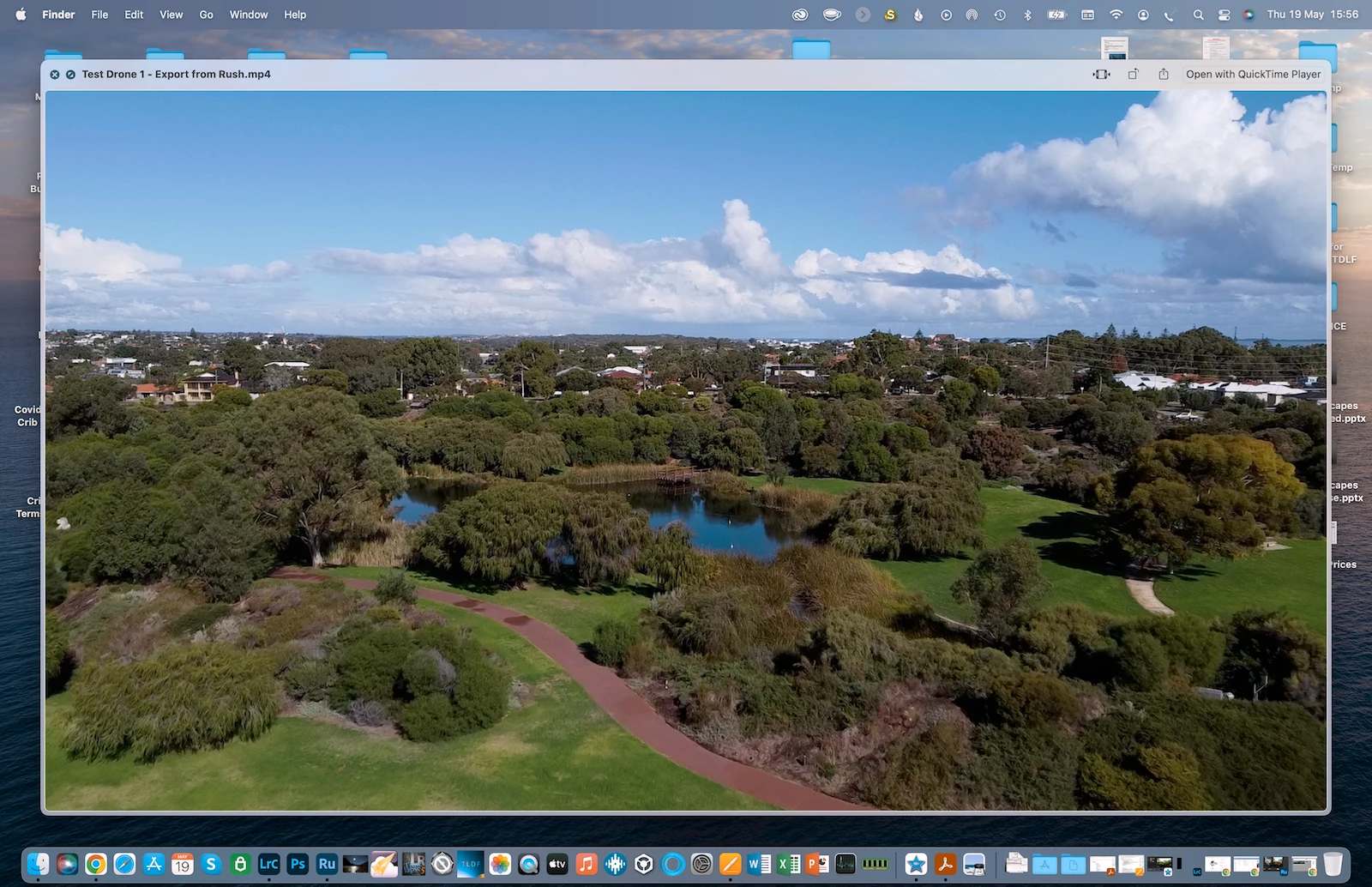
4- Video after its been exported from Rush - colours are fine. The colours are also fine when I export the video from Lr.
 AdChoices