
Participant
September 26, 2019
Question

Video Files with Wrong Time Stamp in Lightroom Classic CC

  • September 26, 2019
  • 6 replies
  • 4620 views

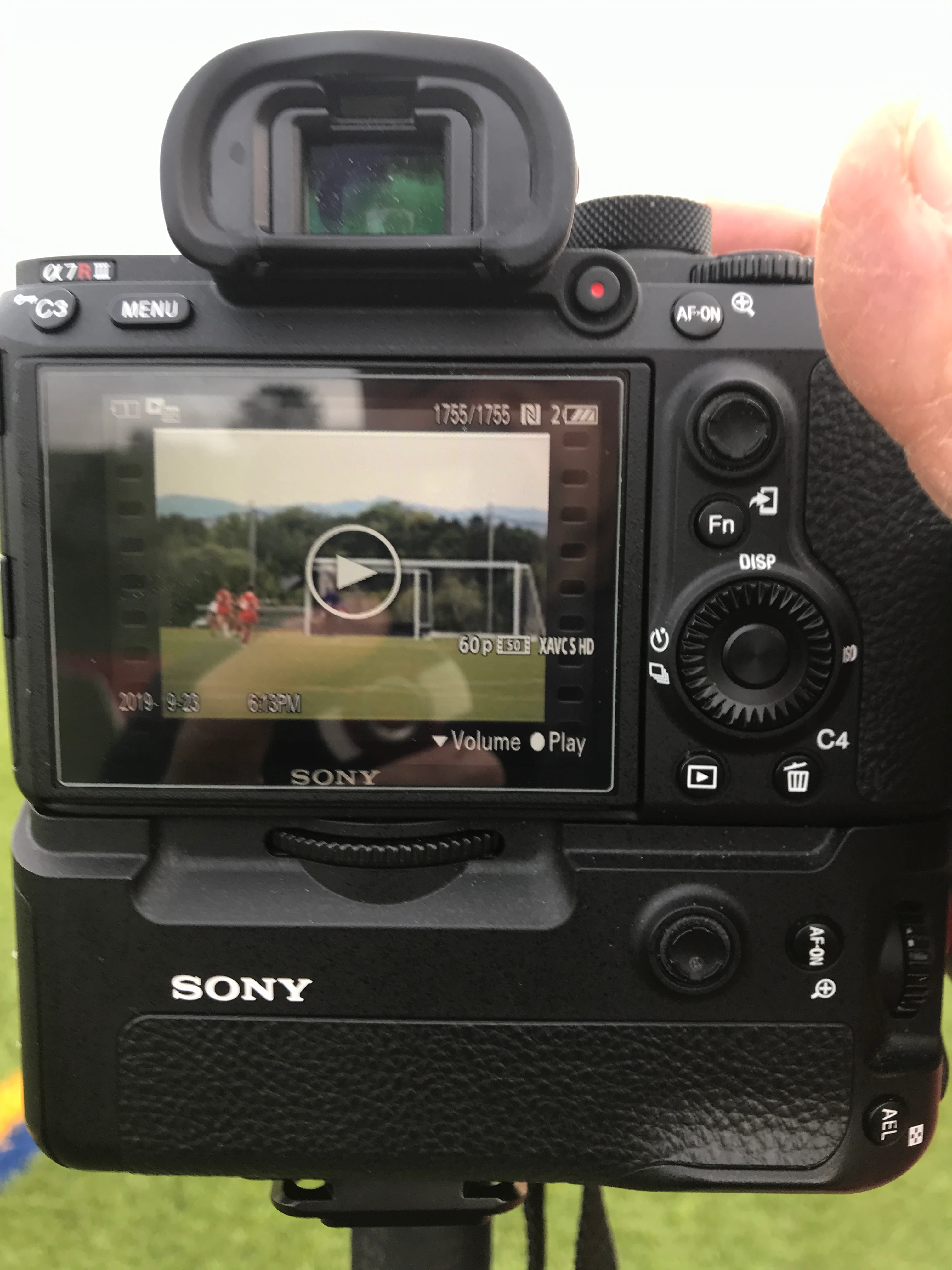
Try taking a video and import it into LR Classic CC. I have proof from my phone when I took and what it shows on the camera then it being different in LR. From my iPhone.  Shows bottom left 2019-09-23 6:13pm which is the correct time.
After Importing it, on the right even the filename is wrong. My settings import is both Date and Time. So it's wrong in the Filename AND in the Metadata Date, and the Date Time Digitized
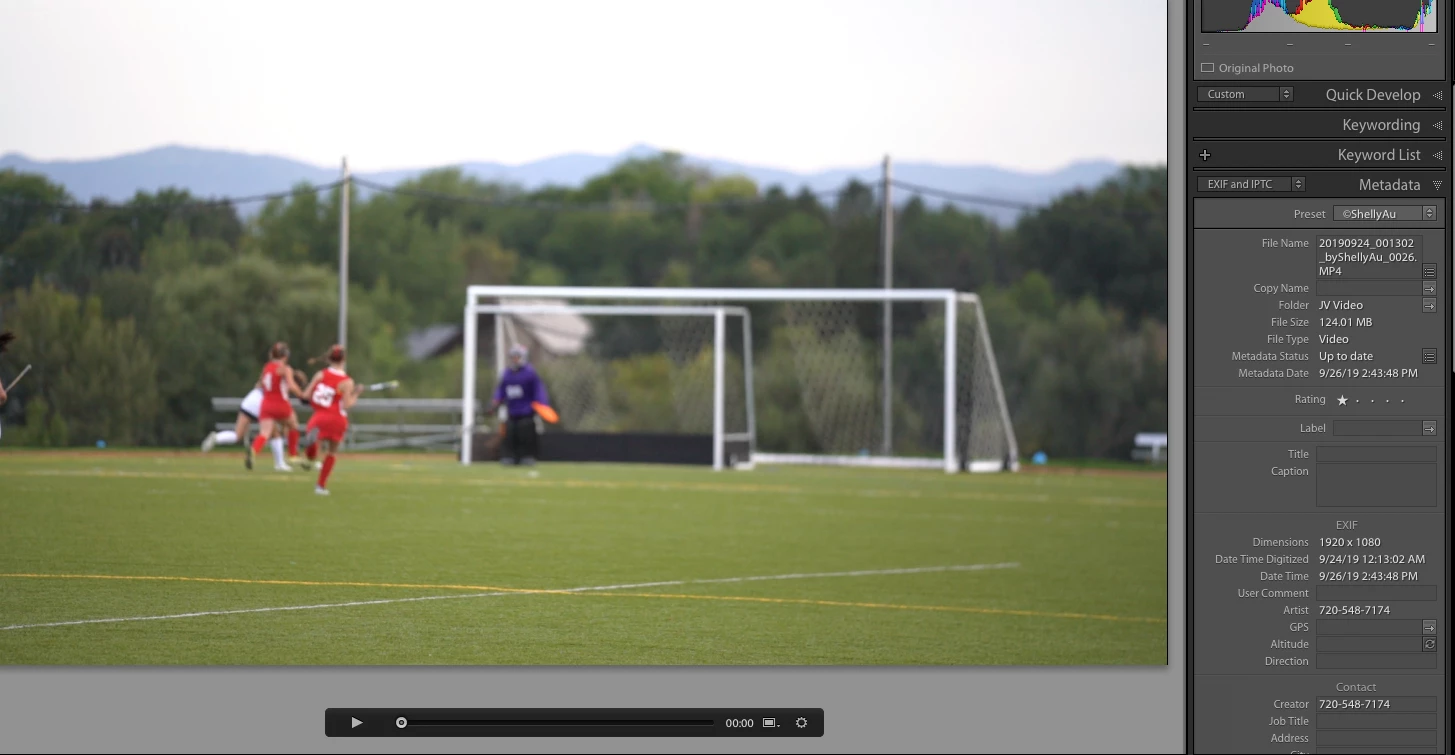
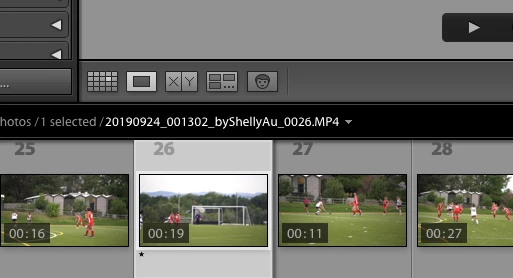
As you can see in my filename is should be 20190923_001813
 

Any Suggestions?

This topic has been closed for replies.

6 replies

Community Expert
September 29, 2021

I always have to manually shift all my video files from my DSLRs to the correct timezone. EVERY single time. A very long standing and maddening bug that just won't get fixed. Every other video app gets this right.

Participant
December 25, 2021

While every other video app may be getting this right, But On1 photo RAW 2022 has also given me this issue where the videos from my Nikon Z5 show up with a different capture time than my photos.

linuxmuffel
Participating Frequently
September 28, 2021

Here is another workaround:

With the tool "EXIF Date Changer" you have to shift the time by "0" hours. Then the import works correctly in Lightroom :-). Sounds stupid, but that's how it is :-).

johnrellis
Legend
September 28, 2021

"With the tool "EXIF Date Changer" you have to shift the time by "0" hours. Then the import works correctly in Lightroom :-). Sounds stupid, but that's how it is :-)."


Most likely that works becuse EXIF Date Changer is adding an EXIF:DateTimeOriginal or XMP:DateTimeOriginal field to the video, containing the video's QuickTime capture date (stored in UTC) converted to local time.

linuxmuffel
Participating Frequently
September 29, 2021

Dear Adobe Lightroom developper Team:

It would be cool if you could implement this function in Lightroom too 😉

johnrellis
Legend
October 5, 2019

A possible workaround: Change the time zone in the camera settings to UTC. The camera will then record capture times without adding a time-zone offset, and LR will read those times as recorded (interpreting them as local time),

linuxmuffel
Participating Frequently
September 28, 2021

Hi johnrellis,
the workaround you mentioned does not work for me unfortunately. With the photos from my Huawei Mate 10 Pro and from the DJI Osmo Action, the time and date is correct. With the videos, I have both devices 2 hours in summer and 1 hour in winter difference ;-).
I must then always remember to adjust the times after import :(. Whether I always think about it? I do not know ...

johnrellis
Legend
September 28, 2021

"the workaround you mentioned does not work for me unfortunately. With the photos from my Huawei Mate 10 Pro and from the DJI Osmo Action, the time and date is correct. With the videos, I have both devices 2 hours in summer and 1 hour in winter difference ;-)."


My suggested workaround, "Change the time zone in the camera settings to UTC", was incomplete. You'd need to change both the time zone of the camera to UTC and change the camera's clock to display the correct local time. 

johnrellis
Legend
October 5, 2019

This is primarily a user-to-user forum and Adobe won't see your feedback here, so be sure to post on the bug report I linked to previously. Adobe does read everything posted there and sometimes engages.

TheGreekGeek
Participating Frequently
April 9, 2021

This has been a known issue for probably a decade now and extremely maddening. Adobe clearly has no plans to fix it and it's on their list of known issues for lightroom. https://helpx.adobe.com/lightroom-cc/kb/known-issues.html

johnrellis
Legend
October 5, 2019

The camera recorded the capture time as 2019-09-23 18:13, while LR read the capture time as 2019-09-24 00:13:02, a difference of 6 hours. Are you in a time zone that is UTC - 6 (e.g. MDT)?  If so, this issue is most likely caused by the poorly written QuickTime spec, which doesn't provide a standard mechanism for cameras to record time zones in the metadata.  See here for details:


https://feedback.photoshop.com/photoshop_family/topics/canon-5d-mark-iv-video-capture-time-incorrect-in-lightroom?topic-reply-list[settings][filter_by]=all&topic-reply-list[settings][reply_id]=18689141#reply_18689141


You could post your camera and request that LR handle it specially, as it does with a few of the most popular phones and cameras.


shakashelAuthor
Participant
October 5, 2019
WHOAAAAA!!!!! You are right!!!! OMG. Come on LR (ie.Adobe) Lets get this done!!!!!
gegjr
Inspiring
October 1, 2019

I have a very similar issue with my Sony A99M2 and A77M2 cameras. Typically I will import the video (usually MP4) into Sony's Playmemories Home Browser aka PMB so I can edit before finally importing into LR CLASSIC. By doing this PMB will give the MP4 a modd sidecar file. Unfortunately, apparently LRC doesn't read the modd side car files. Will Adobe ever allow LRC to read the modd files and either convert to LRC sidecars or at least give option to write metadata from disk?

"In the End, we will remember not the words of our enemies, but the silence of our friends."~Martin Luther King, Jr.