Inspiring
October 14, 2021
Question

Videos No Longer Importing

  • October 14, 2021
  • 8 replies
  • 252 views

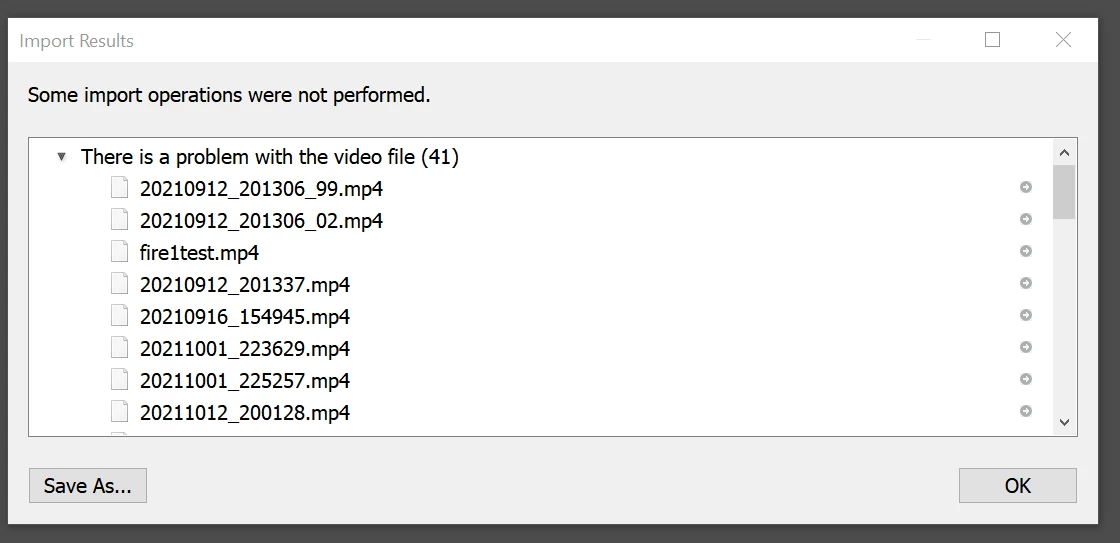
I can no longer import any videos. I get the same error as posted below.


Most of these videos are videos from my cell phone. But I have tried moving the files to different folders (nope), adding instead of moving files (nope). I tried older mp4 videos from 2008 (nope). I tried an .mov file (nope). I tried turning GPU acceloration off (nope). I tried clearning all the caches (nope). I tried uninstalling all lightroom even preferences, and reinstaling (nope). I am on the most updated 10.4, on Windows 10, recent updates. AMD 3700X CPU. Nvidia 2070 GPU.


The video previews also don't show up in the import screen as well.
 

This topic has been closed for replies.

8 replies

johnrellis
Legend
November 5, 2021
Participant
November 5, 2021

I'm having the same problem. Tried importing some videos into LR and got a message saying that "Dynamic Link failed". I am also unable to export videos from the Slideshow module. Has anyone found a solution to this?

guthriewAuthor
Inspiring
October 14, 2021

Which permission? It may be a similar issue, I'll try things?

Earth Oliver
Legend
October 14, 2021

i encountered this issue in osx recently and it was solved by changing a permission in the system prefs. I know you're using Win10, but i wonder if the issue has a similar solution.

guthriewAuthor
Inspiring
October 14, 2021

Oh, I also went to the /Adobe folder and tried the renaming the folder to solution.old and it re-populated, that didn't work.

guthriewAuthor
Inspiring
October 14, 2021

I have tried disabling all of these as well. Did not work.

guthriewAuthor
Inspiring
October 14, 2021

I have no plug-ins. Stock install. I've never even heard of mediacore.