
Inspiring
August 15, 2024
Answered

Virtual Copy filter not working in Lightroom Classic

  • August 15, 2024
  • 2 replies
  • 569 views

When I'm in Lightroom Classic and choose to use the Attribute_Virtual Copy filter I get this message "No photos match this filter". I use this all the time and just noticed it stopped working yesterday. I, at first, thought it was due to this being in a new folder but, when I went to old folders and tried the filter it didn't work on them either. I rebooted the Mac and tried it again but, this filter still doesn't work. After doing all my "post" on a shot, I always make a virtual copy of it, so when I am done working on photos in a folder I can just apply this filter and "export with presets" the result.
This topic has been closed for replies.
Correct answer GoldingD


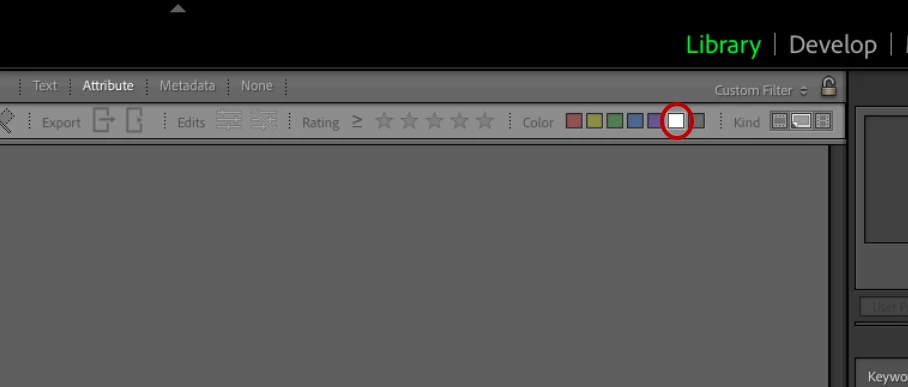
You also have Color: With Custom label, selected.

2 replies

dj_paige
Legend
August 16, 2024

Please show us a screen capture of the entire LrC Library Module screen when you try to use this virtual copy filter. Please use the "Insert Photos" icon to include your screen capture. Do NOT attach files.

Inspiring
August 16, 2024

GoldingD
GoldingDCorrect answer
Legend
August 16, 2024


You also have Color: With Custom label, selected.

Ged_Traynor
Community Expert
Community Expert
August 16, 2024

@Brad22414184ax00 this is the Photoshop forum, try the Lightroom Classic forum instead